Understanding RezExpert Session Timeout Messages
Last modified on:
Overview
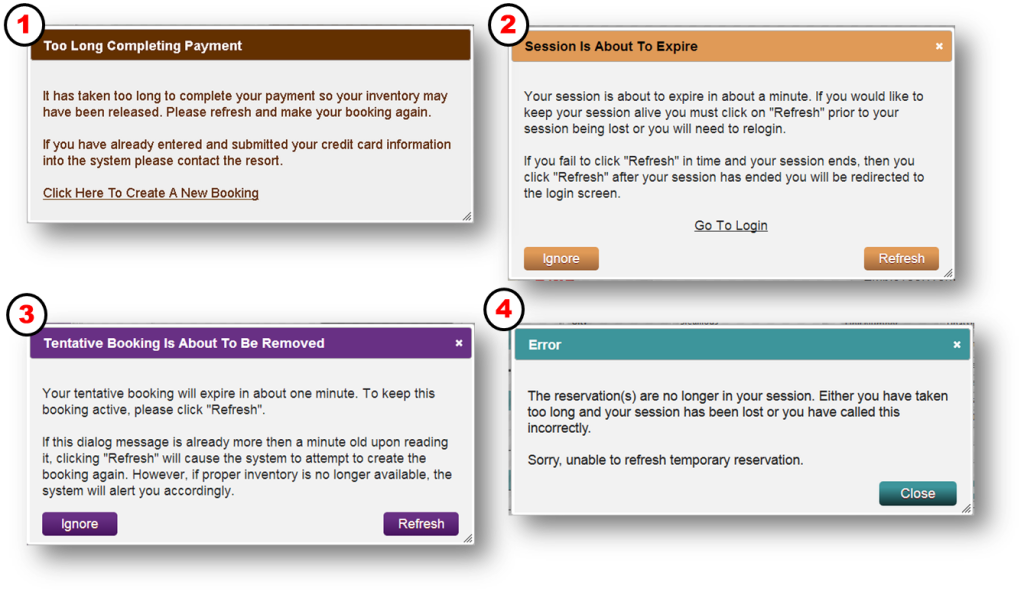
RezExpert has implemented session dialogs that will appear one minute before your session is about to end.
Prerequisites
- Understanding of RezExpert session management
Steps
- RezRobot Session Dialog (Online Booking page)
- This dialog box will appear if a client takes too long to make an Online Booking.
- Note: This does not appear a minute before the session is to expire.
- Console Session Dialog
- Reservation Session Dialog
- Reservation Lost Session Dialog
- This dialog will appear if the user takes too long to refresh their reservation session or the inventory is no longer available at the point of refresh.
Troubleshooting
- Ensure timely actions during session to avoid session expiration.