Shift4 Credit Card Refund Process in RezExpert
Last modified on:
Overview
This document provides a step-by-step guide for making a Shift4 credit card refund in RezExpert.
Prerequisites
- Access to RezExpert.
- Necessary permissions to process refunds.
Steps
- Select Reservation or Search for the Client
- Navigate to the reservation or search for the client in the system.
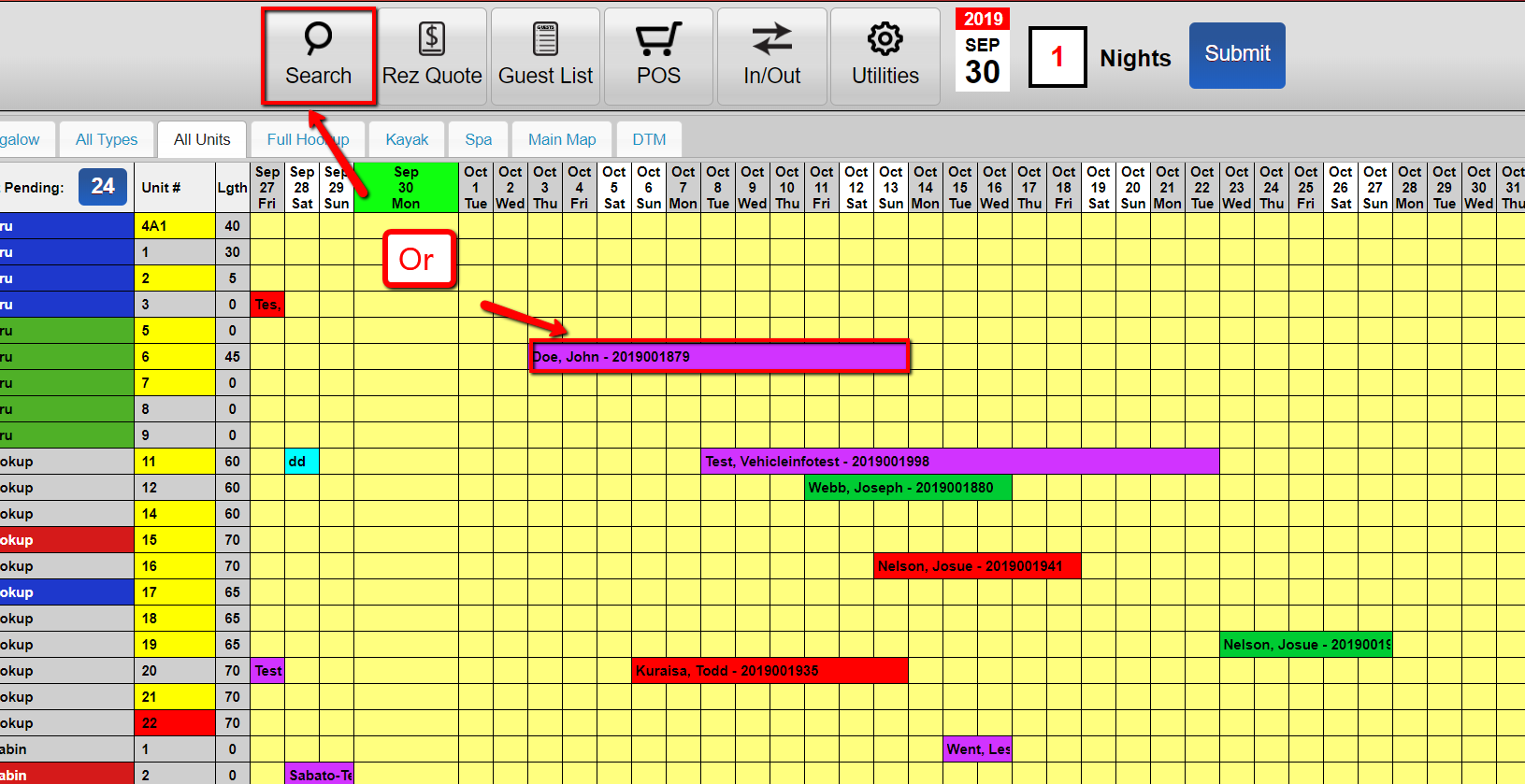
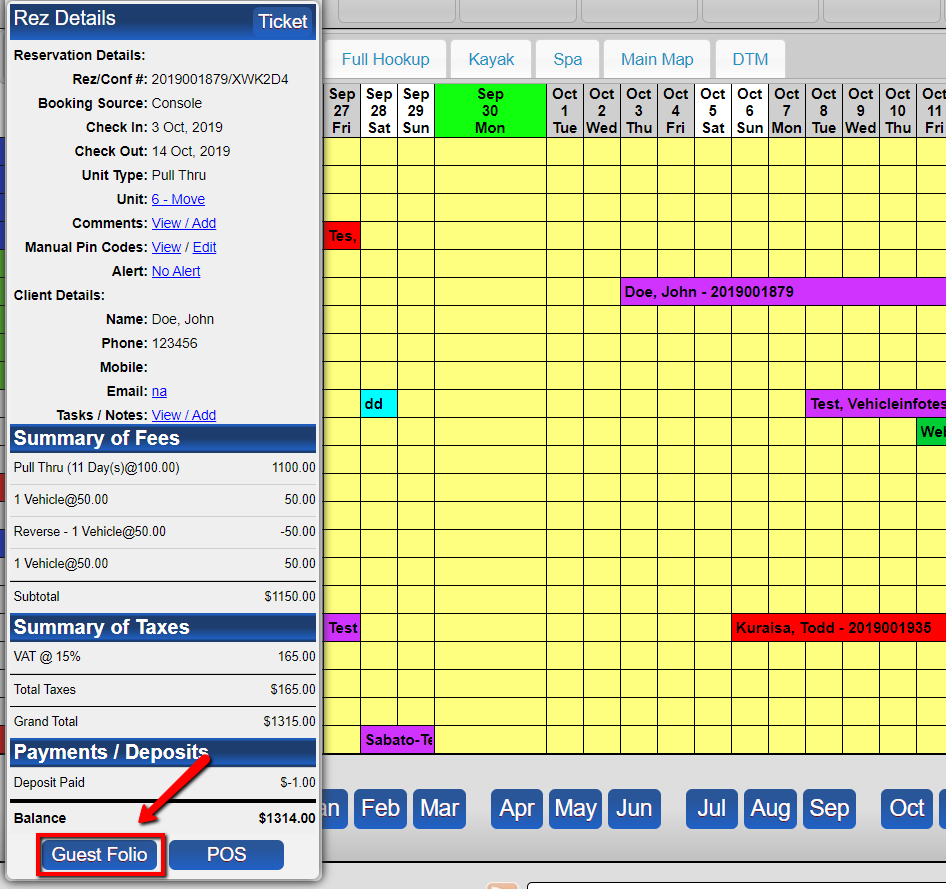
- Select Guest Folio
- Access the guest folio associated with the reservation.
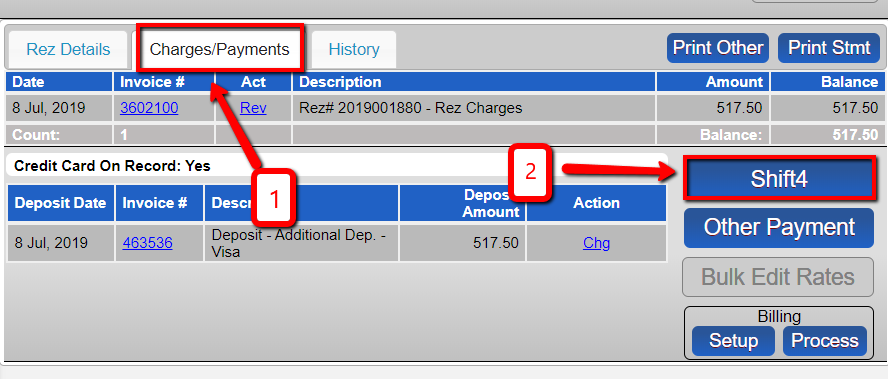
- Go to Charges/Payment and Click Shift4
- In the guest folio, go to the Charges/Payment section and select Shift4.
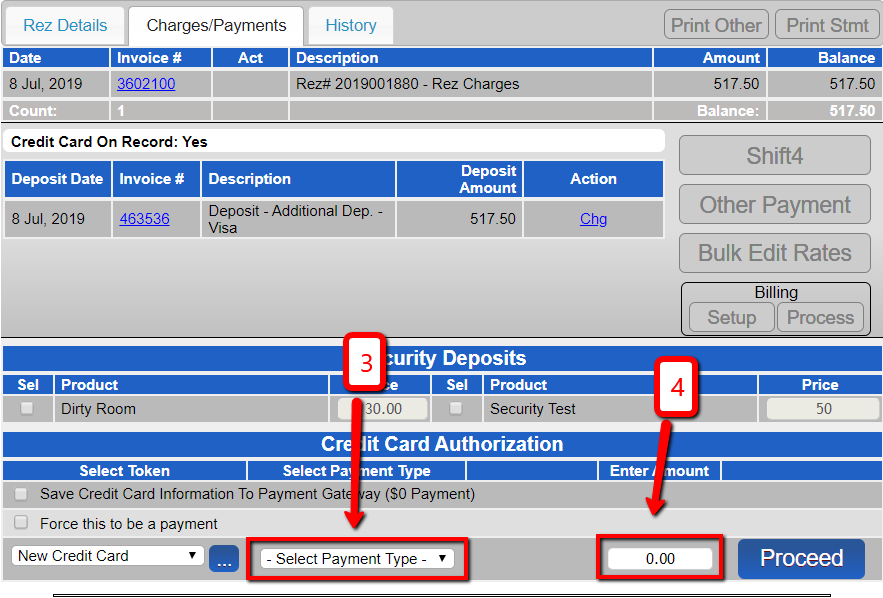
- Enter the Payment Type and Negative Value
- Input the payment type and the negative value that you wish to refund.
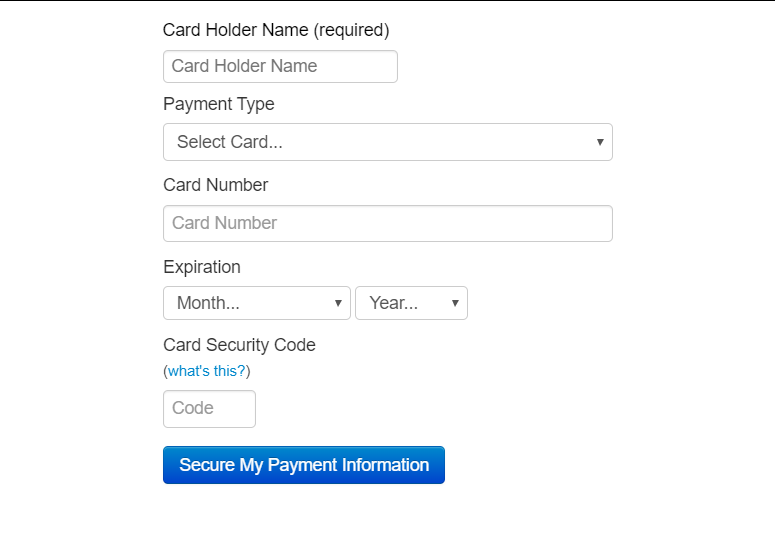
- Enter Payment Information
- Provide the necessary payment information for processing the refund.
- Click Continue
- Finalize the refund process by clicking Continue.
Troubleshooting
- Ensure all information is entered correctly to avoid processing errors.
- Verify permissions if unable to access the refund functionality.