Adding a New Marketing Type
Last modified on:
Overview
This guide provides a step-by-step process for adding a marketing type.
Prerequisites
- Access to the system where marketing types are managed.
Steps
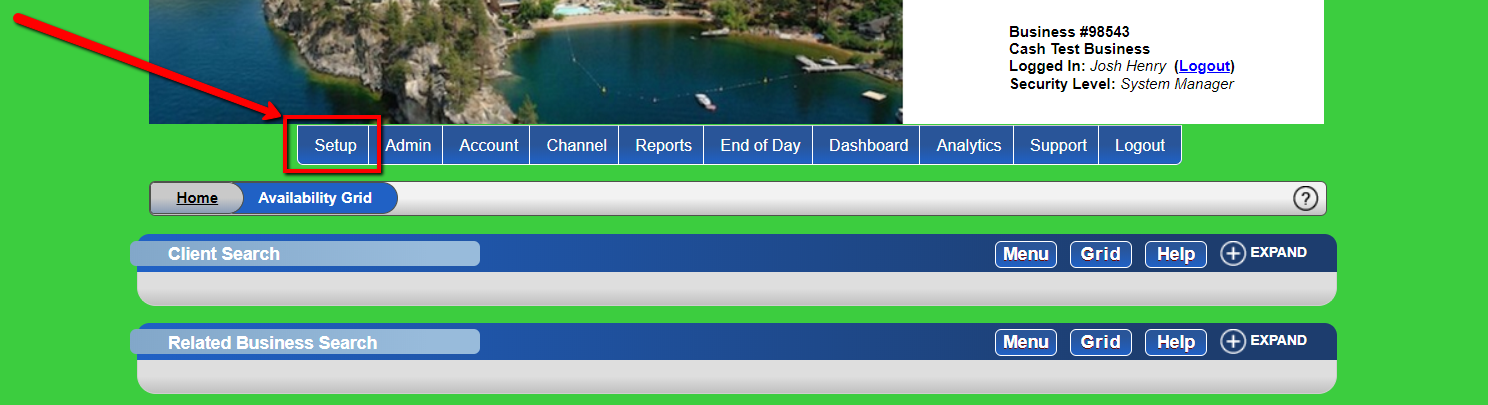
- Navigate to Setup
- Go to "Setup".
-
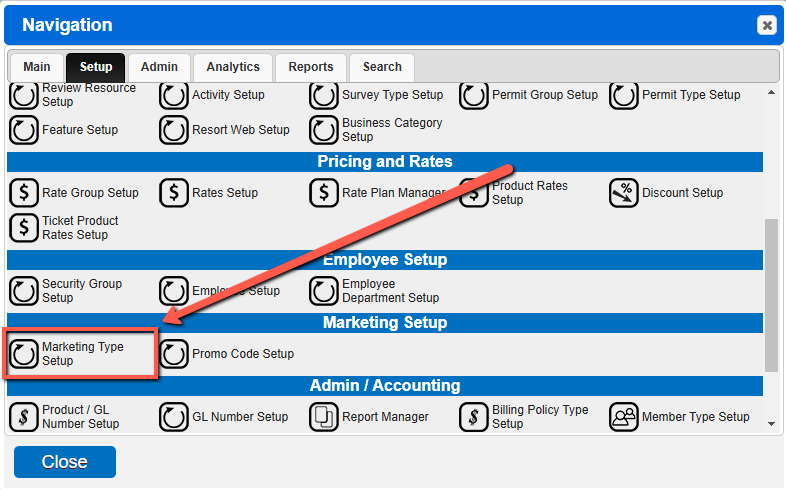
- Access Marketing Setup
- Click "Marketing Setup" from the menu.
-
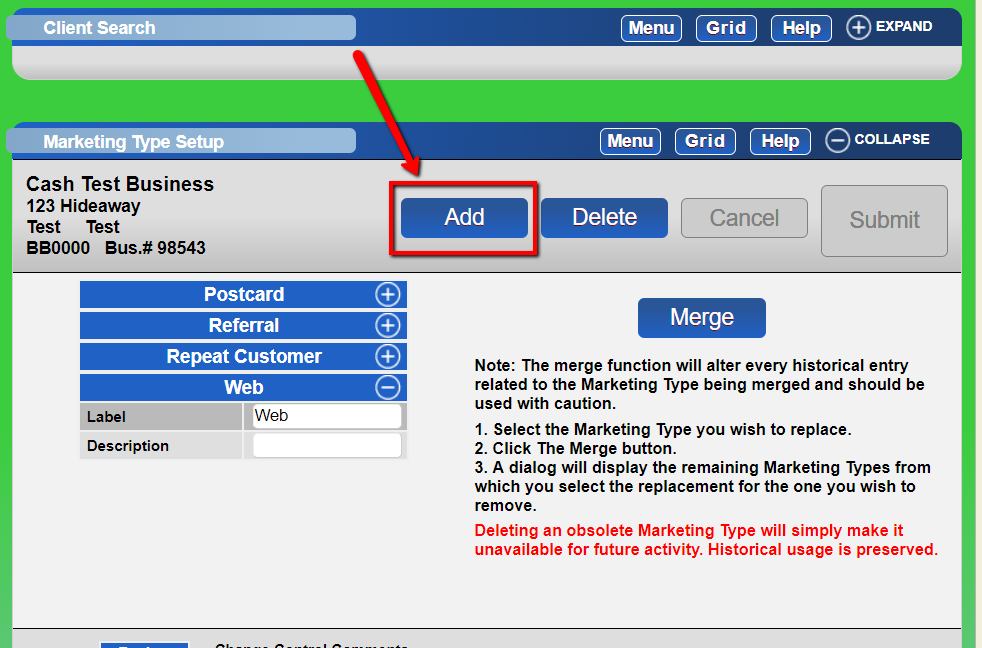
- Add Marketing Type
- Click the "Add" button and fill out the information.
-
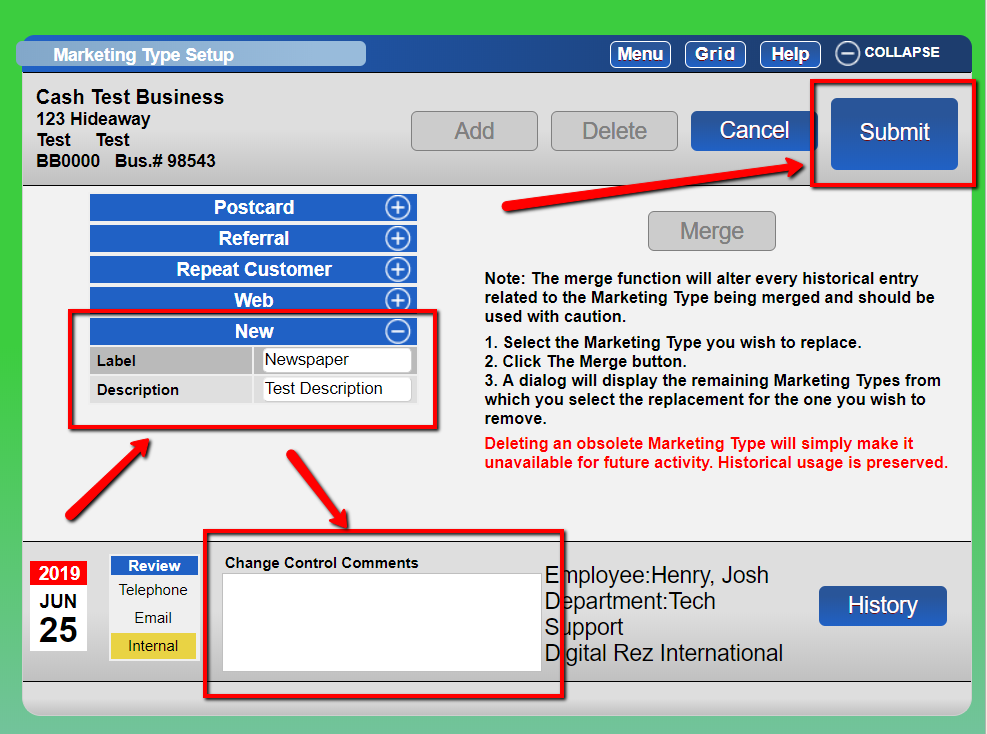
- Submit Changes
- Enter the change control comment in the footer and click "Submit".
-
Troubleshooting
- Ensure all required fields are filled out before submitting.
- Verify that you have the necessary permissions to add a marketing type.