Resolving Credit Card Processing Errors in RezExpert
Last modified on:
Overview
Online reservations may sometimes be accepted without payments due to communication errors during credit card processing. This issue can occur similarly to instances in physical stores where a card swipe results in a communication error, leading to potential duplicate charges. On the internet, without a teller to manage such errors, these issues can arise for various reasons.
Prerequisites
- Access to your online merchant account.
- Familiarity with the RezExpert reservation system.
Steps
When a Reservation is Made Online
- Reservation Process:
- Choose unit type.
- Select the number of occupants.
- Enter personal details such as phone and address.
- Determine the deposit amount before reaching the payment screen. - Payment Screen:
- The client enters credit card information into a secure form.
- RezExpert waits for a success or failure message from the processor.
- If the message fails to return, the reservation is marked in red with "CC Failure" on the RezExpert grid. - Actions for Web Bookings Without a Deposit:
- Log into your online merchant account to verify any payments for the person or amount on that day.
- If payment is found, update the reservation and add the payment using the "other payment" option. Consider a follow-up call to the client.
- If no payment is found, consider calling the client to confirm if they wish to proceed with the reservation. - Daily Audit:
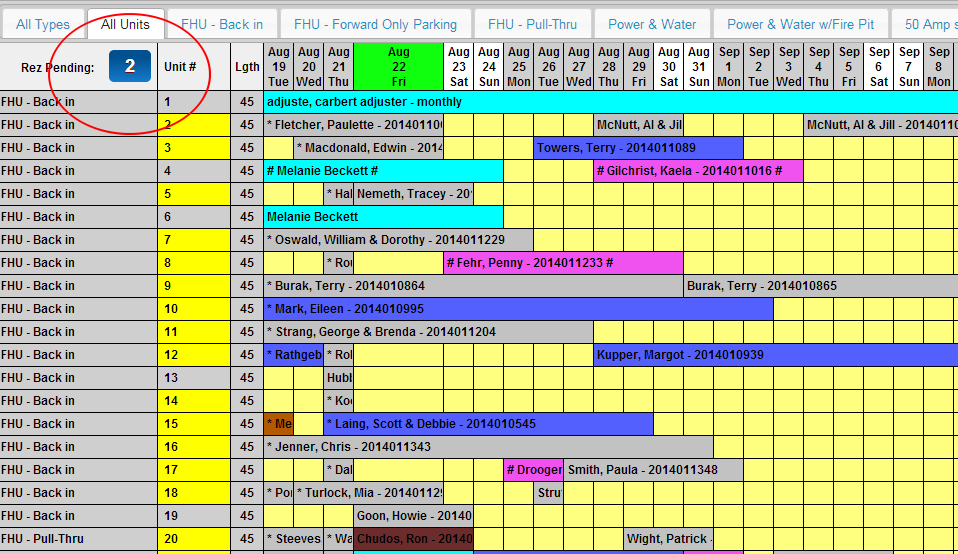
- Check the number in the top left of your RezExpert reservation grid to see reservations without a deposit.
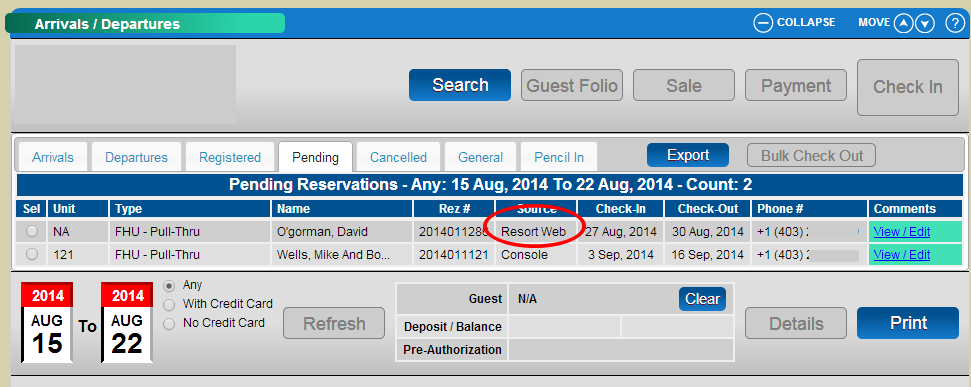
- Click on the number to review which ones were web bookings.
Troubleshooting
- Potential Distractions:
- Clients may get distracted during the reservation process (e.g., doorbell, phone call).
- They may change their mind or experience internet connectivity issues.
- Worst Case Scenario:
- A client arrives at the front desk claiming a booking with proof of a card charge.
- Ensure daily checks and balances to prevent such occurrences.
- Viewing Reservation Information:
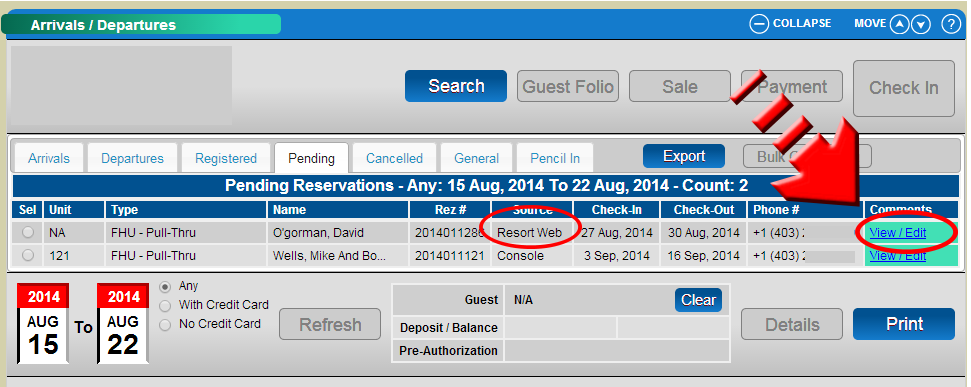
- Click on the comments link to view all reservation information captured before the failure occurred.
Images