Configure Automatic Charging for Products or Services
Last modified on:
Overview
This document provides instructions on how to configure a product or service to charge automatically.
Prerequisites
- Access to the system's menu and setup options.
Steps
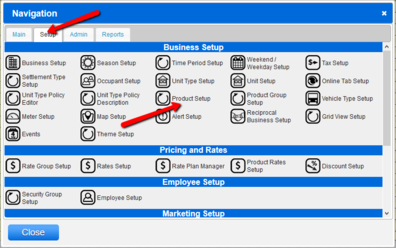
- Navigate to the Menu.
- Click on the Setup tab.
- Select Product Setup.
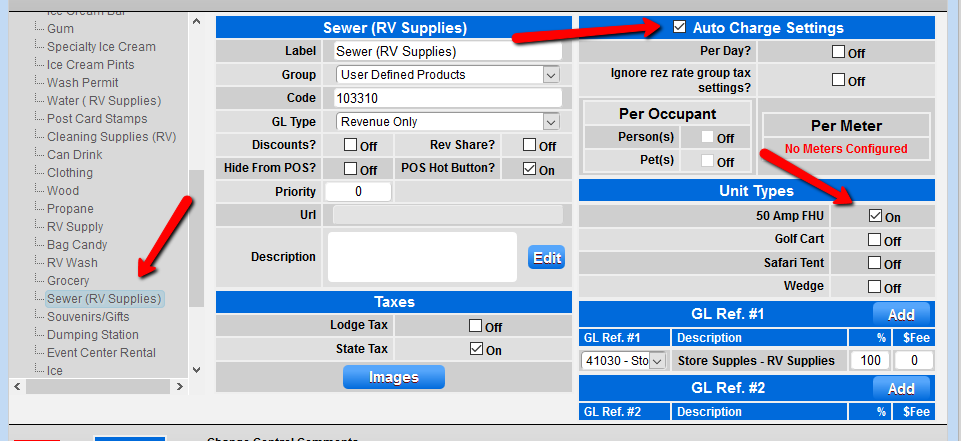
- Locate and select the Product item on the left side of the Product Group label.
- In the right column labeled Auto Charge Settings, check the Auto Charge box.
- Select the Unit Types you wish to set as auto-charge.
Troubleshooting
For further queries, please contact:
- Phone: 888 777-0602
- Australia/NZ Clients: +61 7 4925 4400
- Email: support@digitalrez.com