Checking Arrivals and Departures Process
Last modified on:
Overview
This document provides a guide on how to check your arrivals and departures.
Prerequisites
- Access to the system where arrivals and departures are managed.
Steps
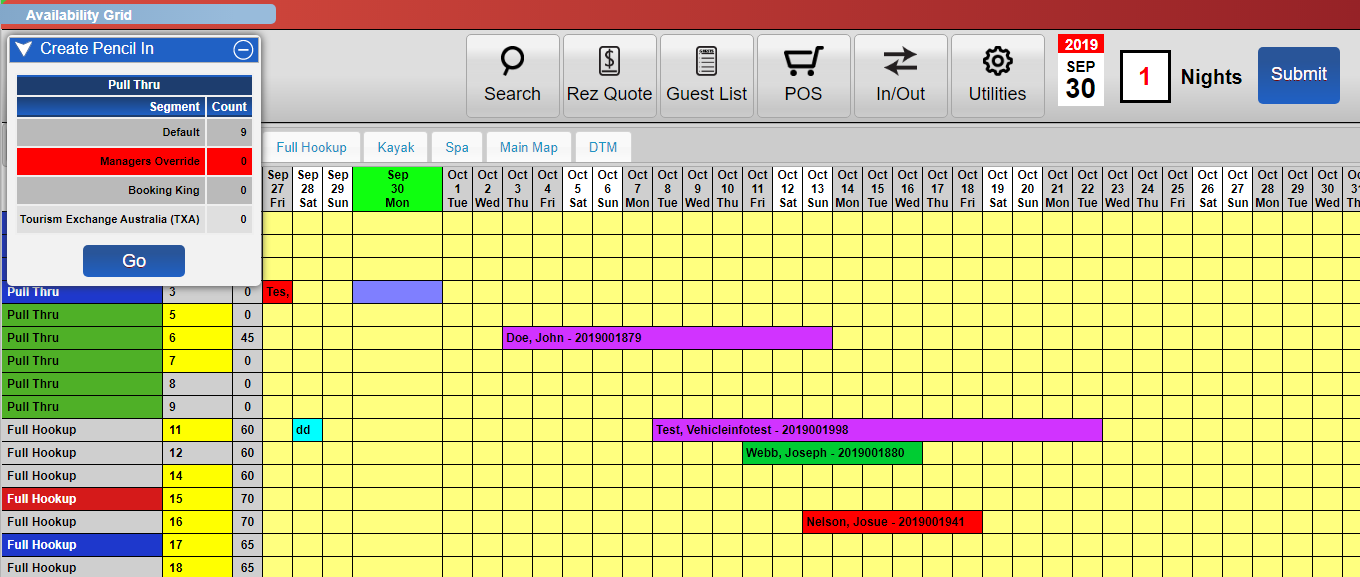
- Click In/Out.
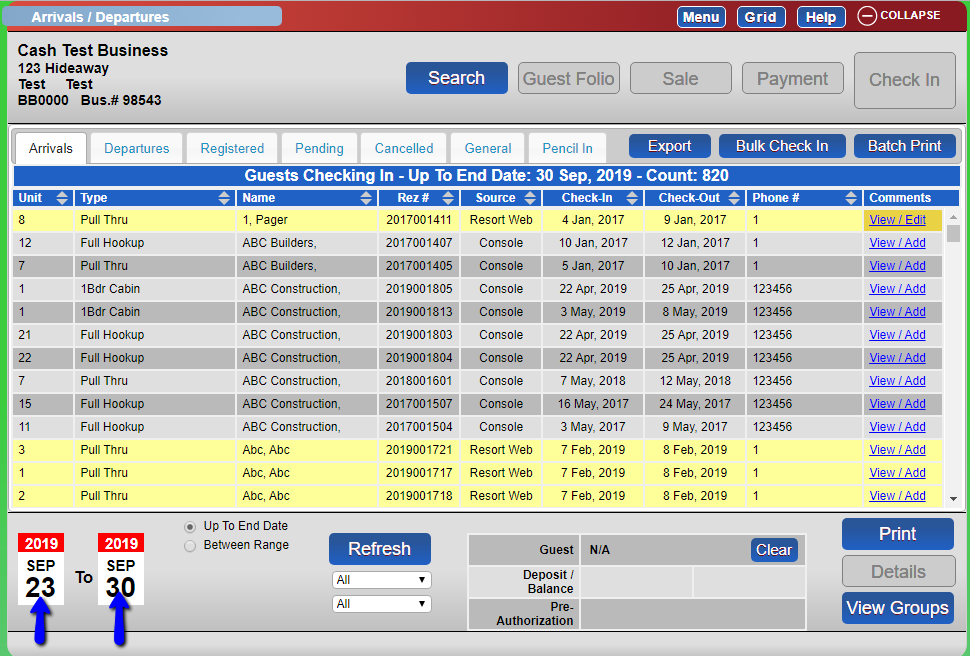
- You will arrive at the Arrivals panel.
- Adjust the calendar dates to suit your search.
- Select ‘Between Date Ranges’.
- Click Refresh.
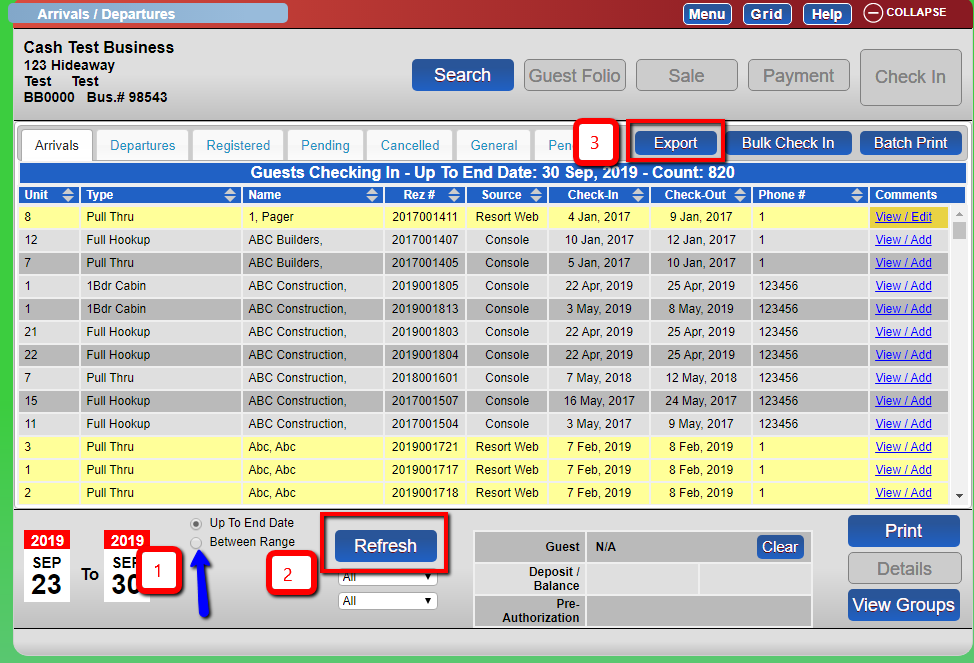
- Click Print to print a report.
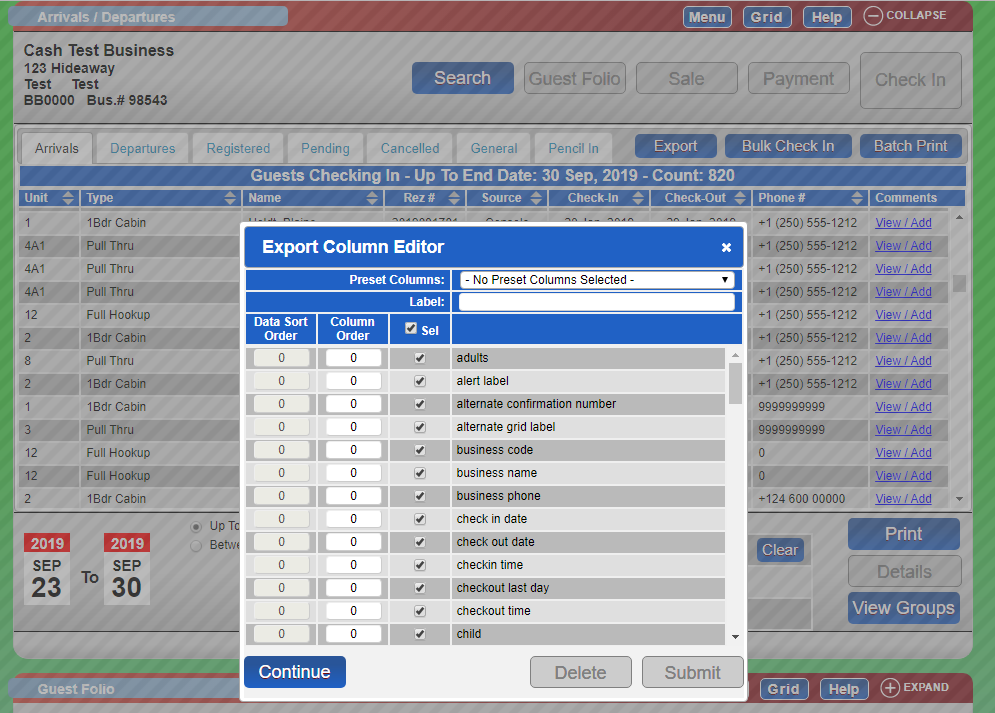
- The same applies for the Departures panel. - Alternatively, click Export, select the fields for the report, and click Export.
Troubleshooting
- Ensure you have the necessary permissions to access the arrivals and departures panels.
- Verify that the date range selected is correct if no data appears.
- Check your printer connection if the print option does not work.
- Ensure the export fields are correctly selected if the export function fails.