RezExpert Availability Grid View Options
Last modified on:
Overview
The Availability Grid, by default, has two View Tabs:
- All Types
- All Units
Prerequisites
- Access to RezExpert Availability Grid.
Steps
All Units
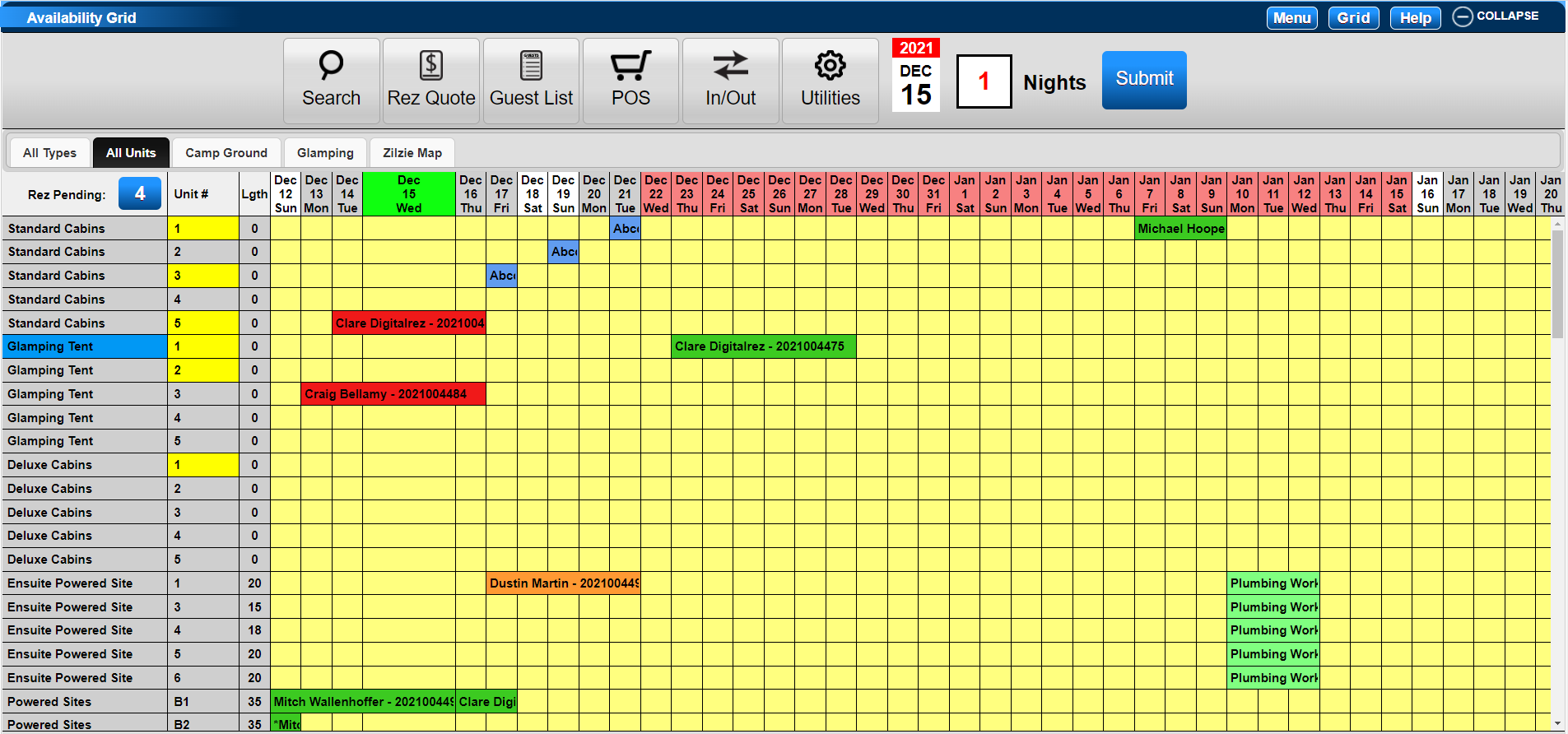
- When the RezExpert Availability Grid is opened, the default view is the 'All Units' grid.
- This view is indicated by the highlighted Tab at the top of the Accommodation Type Column.
- It lists all Types by the Unit Number or Name they are assigned.
All Types
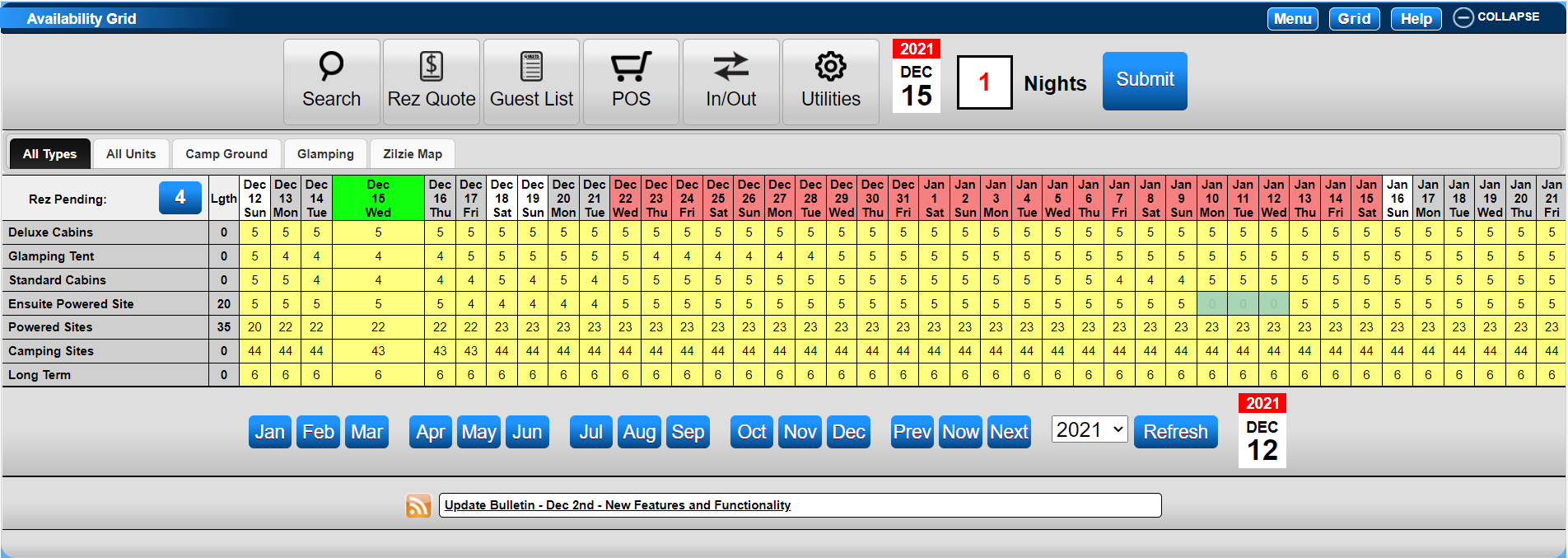
- Click on the 'All Types' tab to change the Availability View.
- This view displays the number of available Accommodation Units according to their types in a compact format.
- It is particularly useful during busy holiday periods, showing availability for each Unit Type for the selected date range.
- To return to the Unit Grid, click on the 'All Units' Tab.
Custom View Tabs
- Custom View Tabs can be created to group selected Unit Types or Units.
- Any custom View Tab can be set as the default view.
- Click here to view how to create Custom View Tabs.
Troubleshooting
- Ensure that the correct tab is selected for the desired view.
- Verify that custom View Tabs are set up correctly if they are not displaying as expected.