Online Reservation Process Steps
Last modified on:
Overview
This document provides a step-by-step guide for making an online reservation.
Prerequisites
- Ensure you have access to the internet.
- Have your personal information ready for new client reservations.
- Have your email and password ready for returning client reservations.
Steps
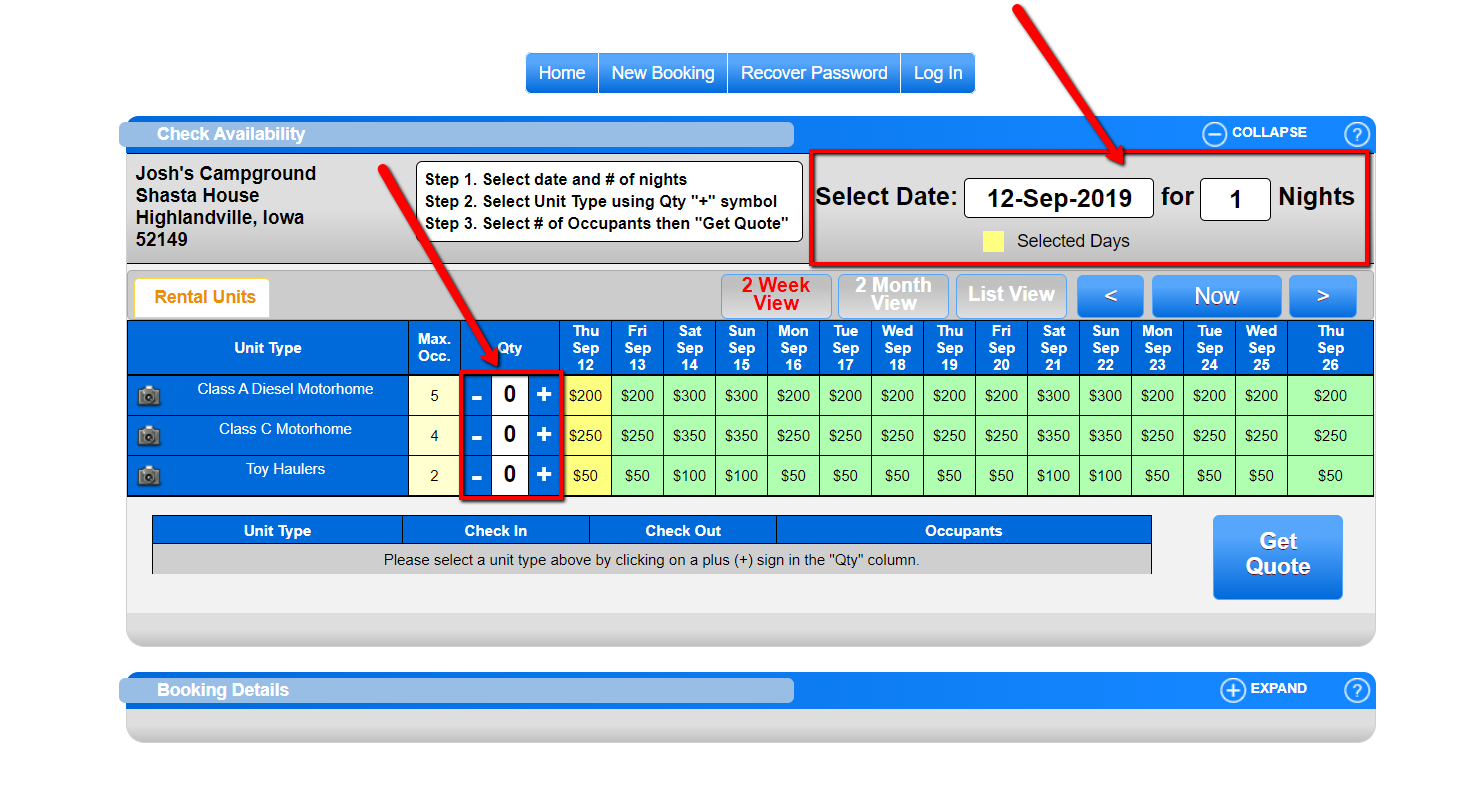
- Select Date and Nights
- Choose your desired date and the number of nights for your stay.
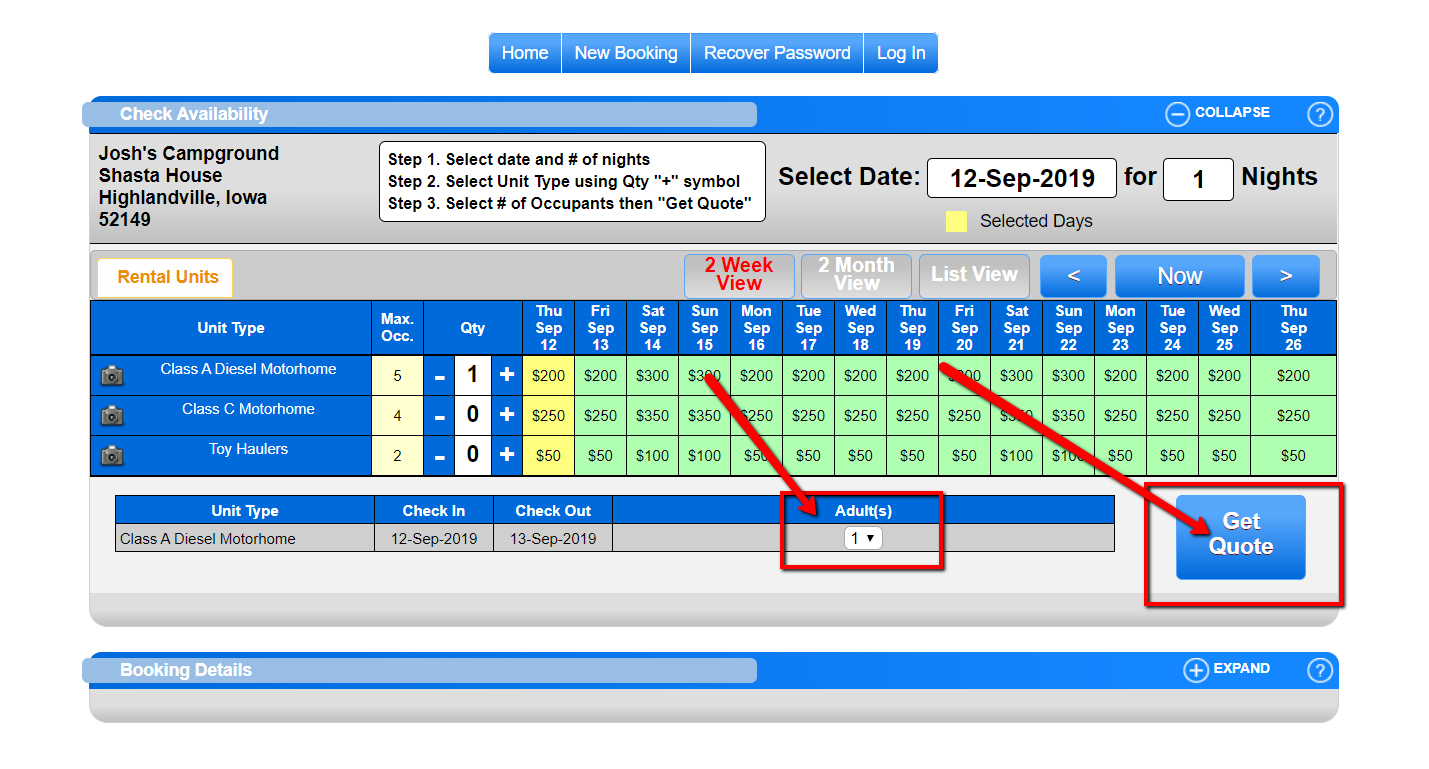
- Select the number of each unit type you wish to reserve. - Select Occupants
- Enter the number of occupants.
- Click "Get Quote". - Client Information
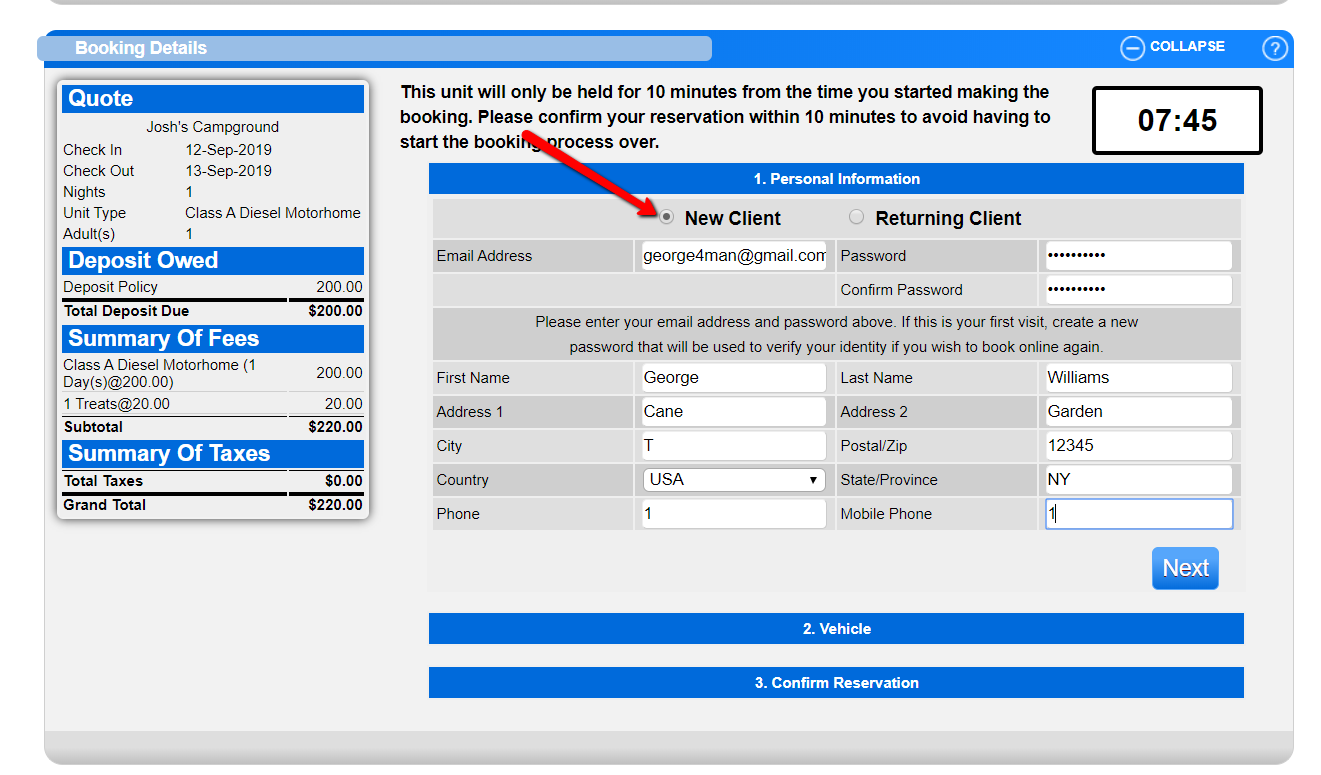
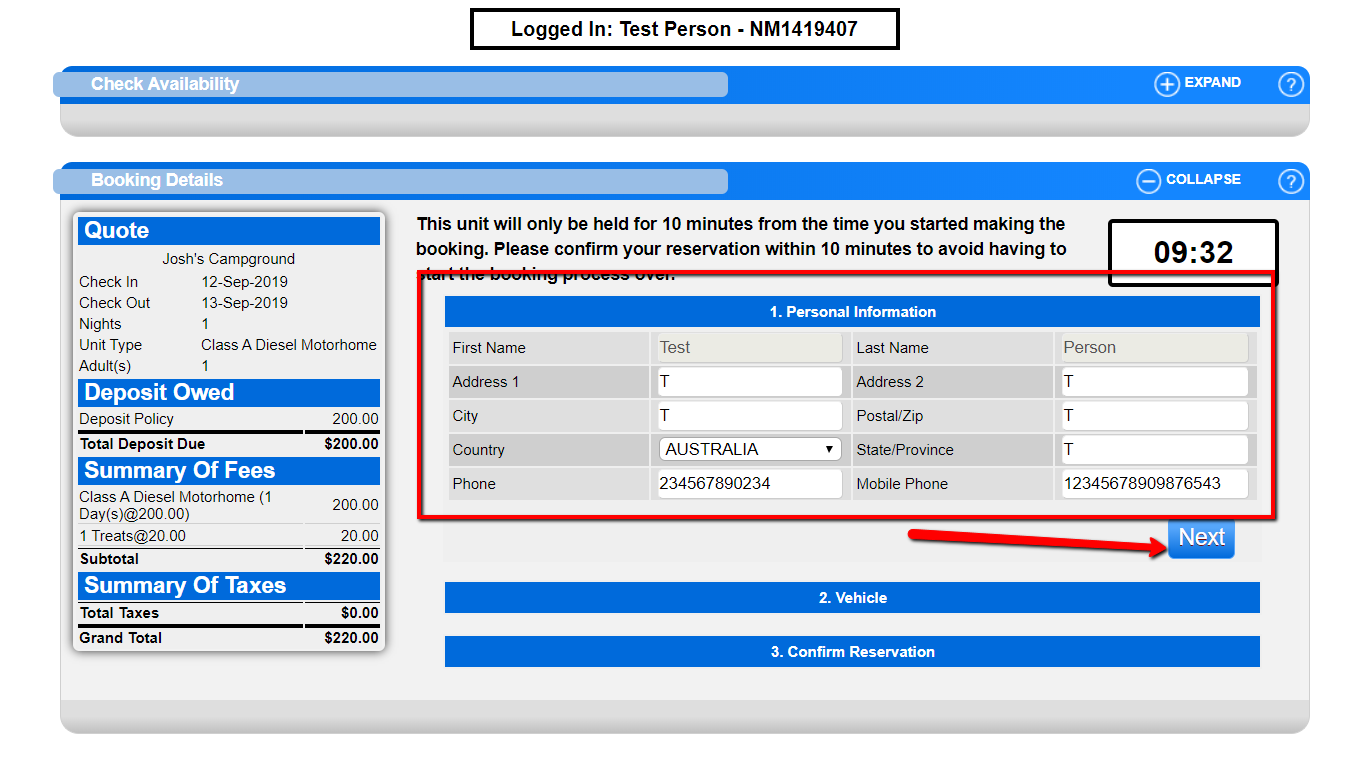
- New Client:
- Select the new client option.
- Fill in the required information.
- Click "Next".
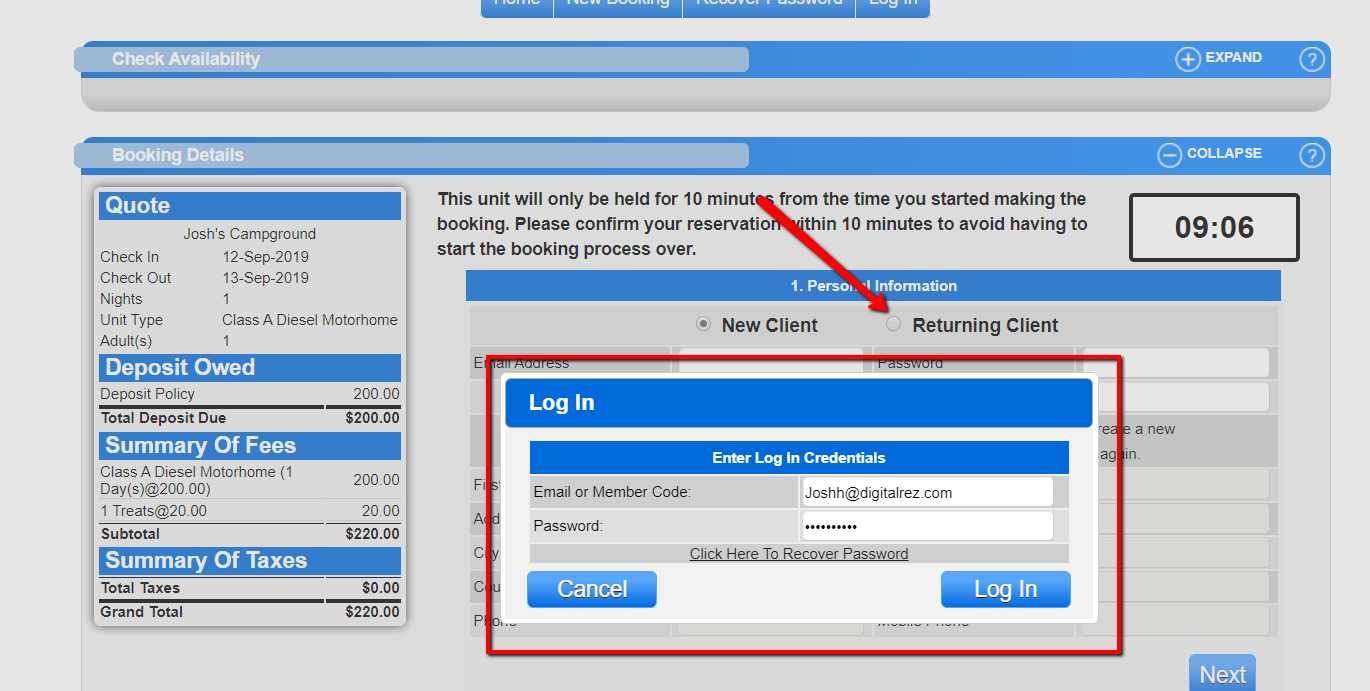
- Returning Client:
- Select the returning client option.
- Enter the email and password for the client.
- The information will populate automatically.
- Click "Next".
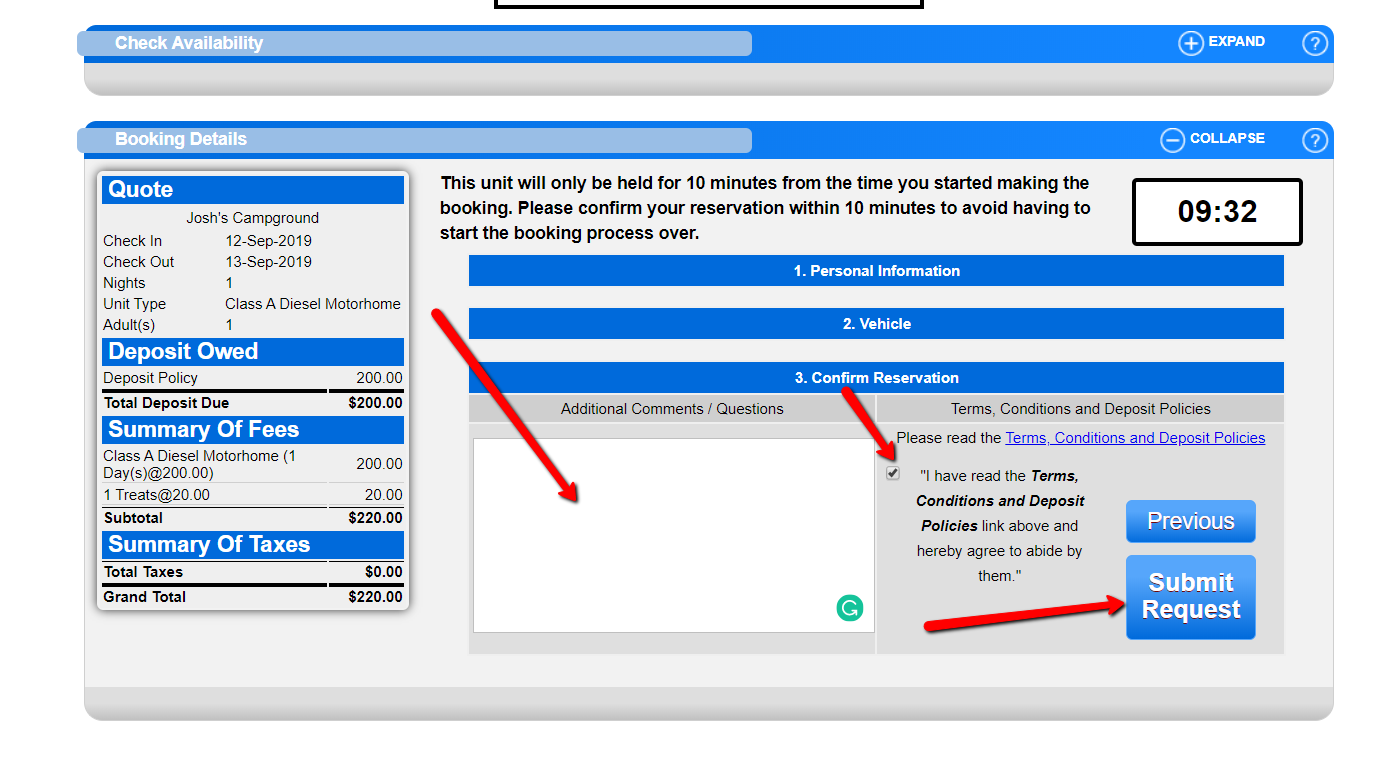
- Finalize Reservation
- Add any additional products or services offered by the business.
- Include any comments you wish to send to the business.
- Submit the reservation request (note that online reservations are request-based). - Confirmation
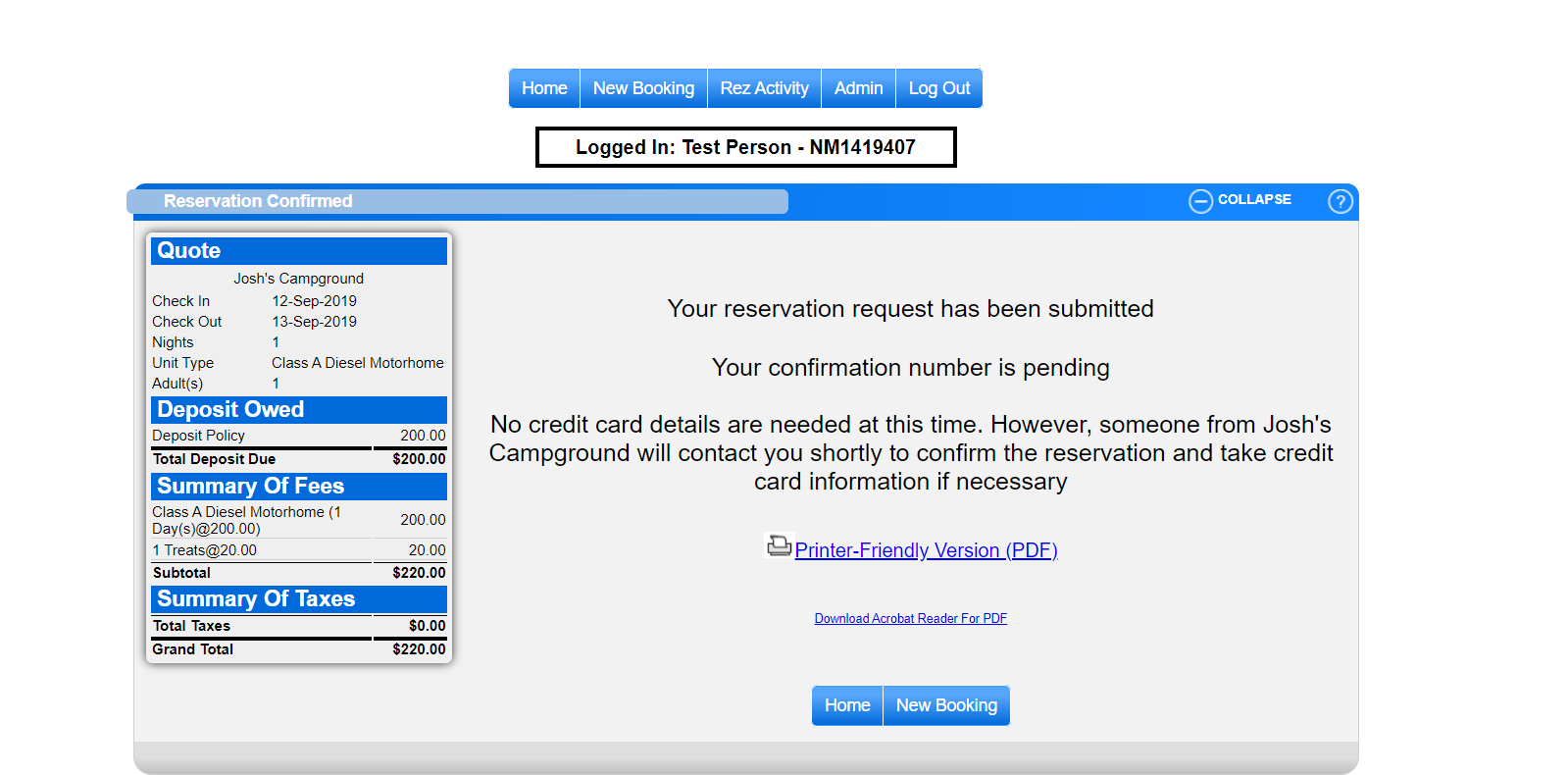
- After submitting your reservation request, you will be directed to a confirmation page providing additional information.
Troubleshooting
- Ensure all required fields are filled out correctly.
- Verify the email and password for returning clients are correct.
- If issues persist, contact customer support for assistance.
Images