Add Alert Colours to Grid System
Last modified on:
Overview
This document provides a step-by-step guide for adding a new alert colour.
Prerequisites
- Access to the grid where alert colours can be managed.
Steps
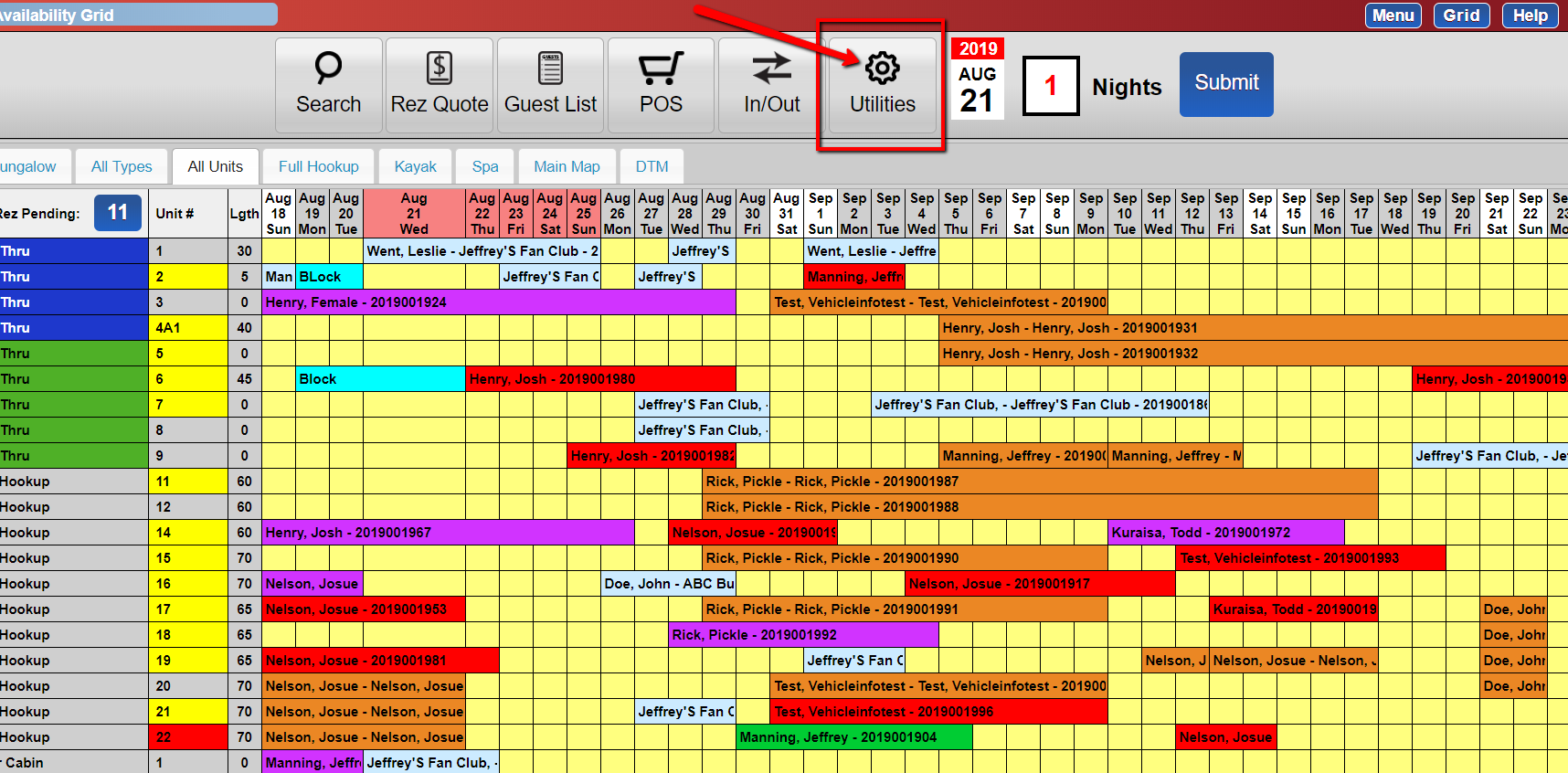
- From the grid, click the Utilities button.
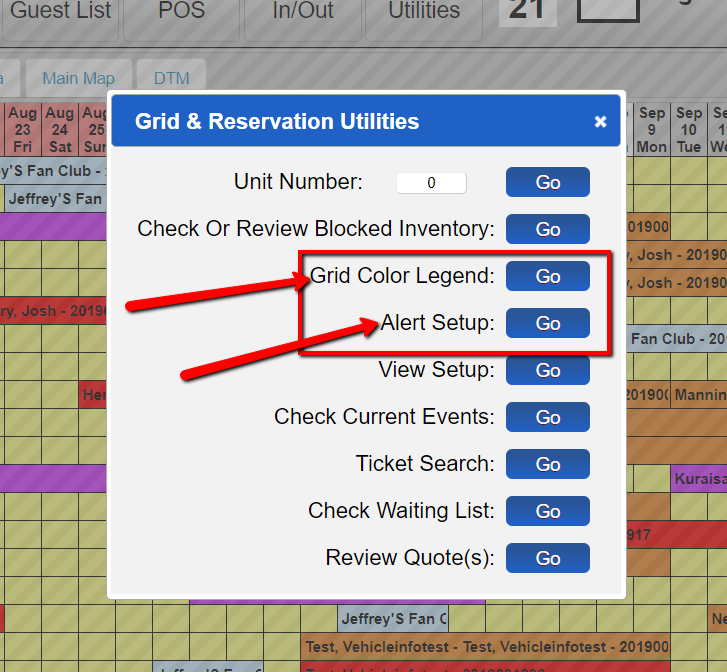
- Choose either:
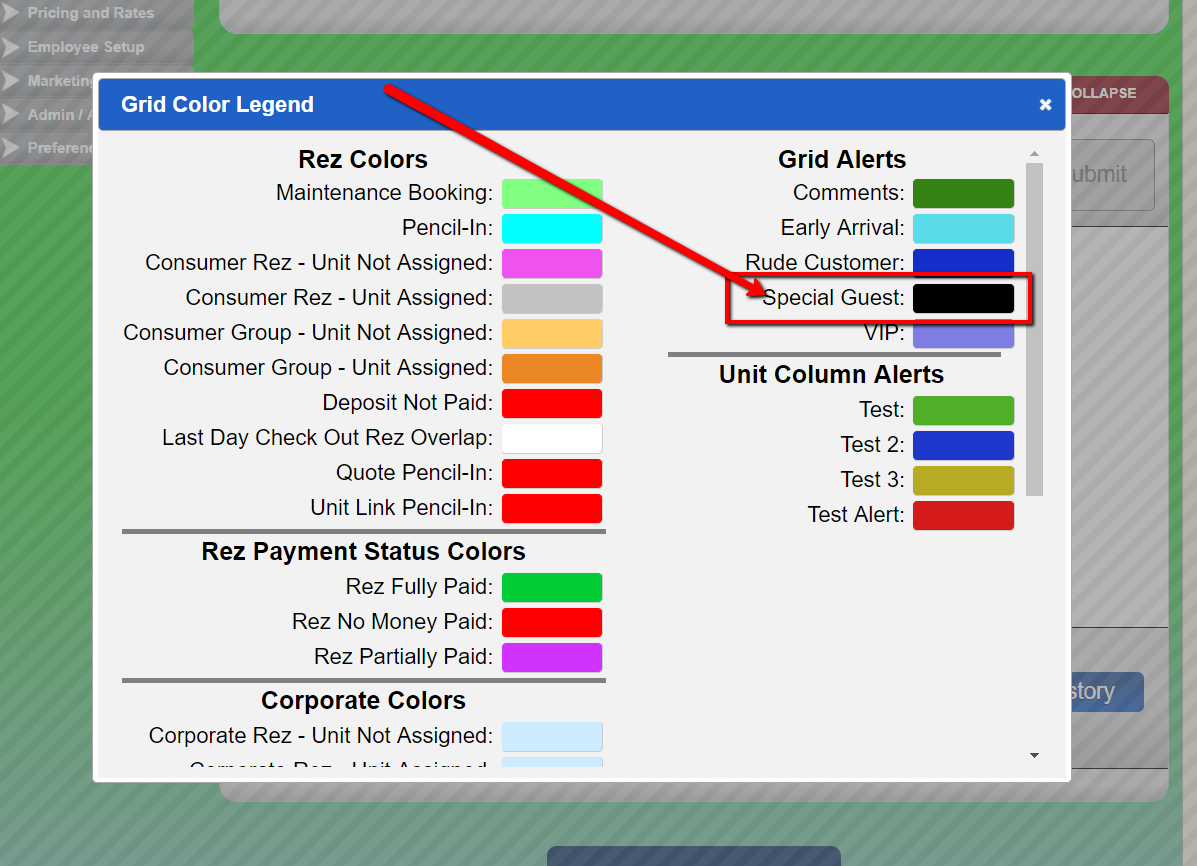
- Grid Color Legend to view the list of alert colours.
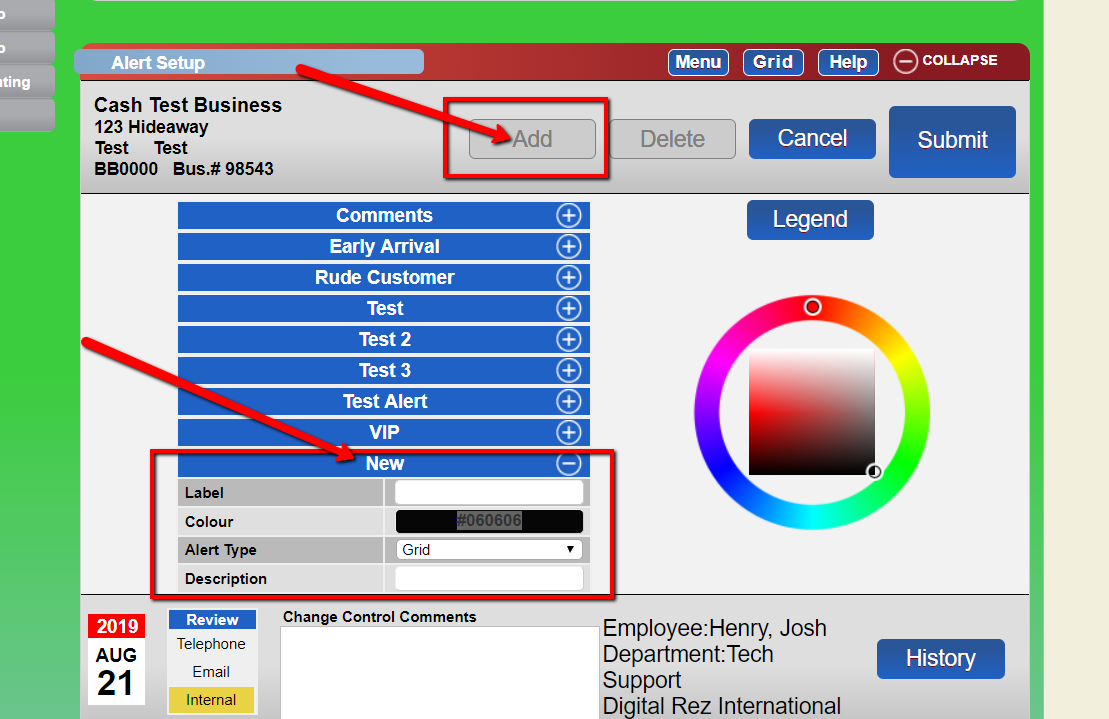
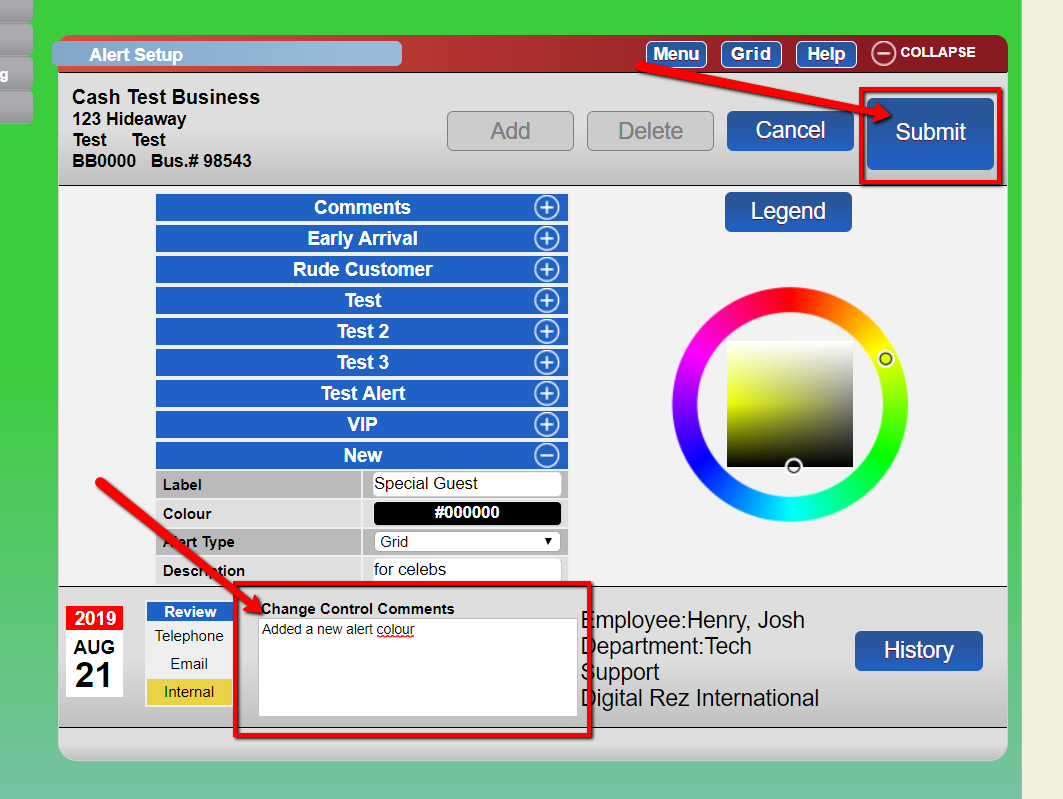
- Alert Setup to add a new alert colour. - Click the Add button.
- Enter the following details:
- Label
- Alert type
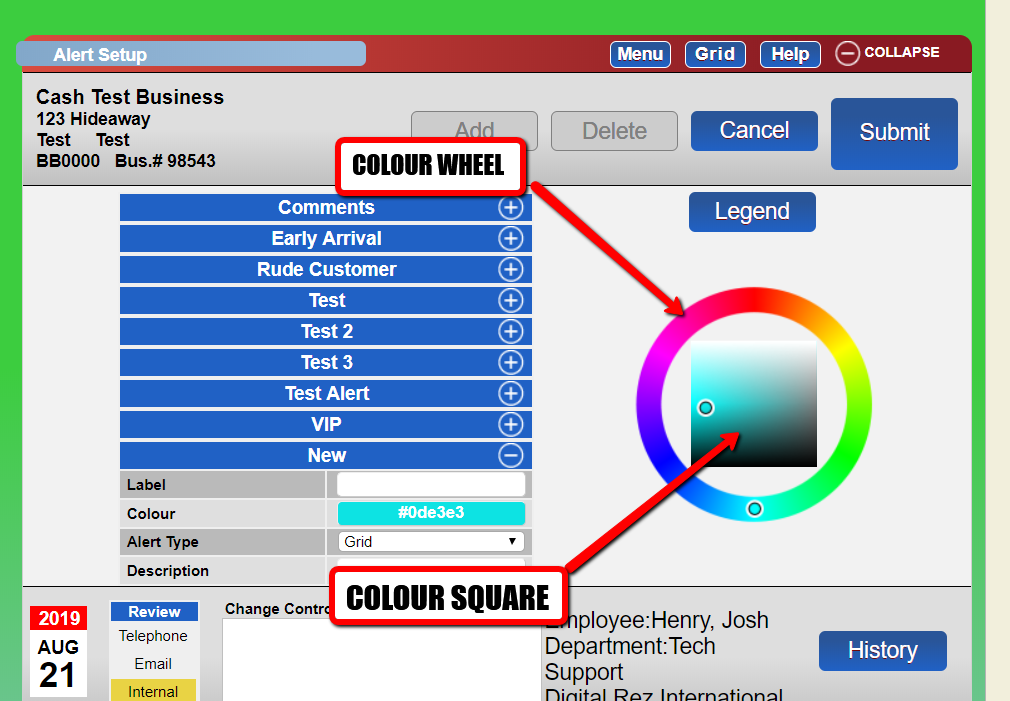
- Description - Use the colour wheel and the colour square to select your base colour and shade.
- Enter your change control comments and submit.
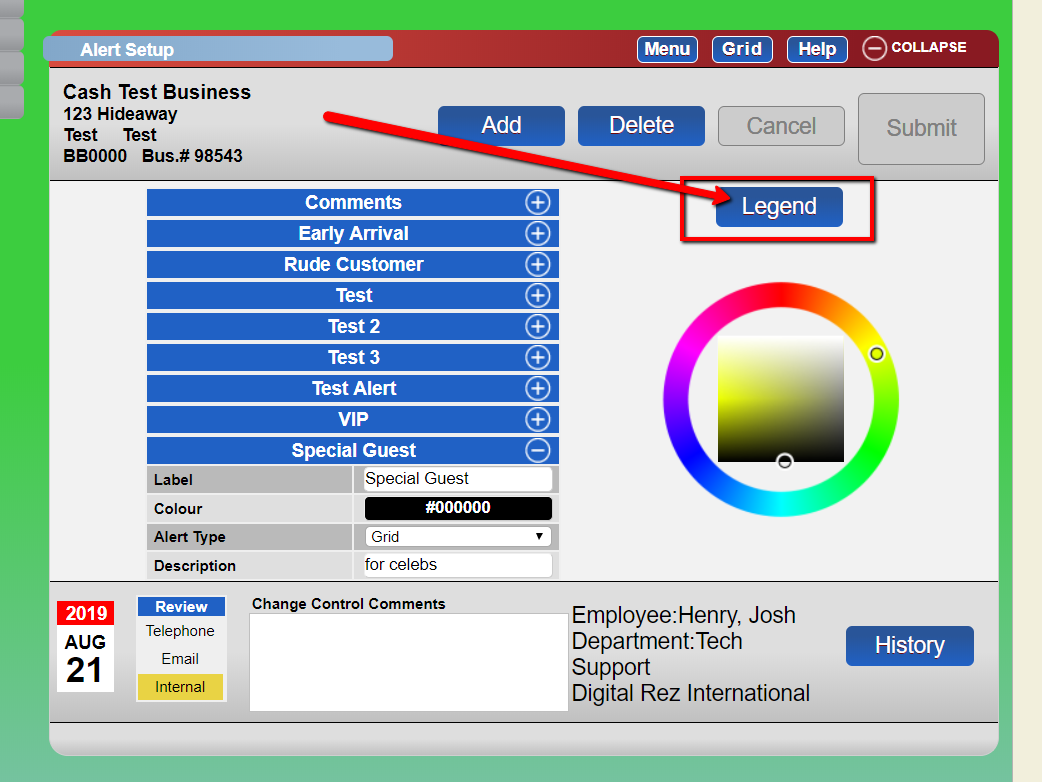
- Use the Legend button to view your list of alert colours.
- The grid color legend will now include the alert colour you just created.
Troubleshooting
If you encounter issues while adding alert colours, ensure that you have followed each step correctly. Verify that all required fields are filled out and that you have the necessary permissions to make changes.
Images