Extending Guest Reservation Stay
Last modified on:
Overview
Guests may wish to extend their length of stay. This option is available for both checked-in reservations and future reservations.
Prerequisites
- Access to the Availability Grid
- Access to the Guest Folio
Steps
Select Reservation
- Select the reservation from the Availability Grid.
- Open the Guest Folio.
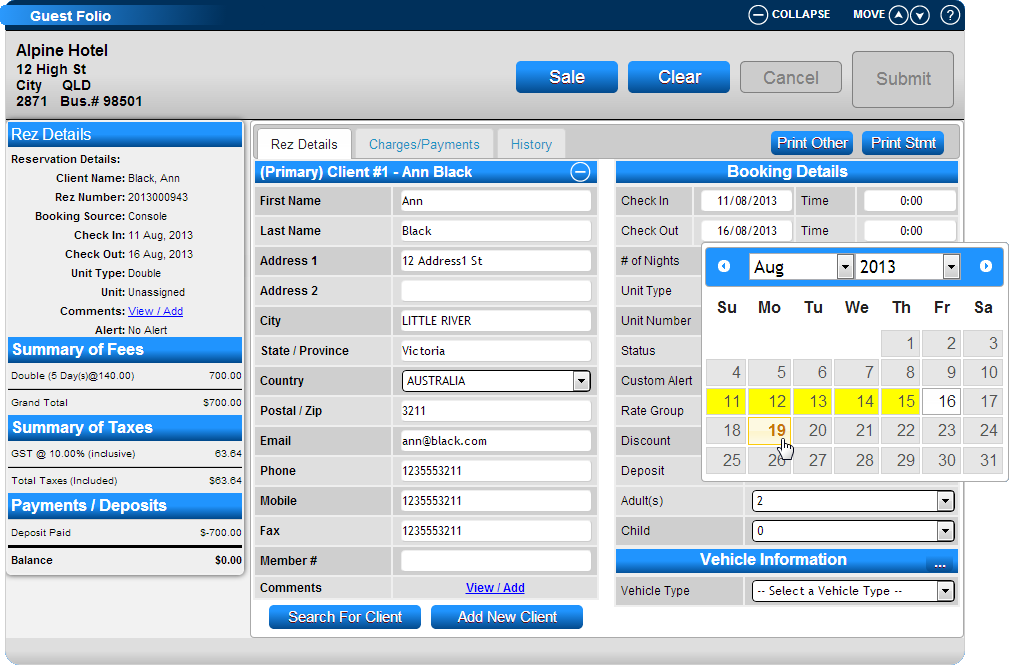
Booking Details
- In the Booking Details panel, click on the Check Out date to change the departure day.
- Click on the new Departure date within the Calendar.
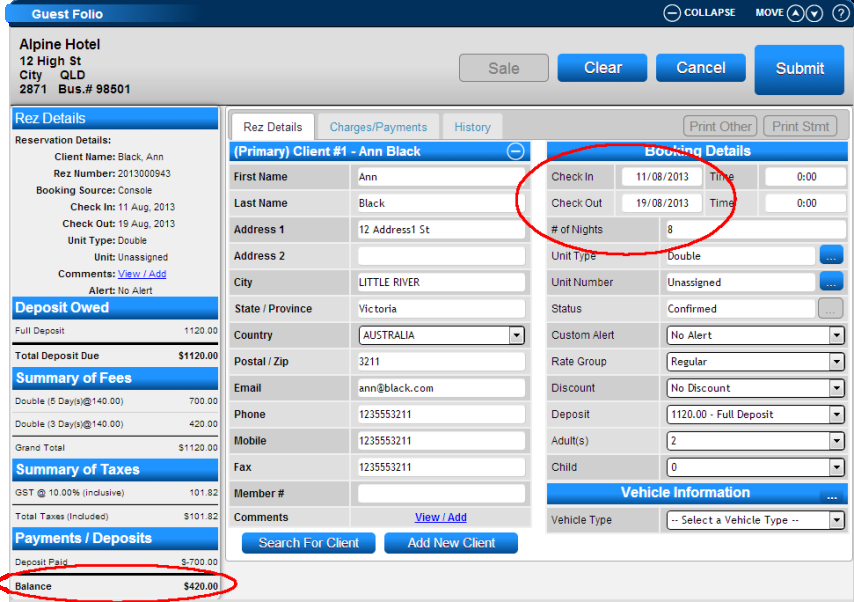
Rez Details Changes
- The number of nights and the summary of fees will be updated to reflect the change.
- Press Submit to accept the changes.
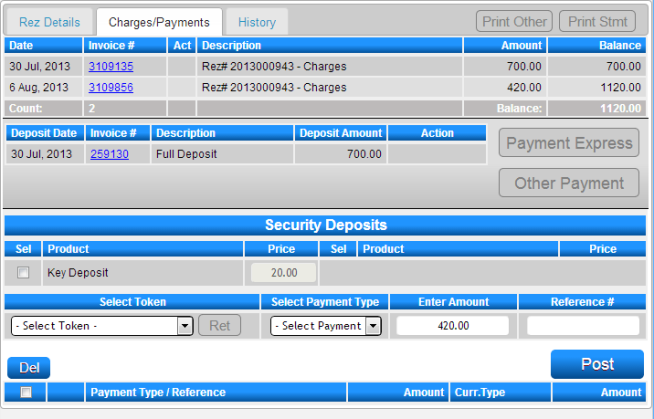
Payment
- After submitting, you will be directed to the Charges/Payments tab where you can process any payments made towards the changes.
Troubleshooting
- Ensure the reservation is selected correctly from the Availability Grid.
- Verify that the new departure date is available in the Calendar.
- Confirm that the updated fees and number of nights are correct before submitting.