Add Warning Comment to Client Record
Last modified on:
Overview
This document outlines the steps to add a warning list comment to a client record. The entered message will display each time the client is searched for and will also be viewable within the client's reservation(s).
Prerequisites
- Access to the client management system.
- Appropriate permissions to edit client records.
Steps
- Search for the Client:
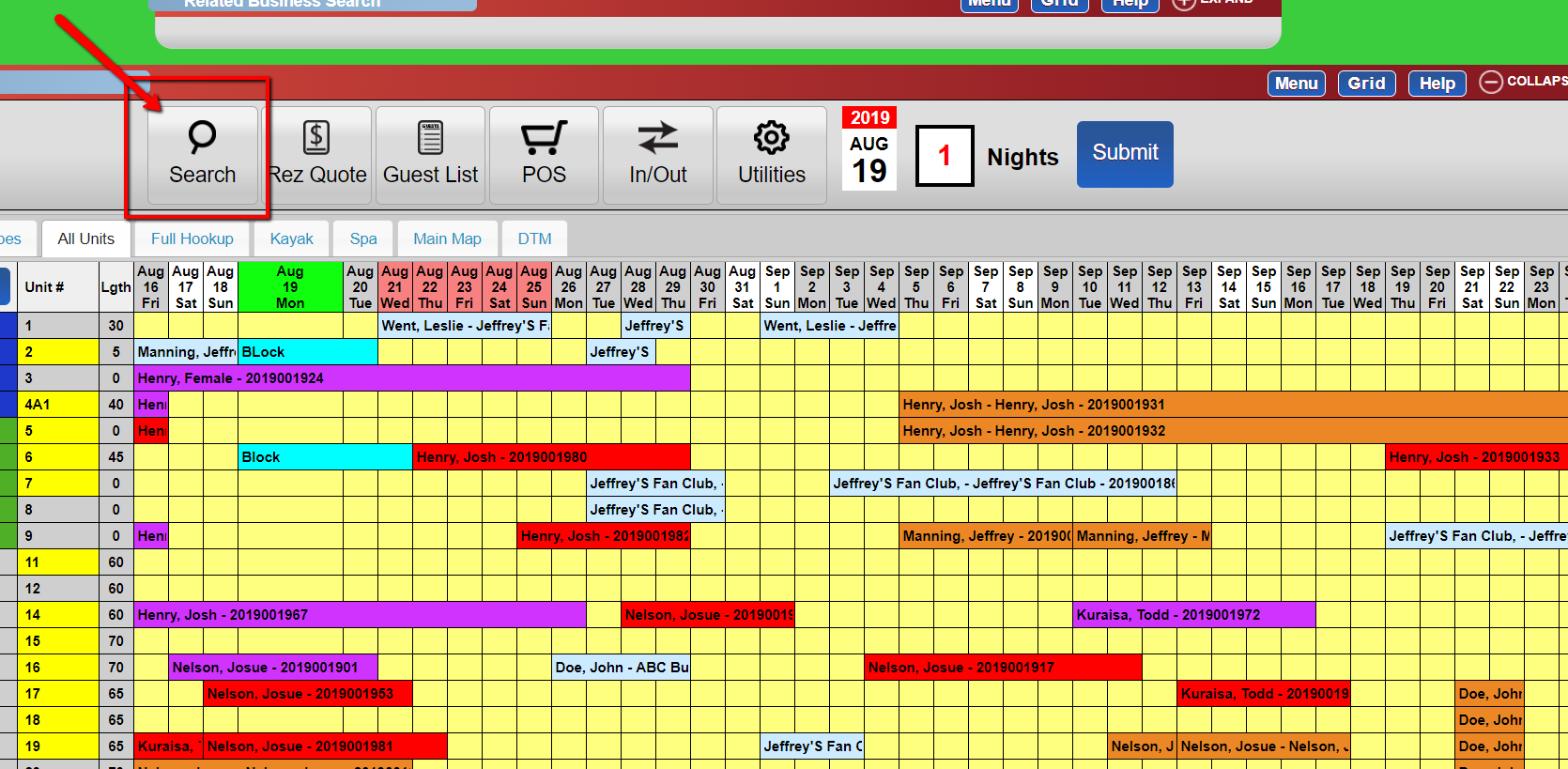
- Use the Search button from the Grid.
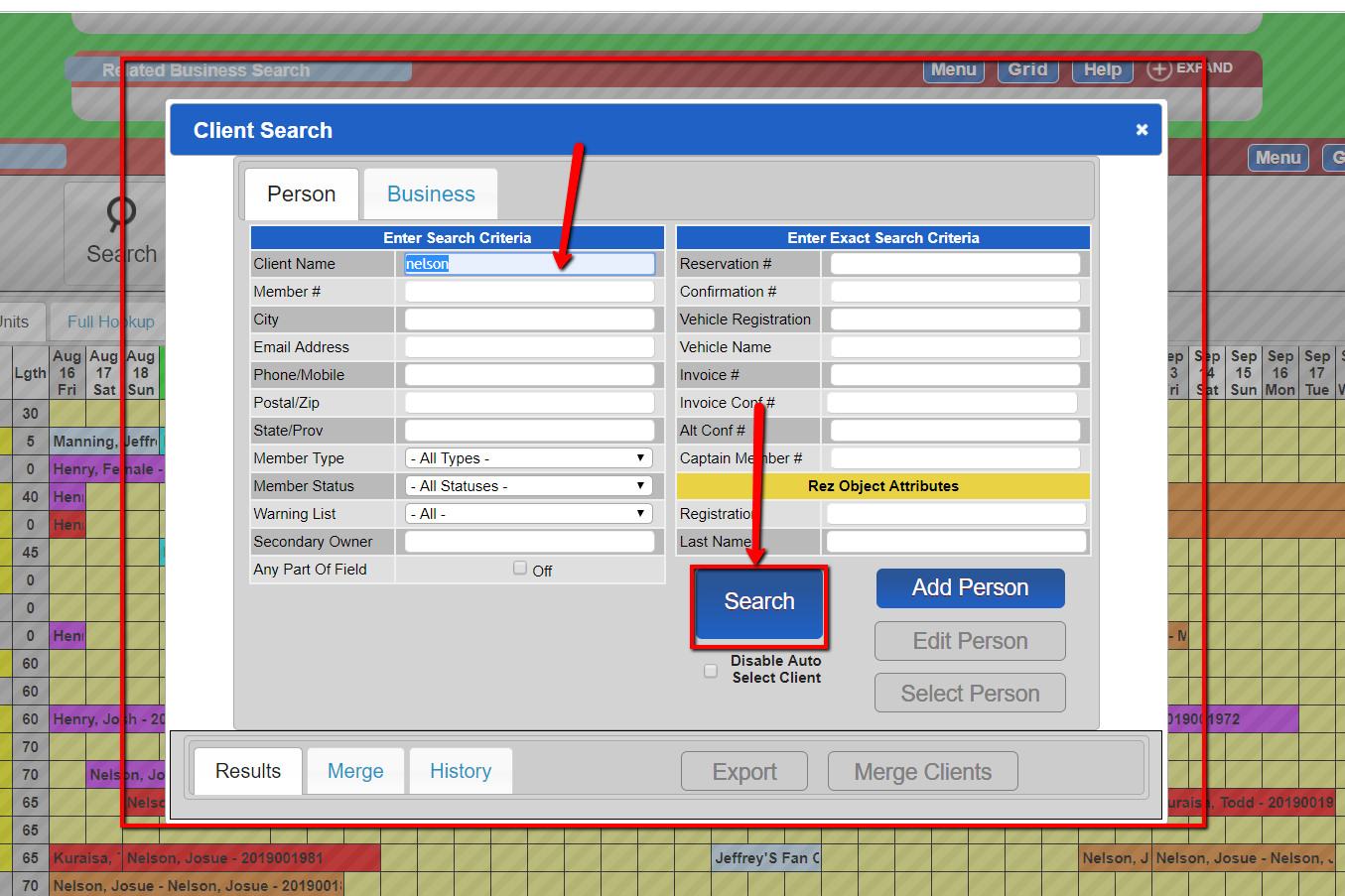
- Enter the person's name in the format: Last Name, First Name.
- Optionally, select the "Any Part of Field" box to widen search parameters. - Edit Client Record:
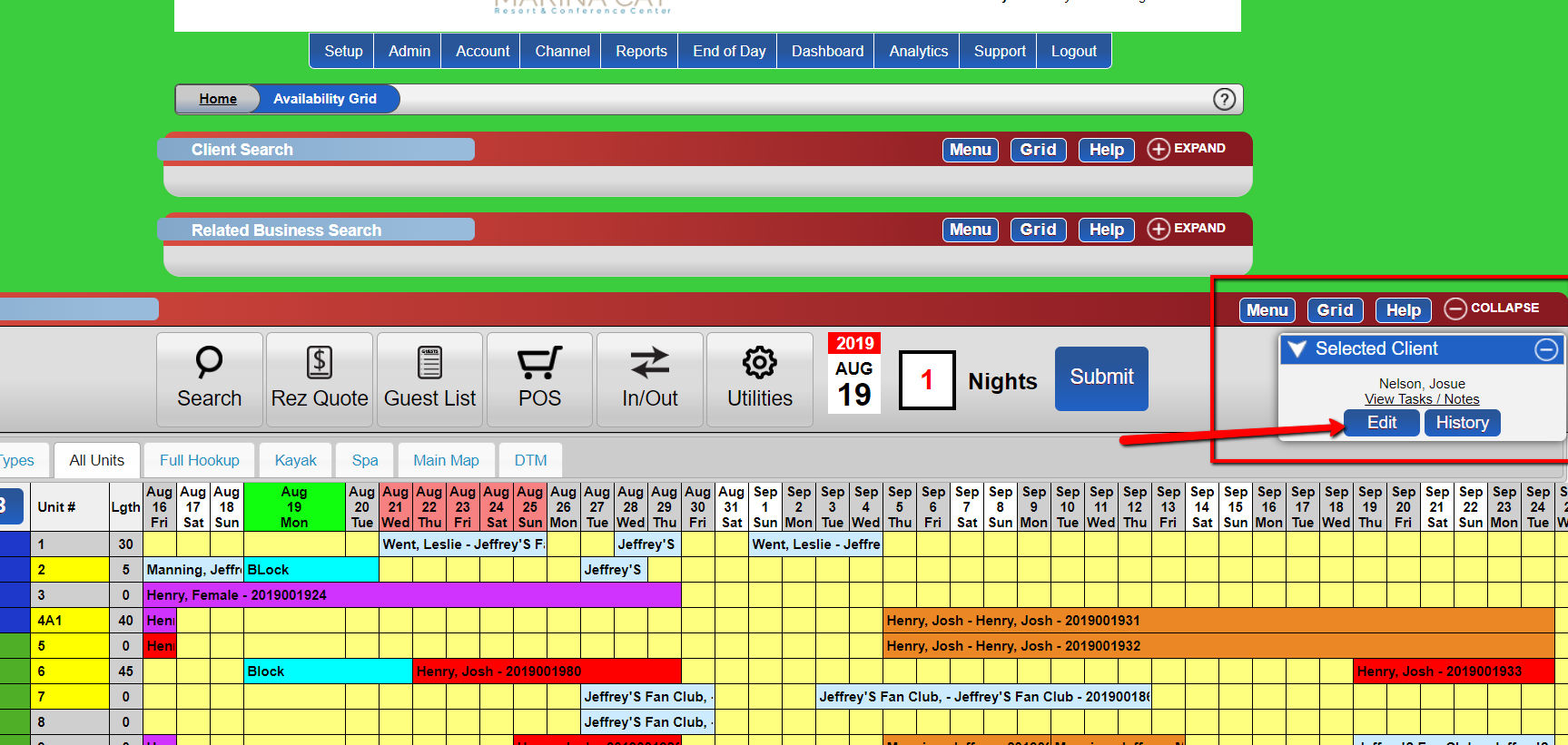
- Click "Edit" on the Selected Client pop-up in the top right of the grid. - Add Warning List Comment:
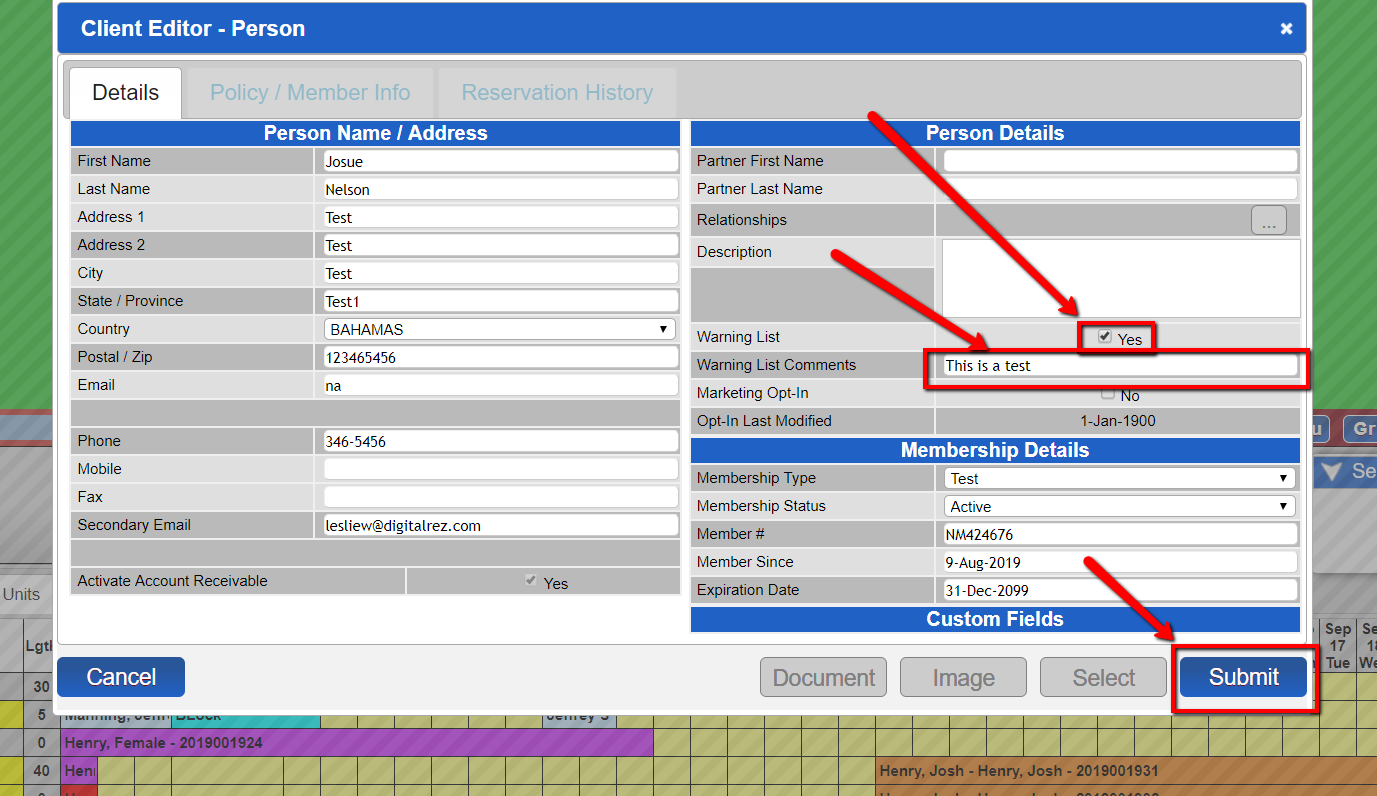
- In the Client Editor, enable the Warning List by ticking the box to "Yes."
- Enter the warning list comments to alert staff.
- Click "Submit."
Troubleshooting
- Ensure the client name is entered correctly in the search format.
- Verify that you have the necessary permissions to edit client records.
- Check that the Warning List is enabled before entering comments.