Resolving Pending Billing Policy Charge Error
Last modified on:
Overview
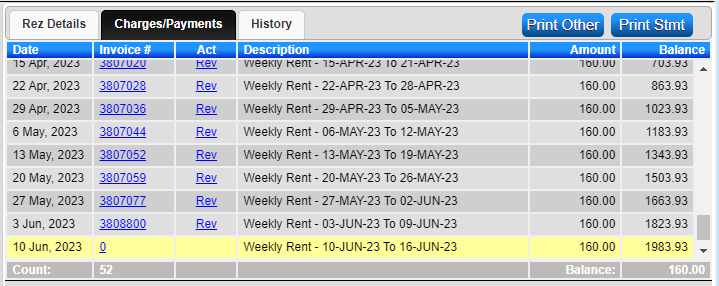
A Billing Policy Charge is displaying as Yellow in the Charges/Payments tab, and you are unable to apply a payment.
Prerequisites
- Access to the Admin tab in the system.
- Permissions to review and confirm billing batches.
Steps
- Identify Issue:
- The Billing Policy charge is displayed as Yellow, indicating the billing policy batch is still in a Pending state. - Access Batch Review:
- Click on the Menu button.
- Select the Admin tab.
- Click on Batch Review within the Periodic Billing section. - Search and Select Batch:
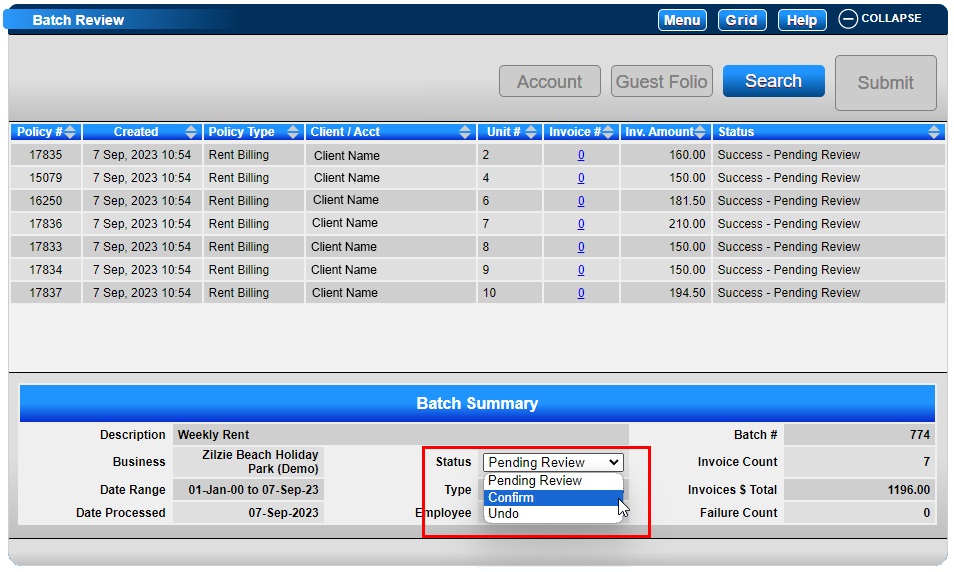
- Click Search.
- Click the displaying Pending batch. - Confirm Batch:
- Within the Batch Summary, click on the Status dropdown.
- Adjust the status from Pending Review to Confirm.
- Click Submit to finalize.
Troubleshooting
- Ensure you have the necessary permissions to access and modify billing batches.
- Verify that the batch status is correctly updated to Confirm to resolve the issue.