Submitting Client with Mutual Email Address
Last modified on:
Overview
This document outlines the steps required to submit a client with a mutual email.
Prerequisites
- Access to the "New client" panel.
Steps
- Locate the Email Section
- Open the "New client" panel.
- Navigate to the email section.
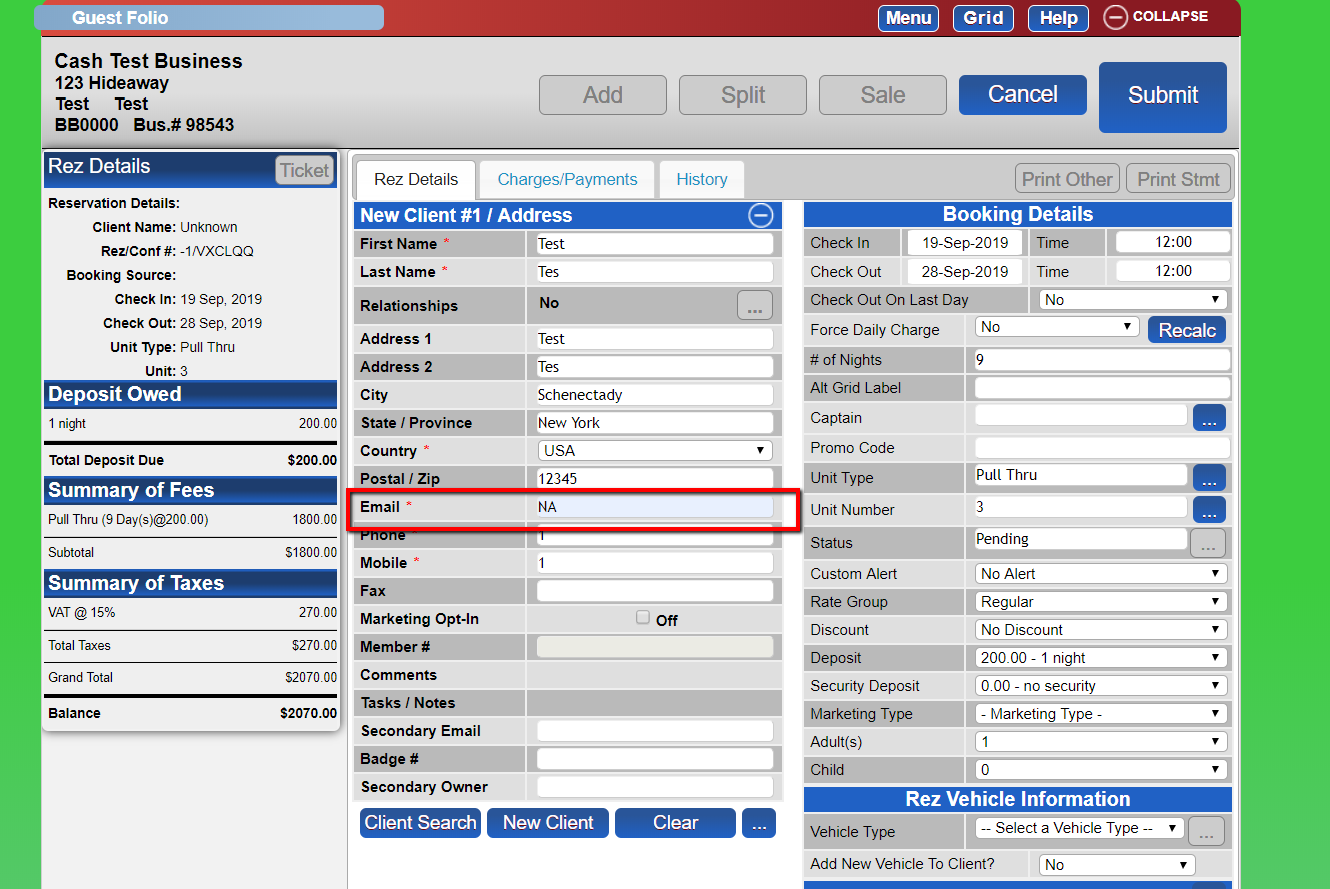
- Enter Email Information
- Instead of entering the same email address, input "NA". - Submit
- Complete the submission process.
Troubleshooting
- Ensure that "NA" is entered in the email field to avoid duplication errors.