Product Rate Setup Instructions
Last modified on:
Overview
This document provides a step-by-step guide for setting up product rates for the first time.
Prerequisites
- Access to the system menu and setup options.
Steps
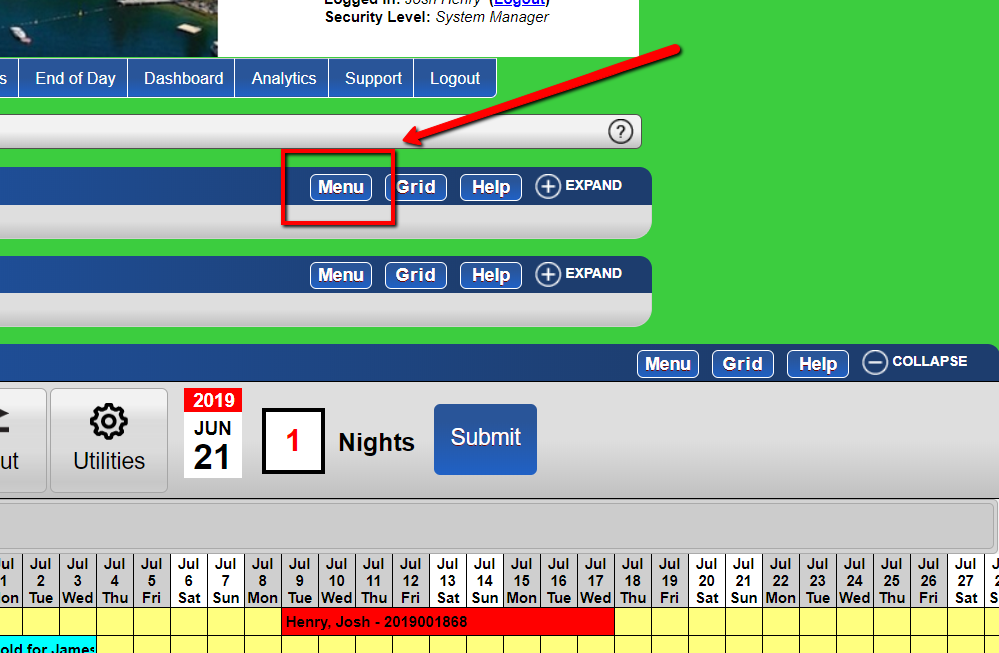
- Access the Menu
- Navigate to the Menu.
-
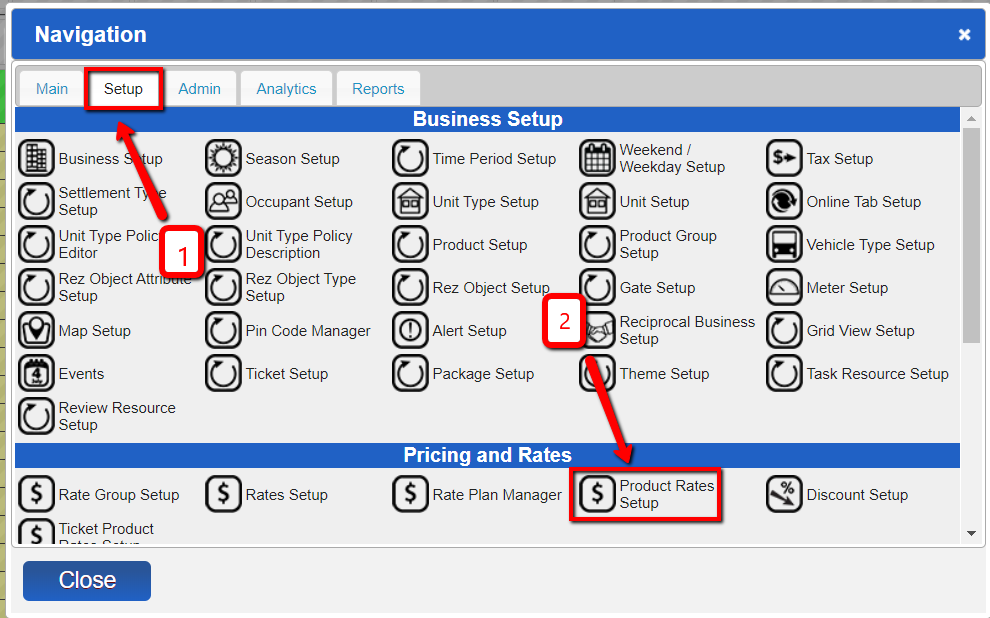
- Navigate to Product Rates Setup
- Go to setup and under Pricing and Rates, select Product Rates Setup.
-
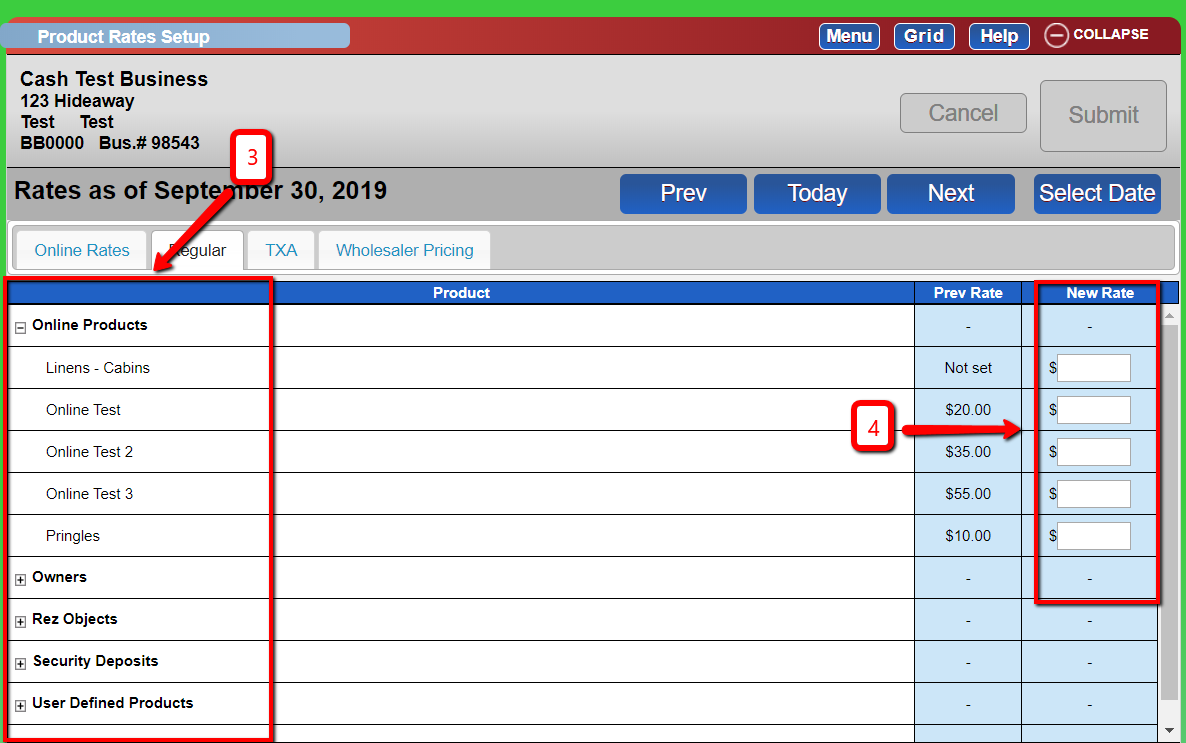
- Expand Product Group
- Expand the Product Group to see the listed products. - Enter the Rate
- Input the desired rate for the product.
Note: If rates take effect from a specific date:
- Click ‘Select Date’.
- Choose the desired date on the calendar.
- The label ‘Rates as of the current date’ will change to ‘Rates as of the date selected’.
-
- Add a Change Control Comment
- Provide a comment for change control purposes. - Submit Changes
- Click submit to finalize the setup.
Troubleshooting
- Viewing Current Rates:
- Click "Today" to see the rates at present.
- Viewing Previous Rates:
- Click "Prev" to view the previous rates.