Locating Invoices in System Interface
Last modified on:
Overview
This document provides a guide on how to locate an invoice using the system interface.
Prerequisites
- Access to the system interface where invoices are managed.
Steps
Step-by-step Guide
- Locate by Invoice Number:
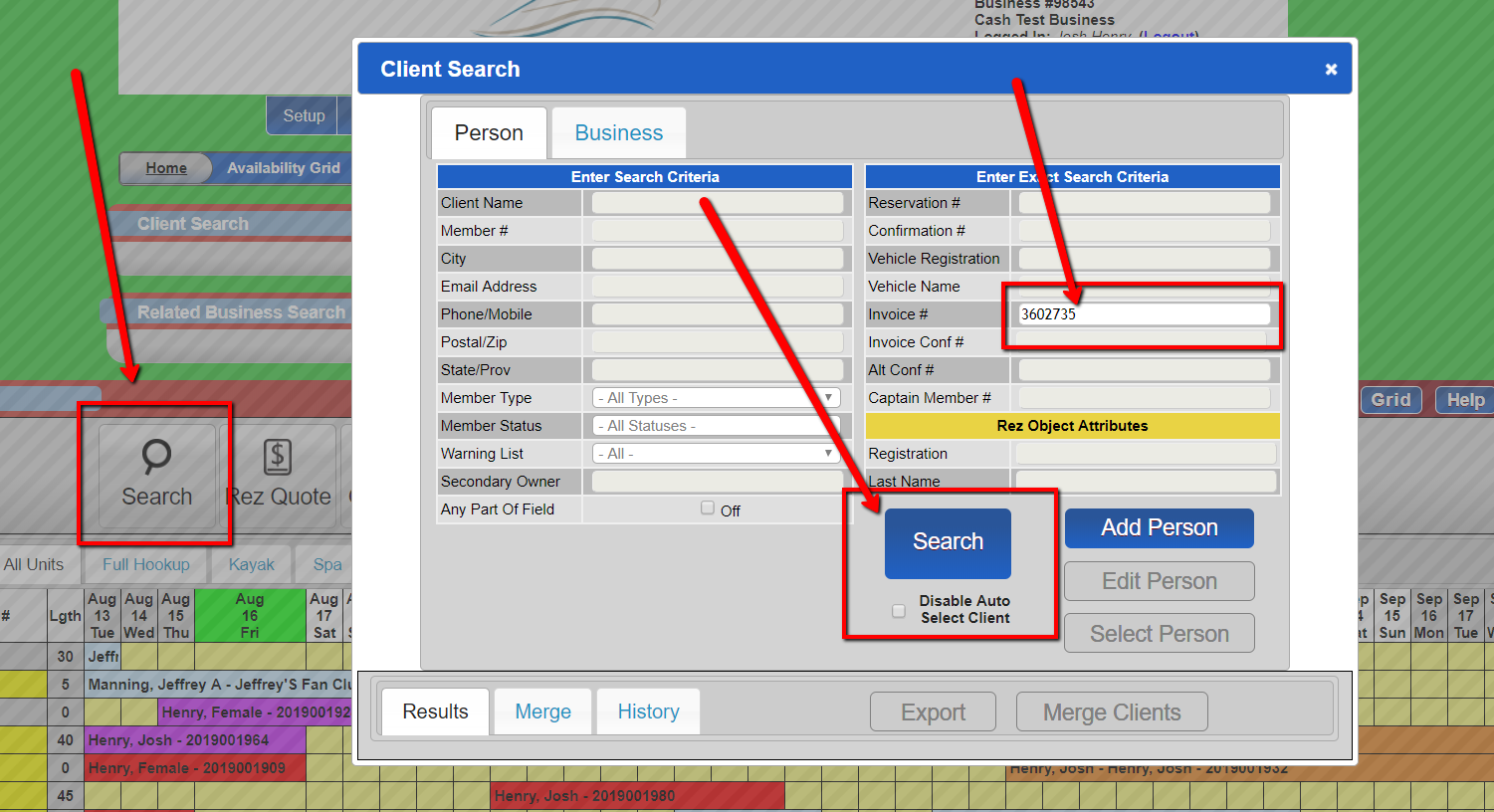
- From the grid, click the "Search" button.
- Enter the Invoice number in the space provided.
- Click "Search".
- Locate without Invoice Number:
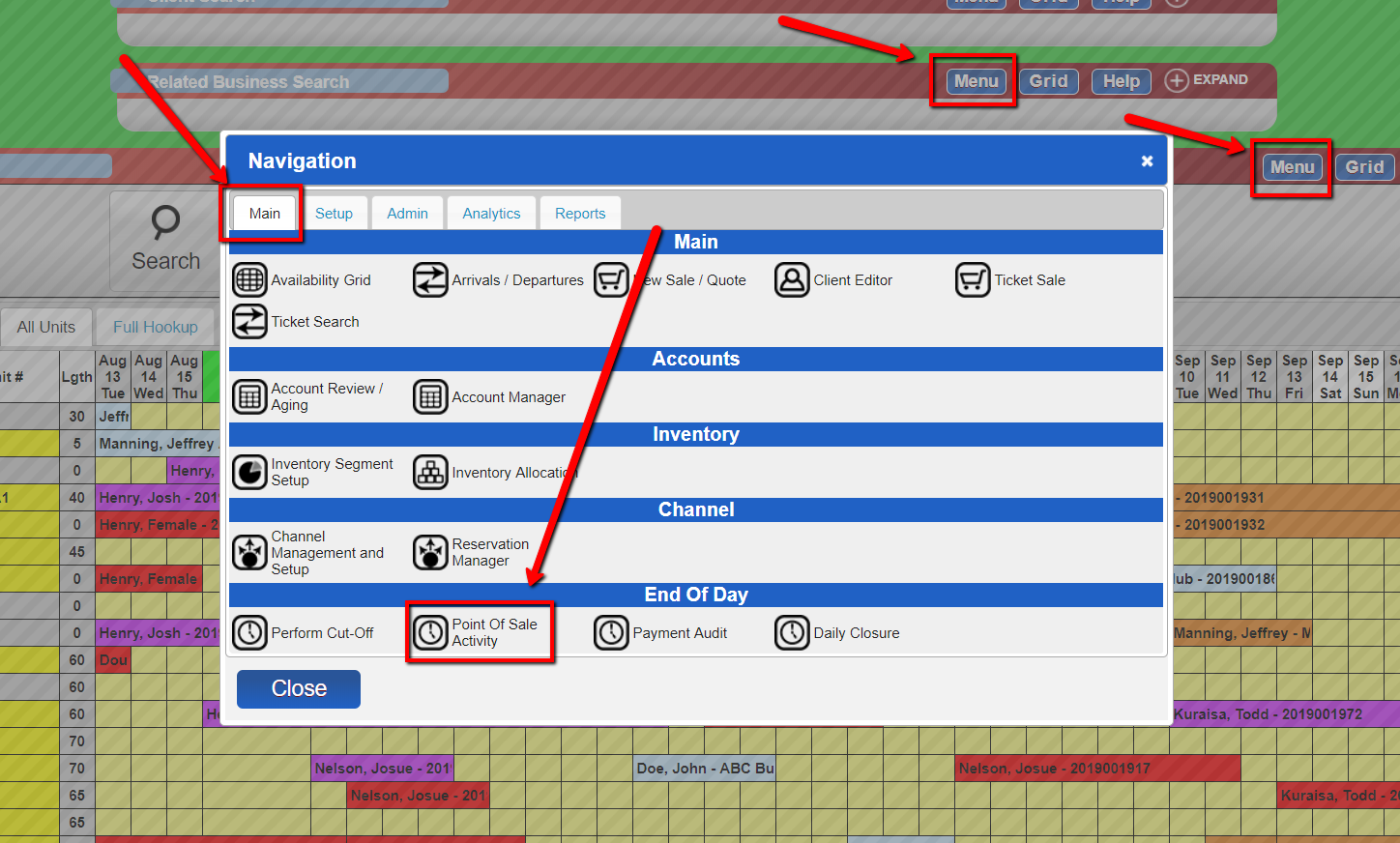
- Click the "Menu" button.
- Under the "Main" tab, choose the "Point of Sale Activity" option.
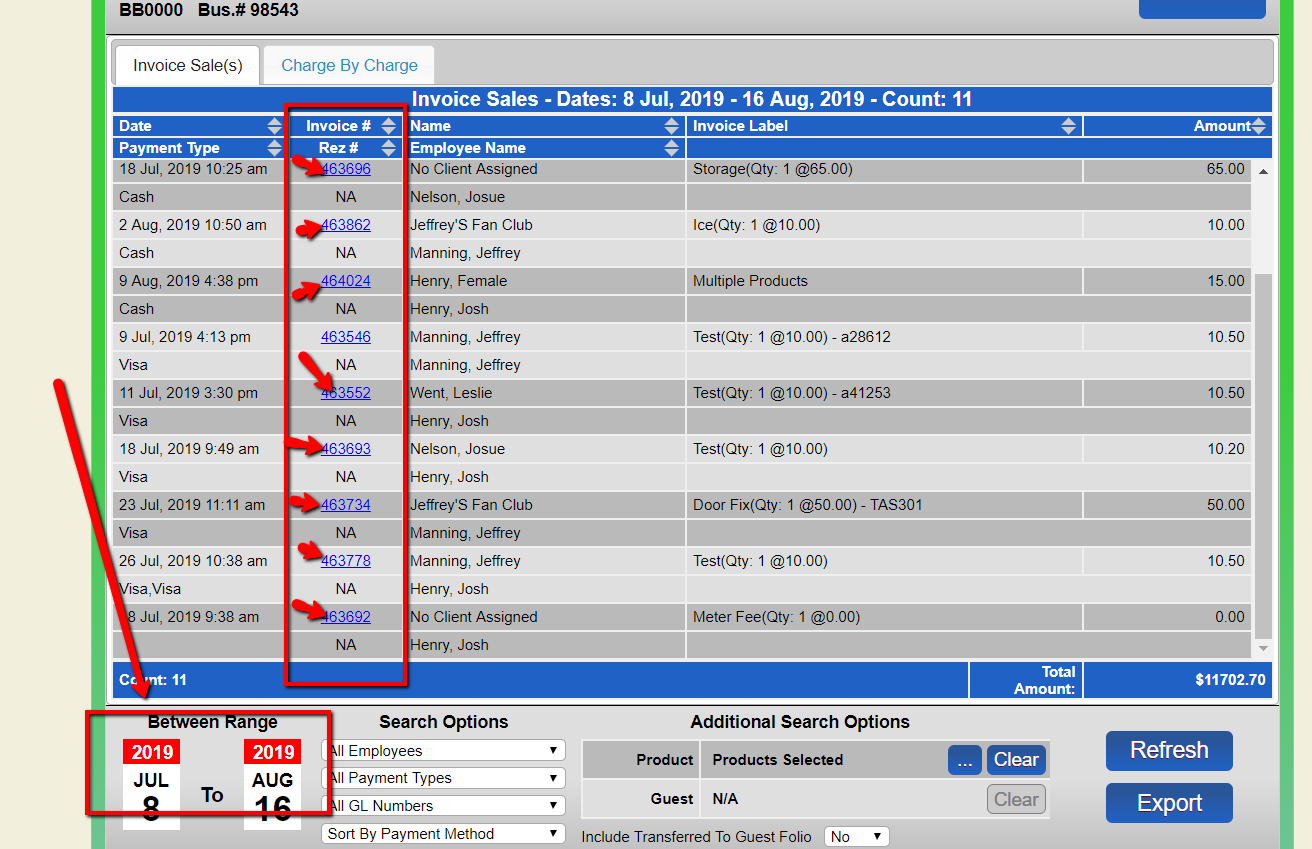
- View invoice numbers for sales made within the specified date range.
Troubleshooting
- Ensure you have the correct permissions to access the invoice search features.
- Verify the date range if invoices are not appearing as expected.