Credit Card Payment in Shift4 Using RezExpert
Last modified on:
Overview
This document provides a step-by-step guide for making a credit card payment using Shift4 in RezExpert.
Prerequisites
- A reservation must be made or an existing reservation selected.
Steps
- Access Guest Folio
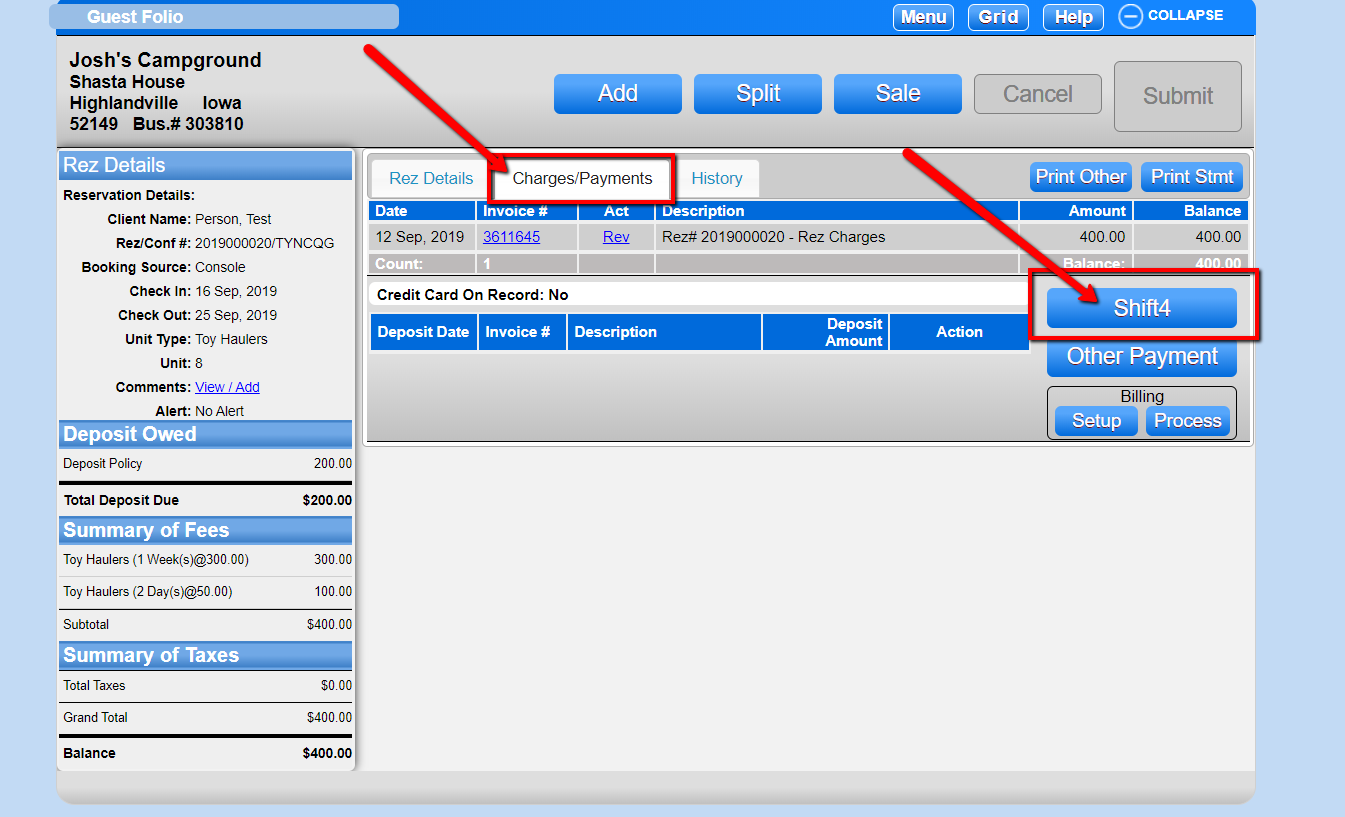
- After making a reservation or selecting an existing reservation, navigate to the guest folio of that reservation. - Select Charges/Payments
- From the guest folio, select the "Charges/Payments" tab.
- Click the "Shift4" button located to the right.
- Proceed with Payment
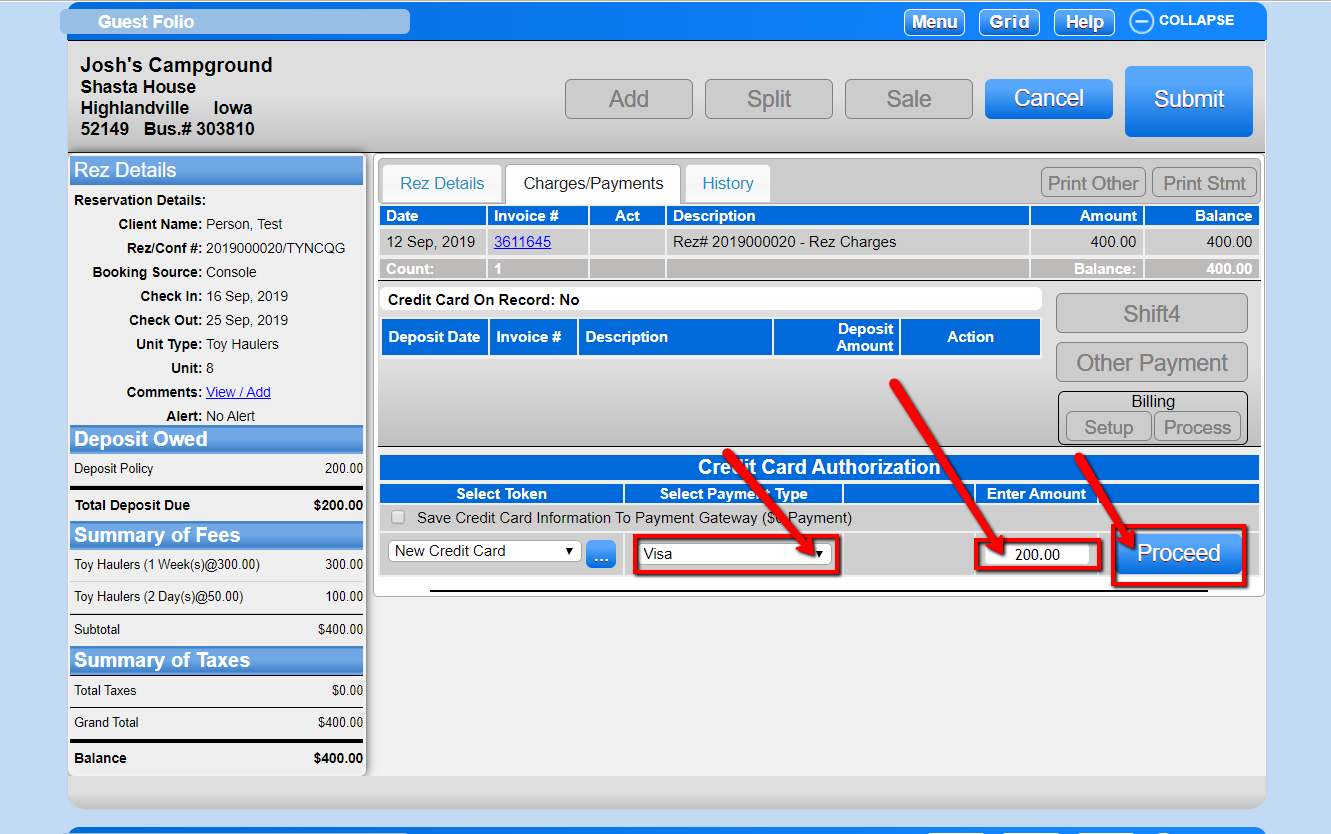
- Select the payment type and enter the amount you wish to pay.
- Click the "Proceed" button.
- Enter Credit Card Information
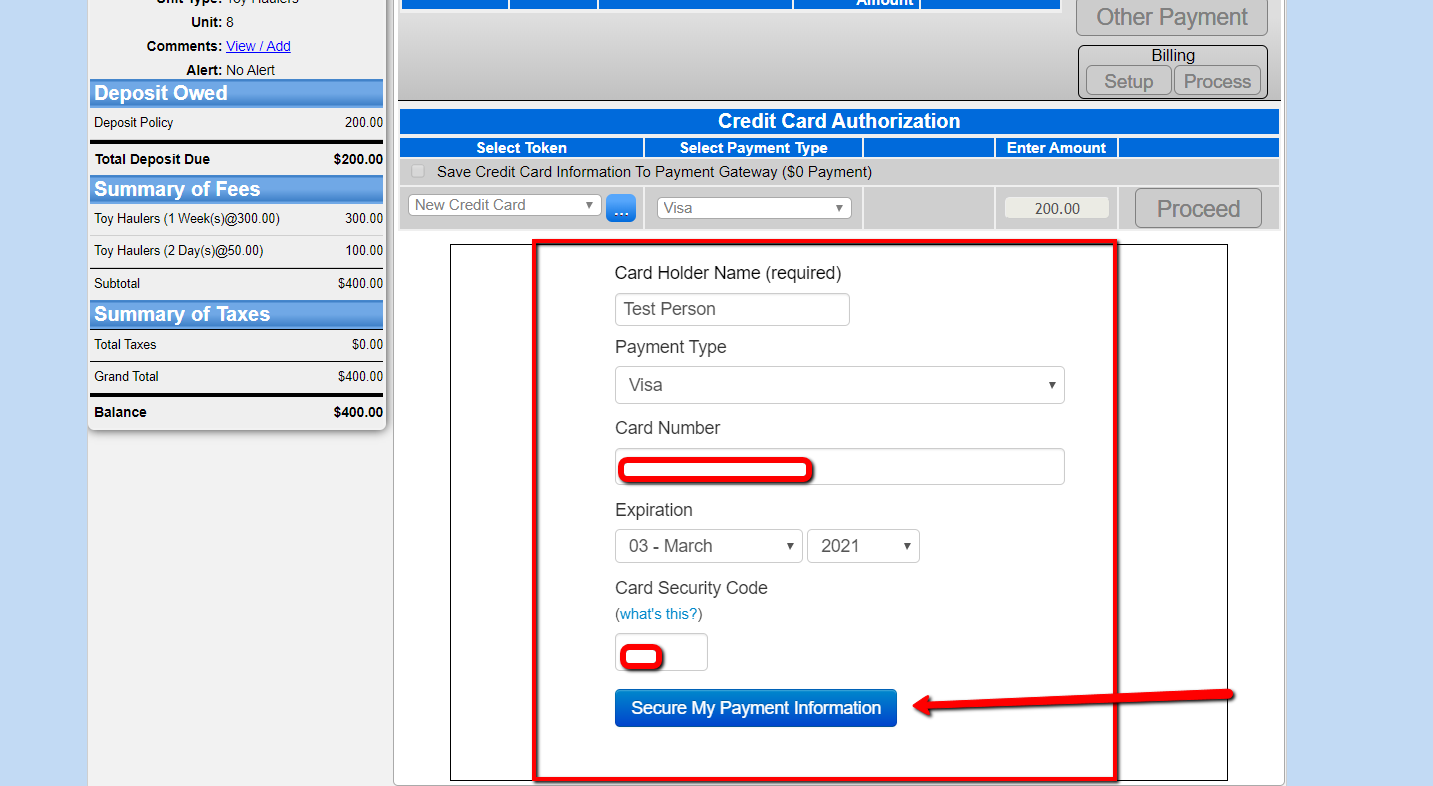
- Enter your credit card information.
- Click the "Secure My Payment Information" button at the bottom. - Confirm Payment Success
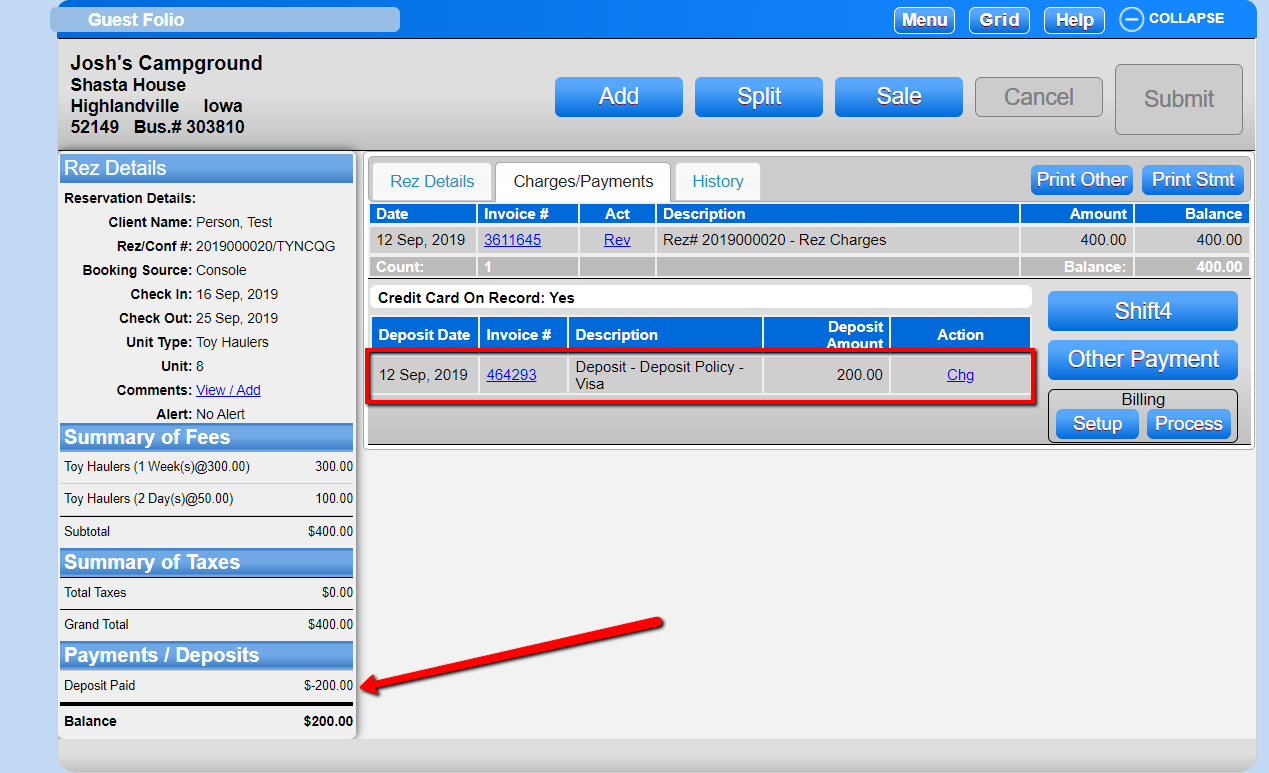
- Verify that the payment was successful.
Troubleshooting
- Ensure that the reservation is correctly selected before proceeding with the payment.
- Verify that all payment information is entered accurately to avoid transaction errors.