Reservation Quote Process Steps
Last modified on:
Overview
This document provides a step-by-step guide to using the reservation quote feature.
Prerequisites
- Ensure you have access to the reservation system.
Steps
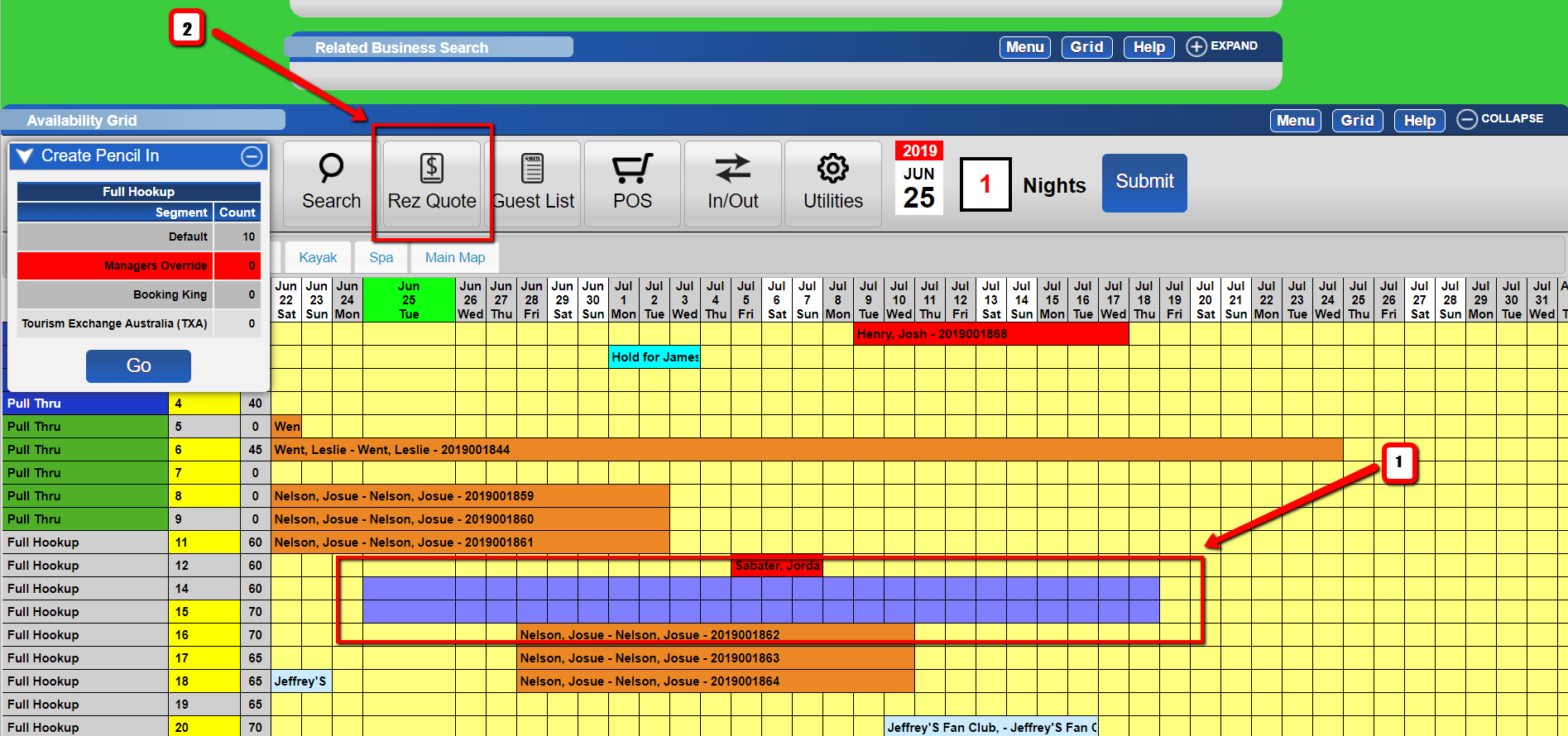
- Select Dates for Reservation Quote
- Click or drag over the date(s) you wish to get a Rez Quote for.
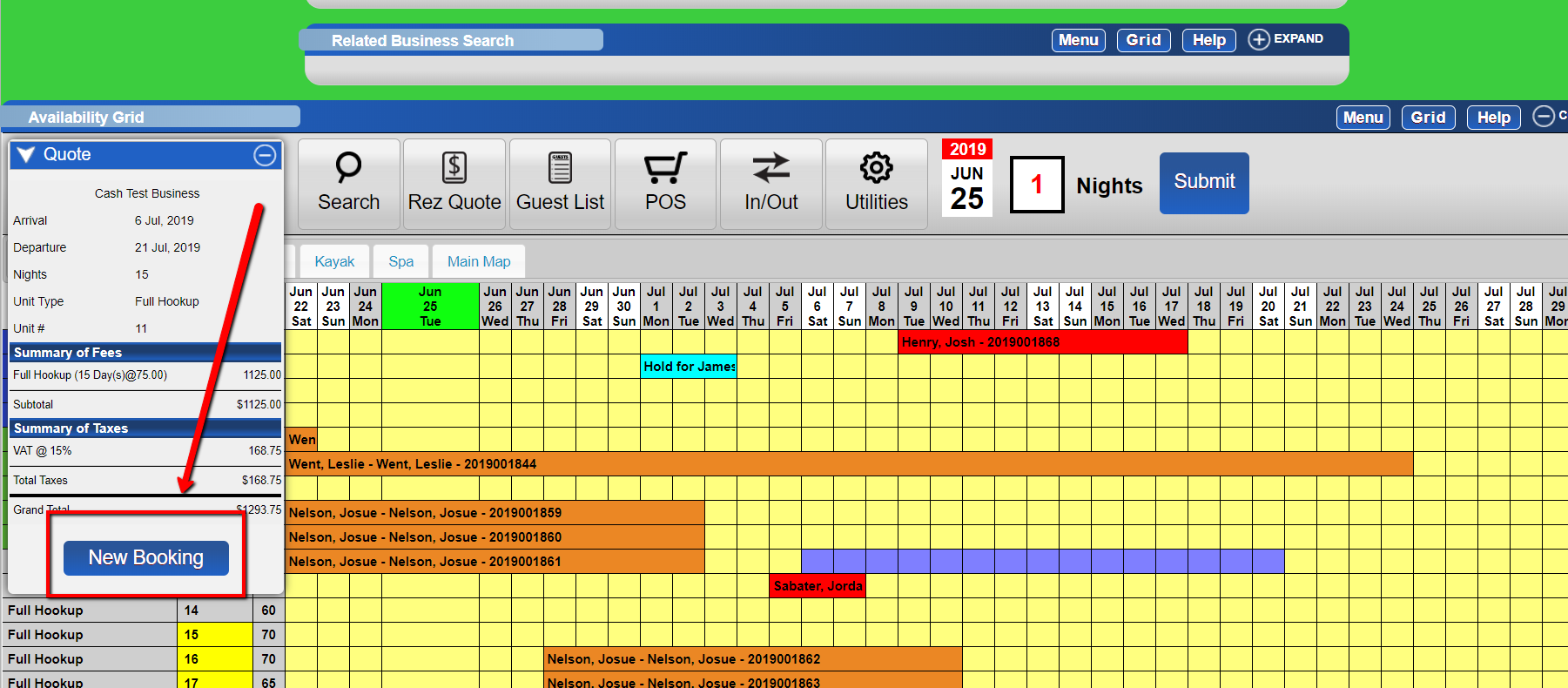
- Hit the "Rez Quote" button. - Initiate a New Booking
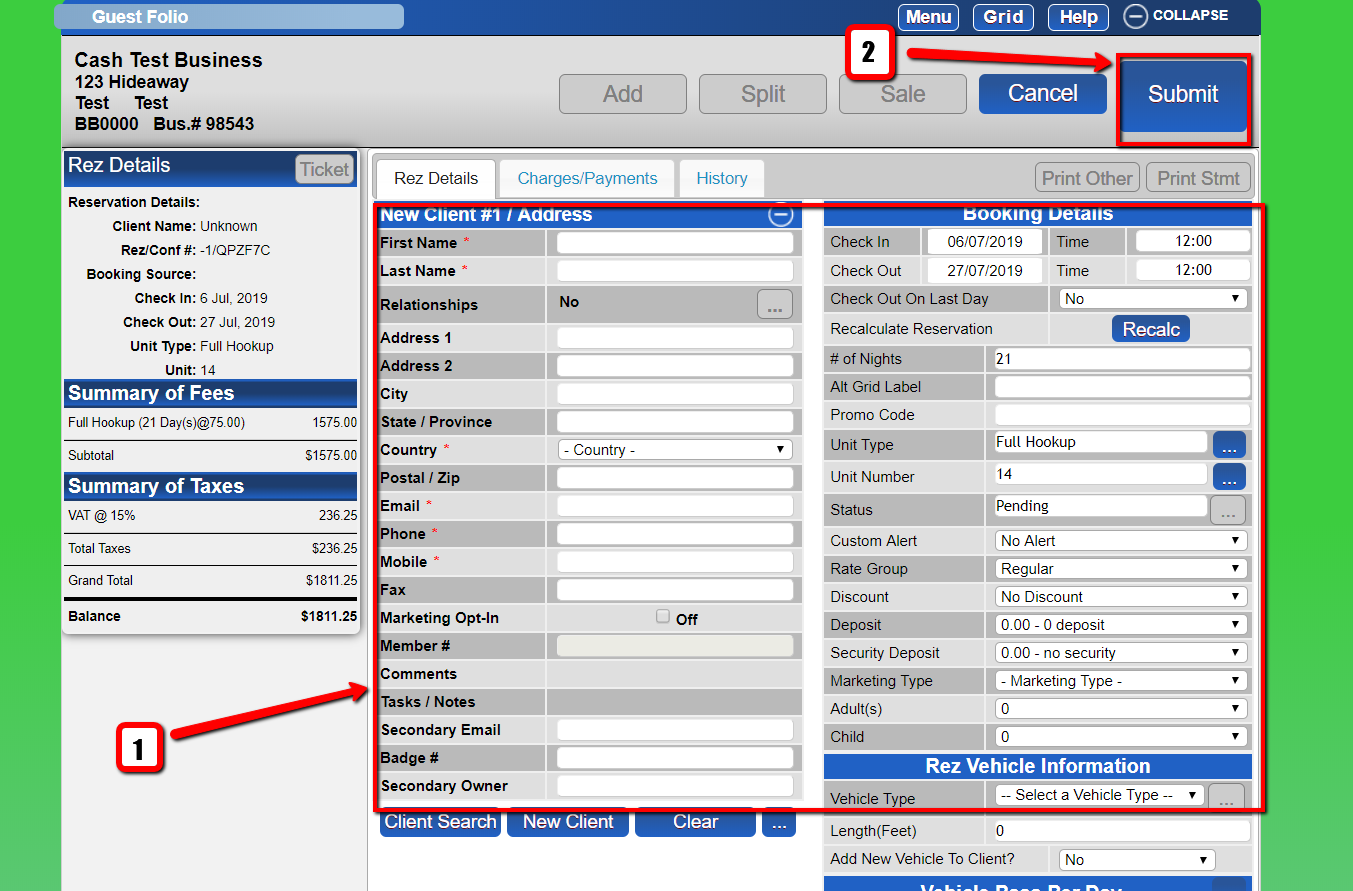
- Click on the "New Booking" button. - Client Selection
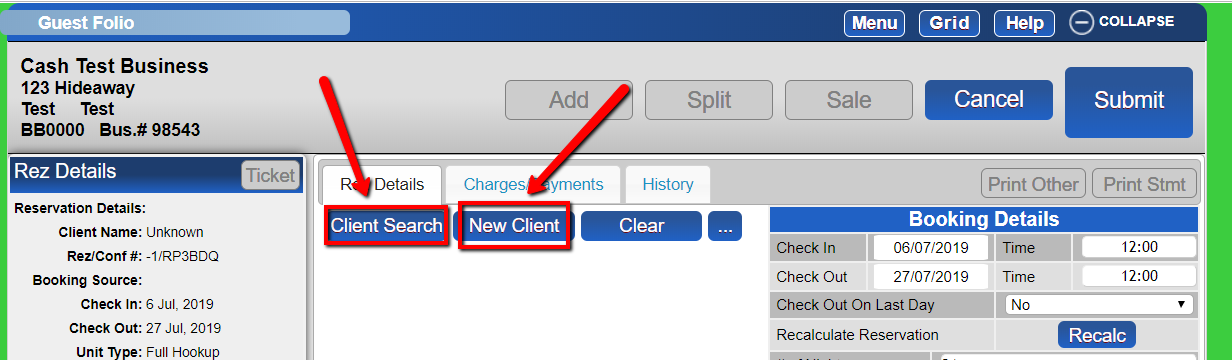
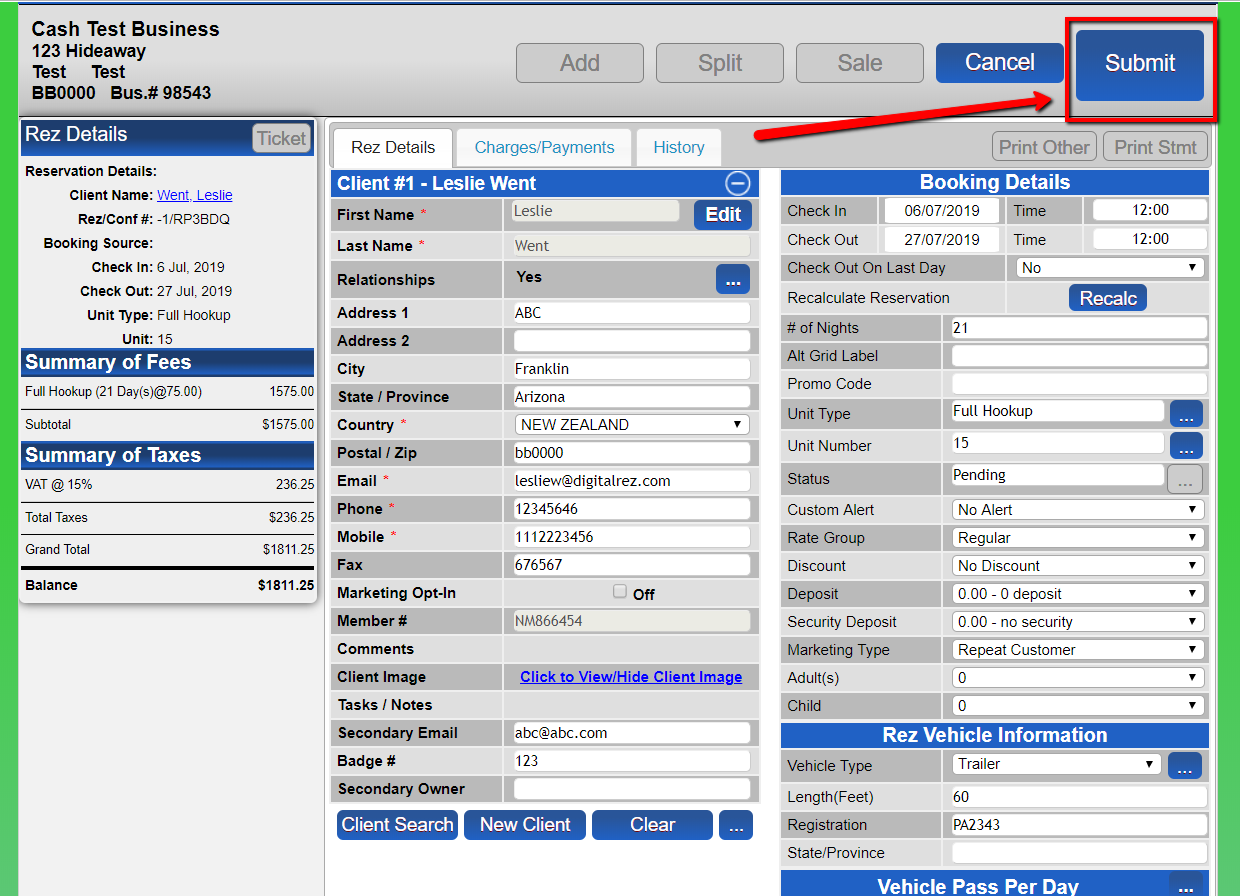
- Choose between "Client Search" or "New Client":
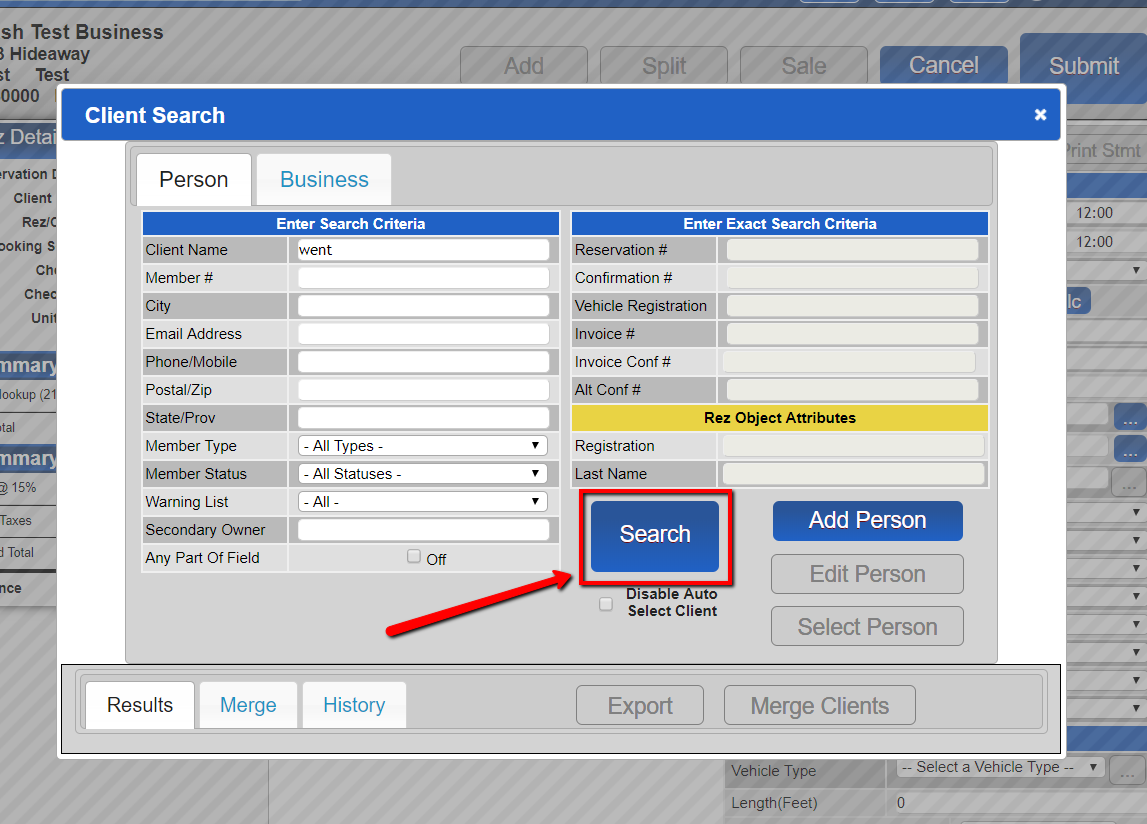
- Client Search: Enter your search criteria and click the "Search" button.
- New Client: Fill in all applicable fields and submit.
- If a client is found during the Client Search, submit the information.
Troubleshooting
- Ensure all required fields are filled in when creating a new client.
- Verify the correct date(s) are selected before generating a quote.
Images