Add a Product Group in System Grid
Last modified on:
Overview
This document provides a step-by-step guide on how to add a product group.
Prerequisites
- Access to the system grid where the product group setup can be configured.
Steps
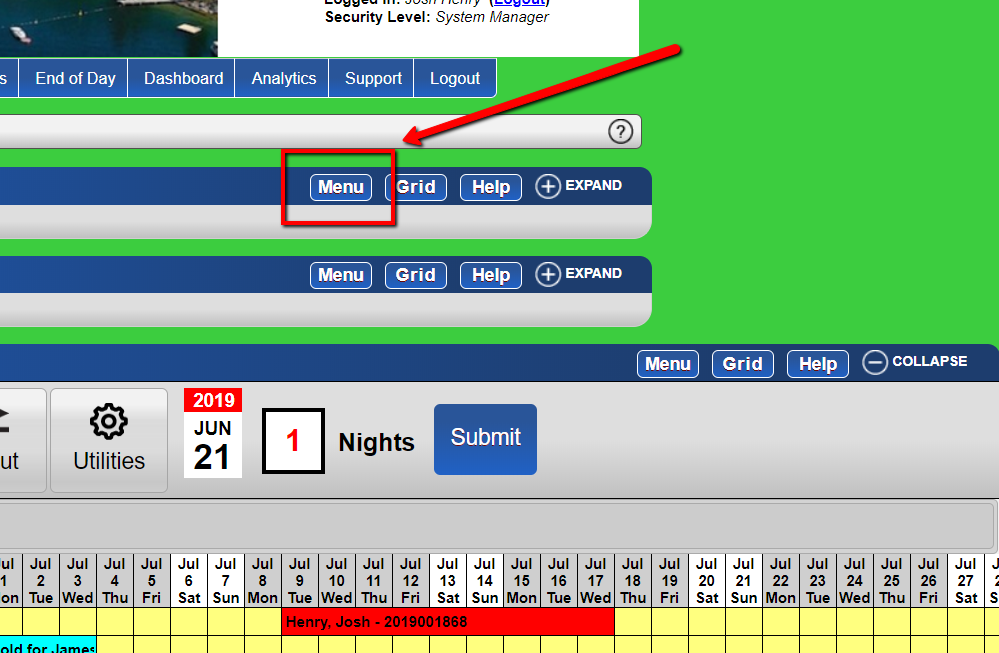
- From the grid, click the "Menu" button.
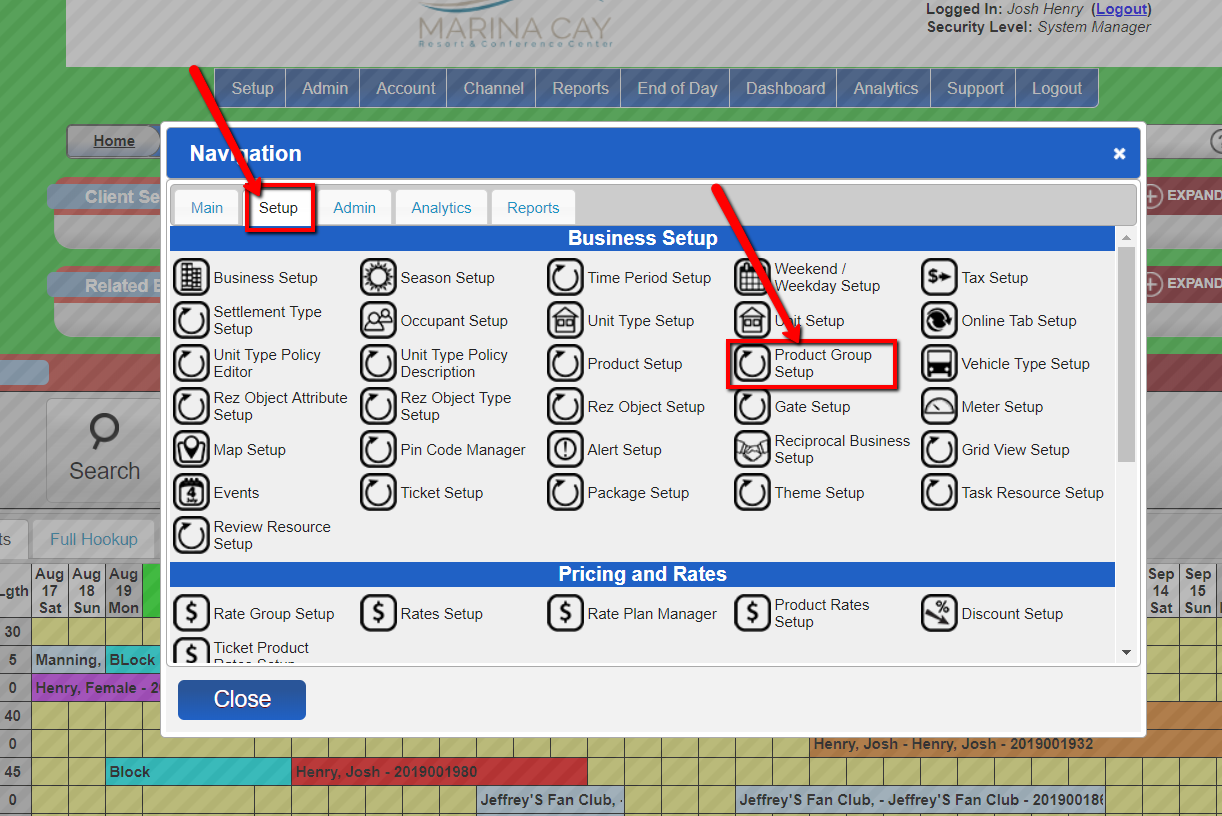
- Click the "Setup" tab and select the "Product group setup" option.
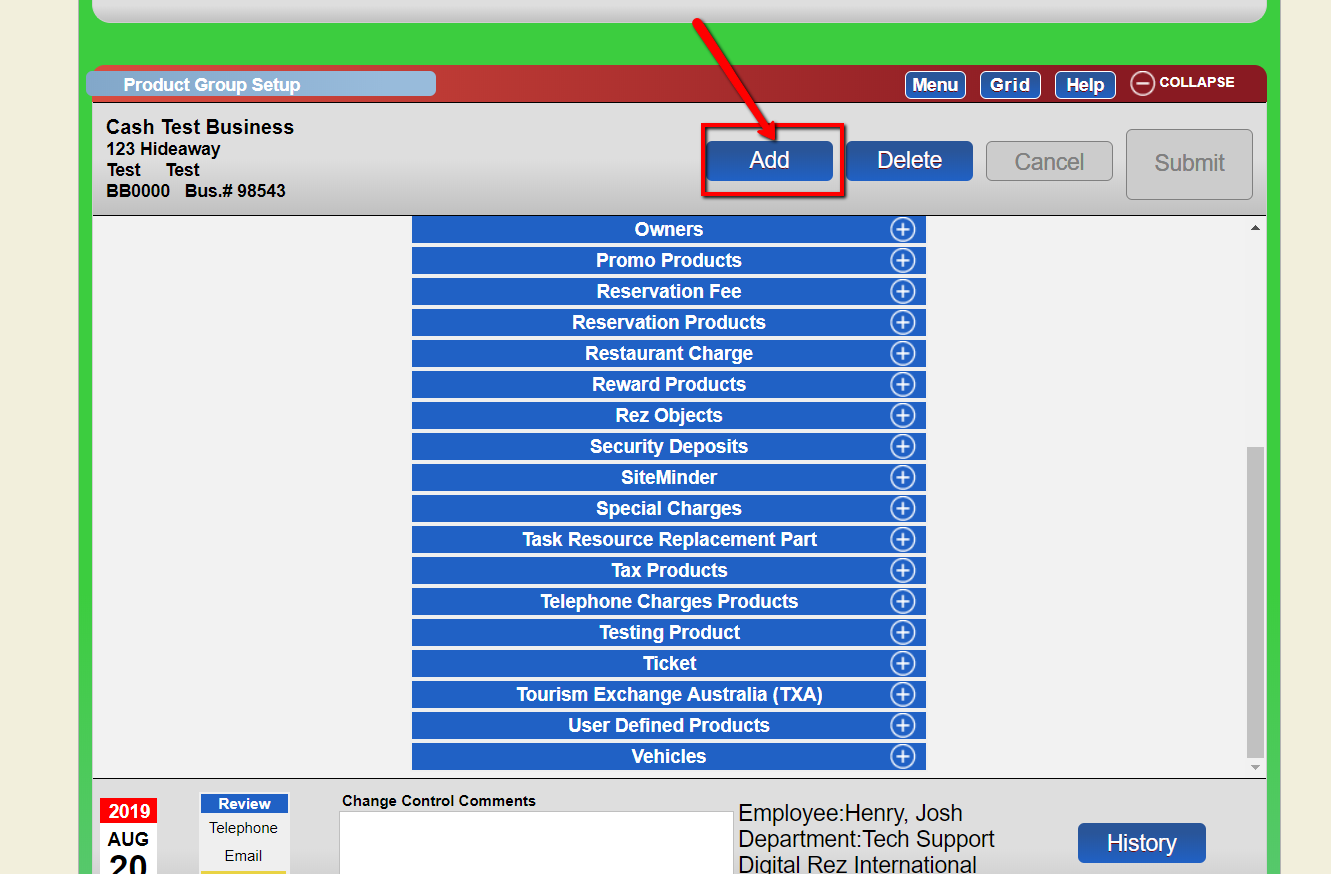
- Within the "Product group setup," click the "add" button.
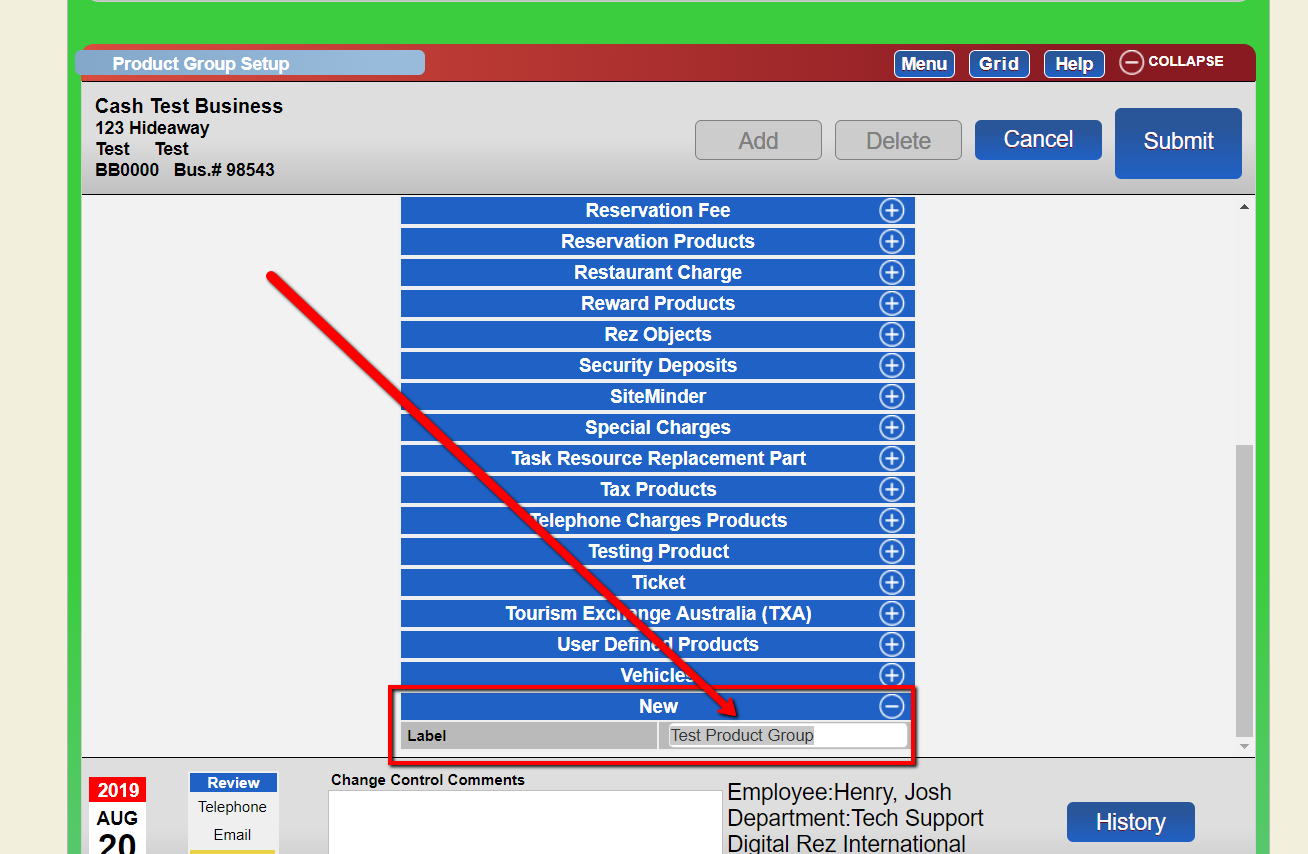
- Enter the label for the new product group.
- Enter your change control comments and submit.
Troubleshooting
If you encounter any issues during the process, ensure that you have the necessary permissions and that all fields are correctly filled out.