Product Category Setup Instructions
Last modified on:
Overview
Product Category Setup is used to enhance the organizational potential of your products. It categorizes products to manage how they are grouped on the online portal when utilizing the Product Sales section.
Prerequisites
- Access to the online portal.
- Necessary permissions to modify product categories.
Steps
Location
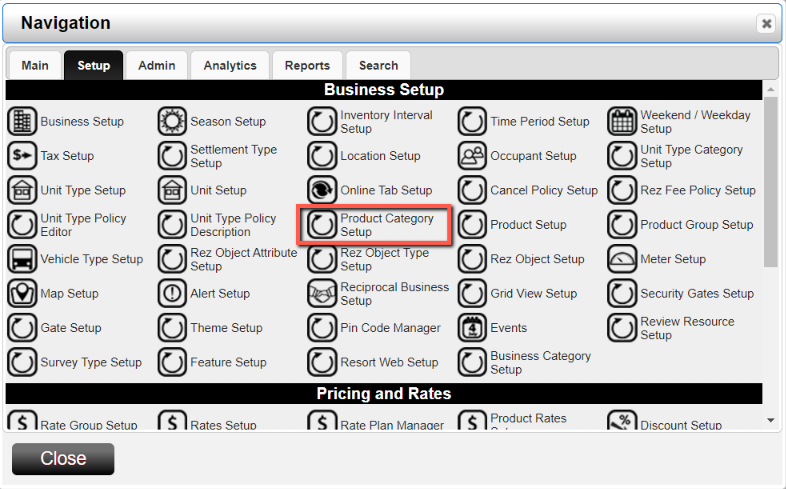
- Click any Menu button.
- Click on the Setup tab.
- Select Product Category Setup in the Business Setup section.
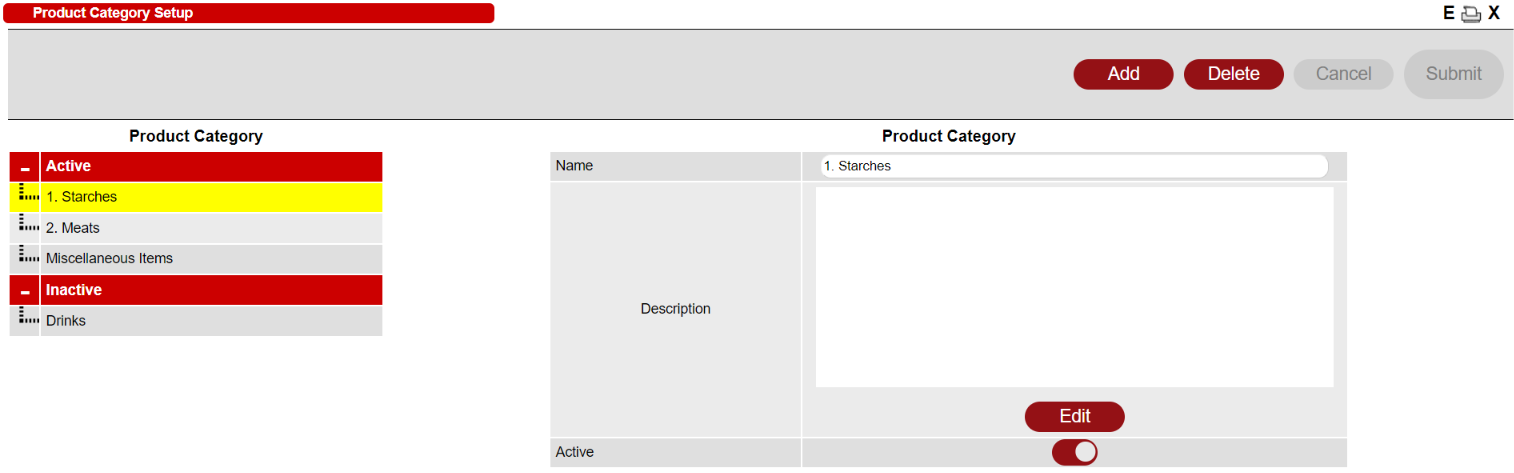
- The left side of the panel displays all Active and Inactive categories.
- The right side of the panel is used for editing each category.
Adding a Category
To add a new category:
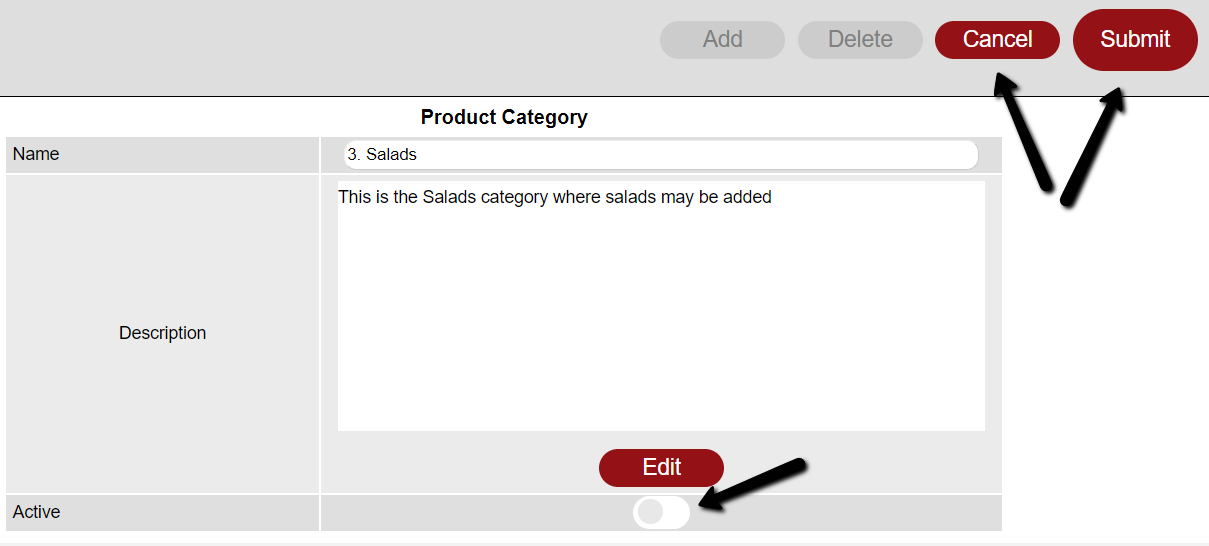
- Click the Add button to create a new category.
- Fill in the Name.
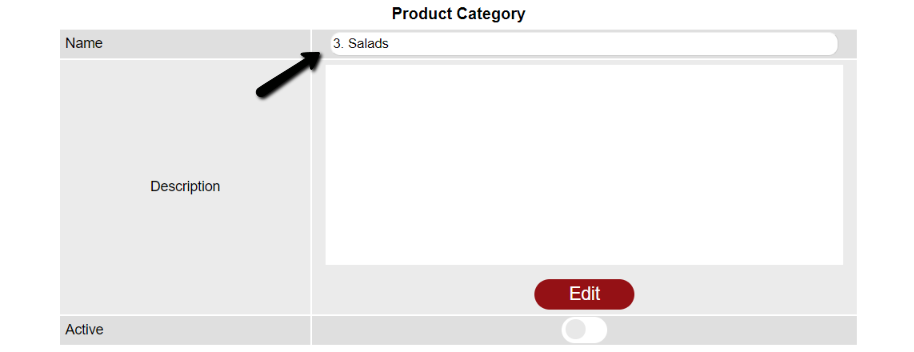
- Click the Edit button to add a Description if necessary.
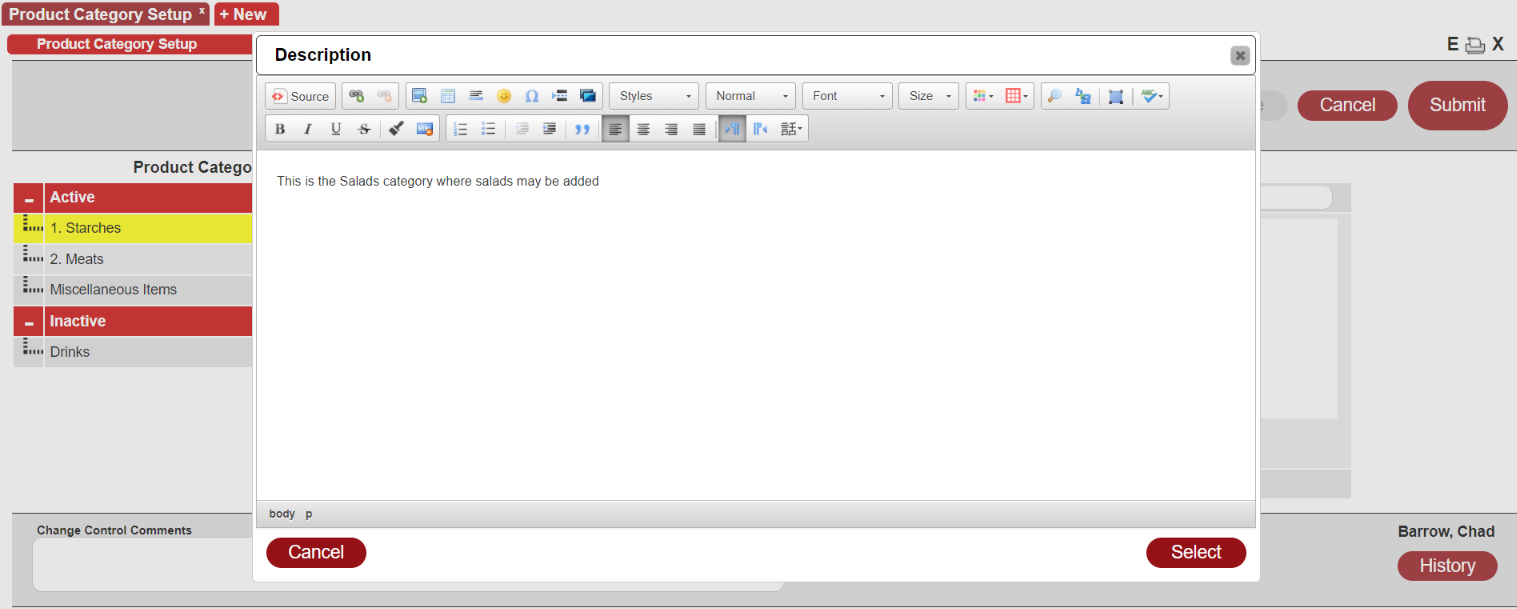
- Click Select once your description is complete to add the Description.
- Click the Active toggle if you want to make the category Active.
- Click Submit to add the category.
- If you want to discard your changes, click the Cancel button.
Deleting a Category
To delete a category:
- Select the Category on the left.
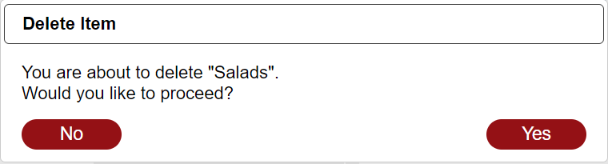
- Click the Delete button.
- Click Yes on the prompt to delete the category.
Troubleshooting
To add the category to your Product, go to Product Setup. Click here for more information regarding Product Setup.