Alternate Rate Group Tax Application Issue
Last modified on:
Overview
This document addresses the issue where an alternate rate group does not apply taxes when applied to a reservation. This typically occurs because the rate group has not been set to taxable.
Prerequisites
- Access to the system's menu and setup options.
Steps
To resolve the issue, follow these steps:
- Click on the Menu button.
- Select the Setup tab.
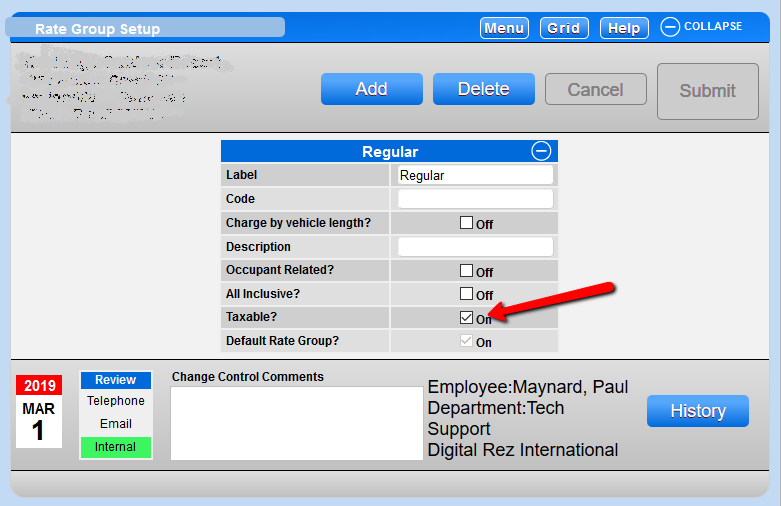
- Click on Rate Group Setup within Pricing and Rates.
- Select the rate group you wish to apply tax to.
- Check the box for the taxable field.
Troubleshooting
If the issue persists after ensuring the rate group is set to taxable, verify that all settings have been saved correctly and consult system documentation for further guidance.