Viewing Guest Outstanding Balances
Last modified on:
Overview
This document provides a step-by-step guide on how to view the outstanding balances owed by guests.
Prerequisites
- Access to the system's grid interface.
Steps
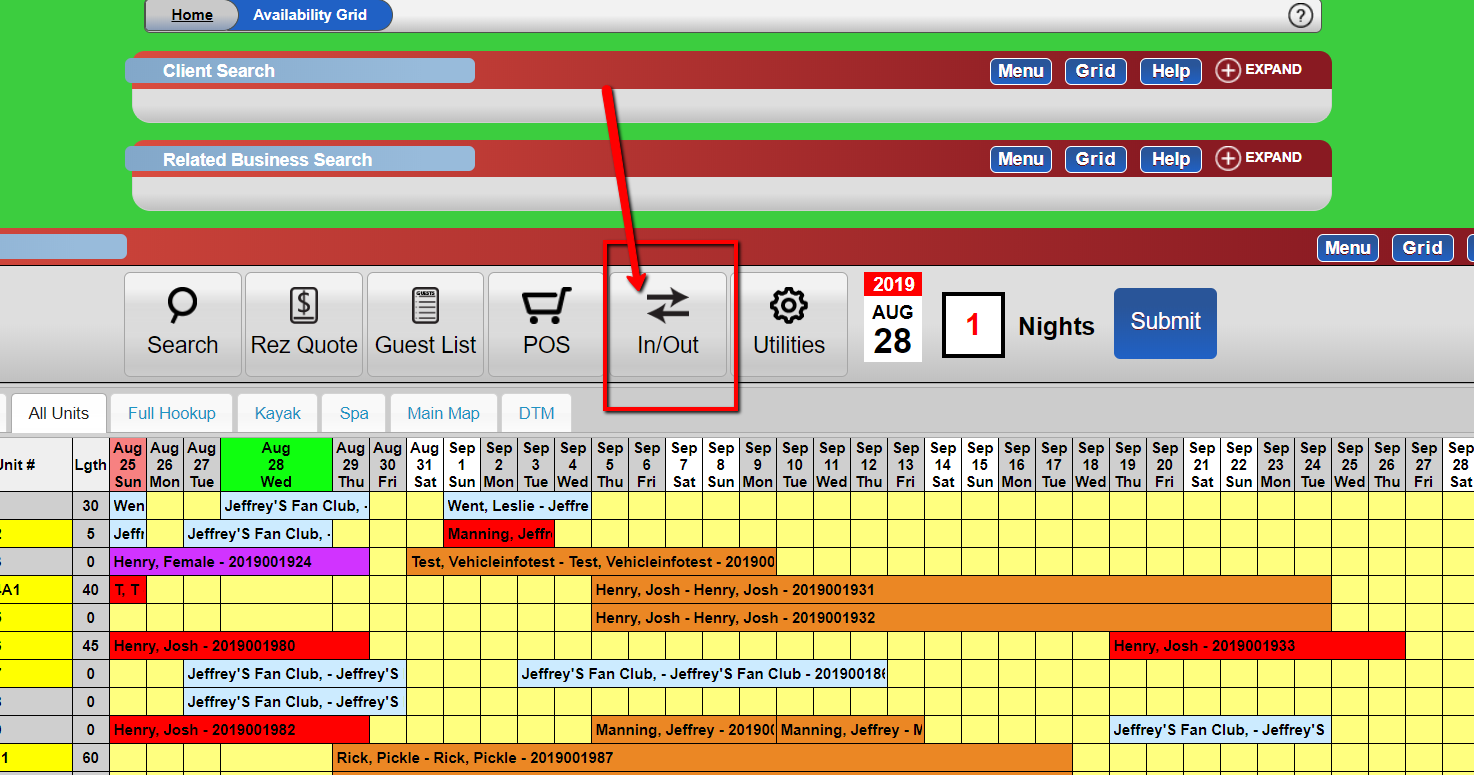
- From the grid, click the IN/OUT tab.
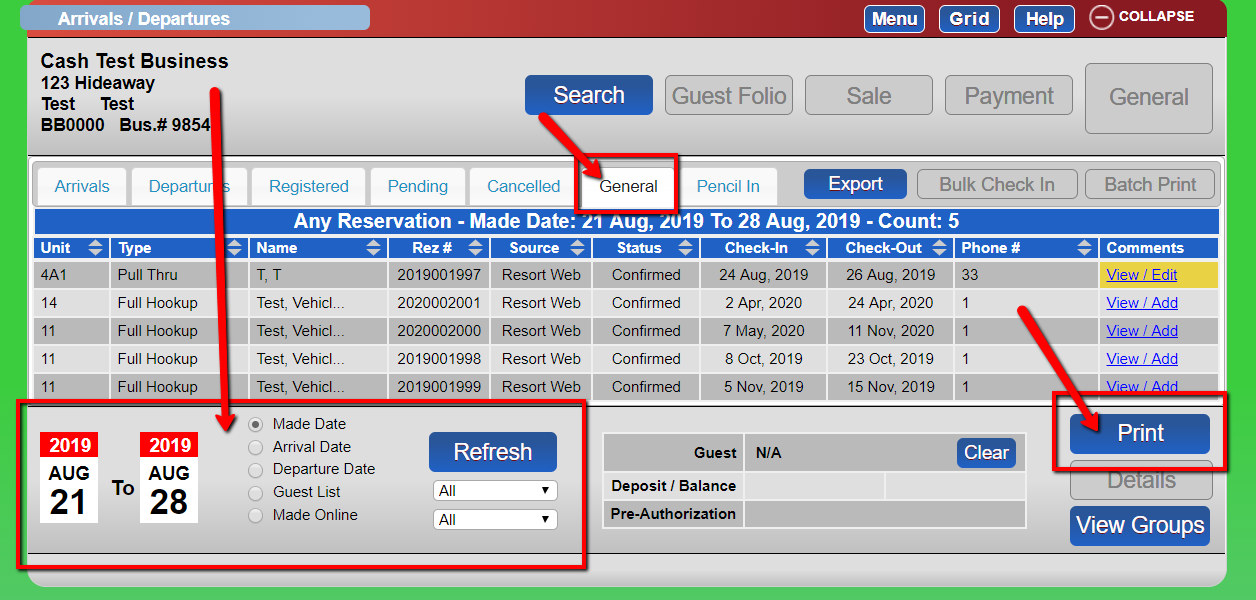
- Click the General tab.
- Select the desired date range.
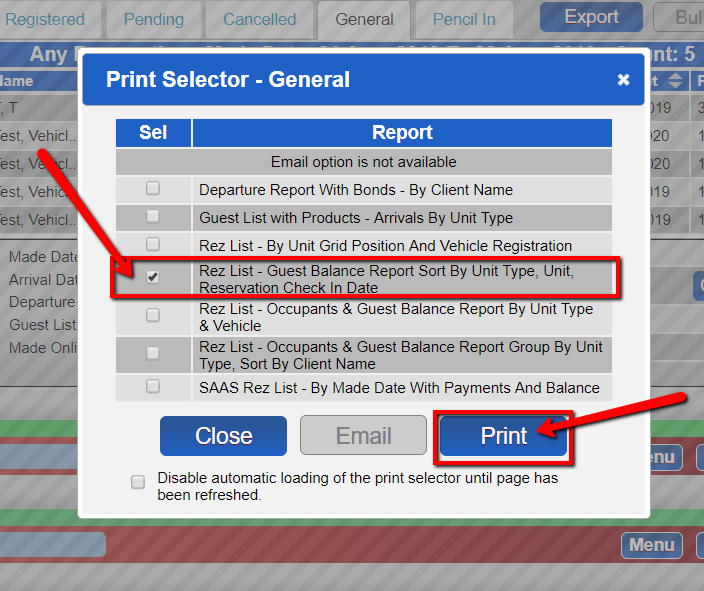
- Click Refresh. - Select the Guest Balance Report.
- Click Print.
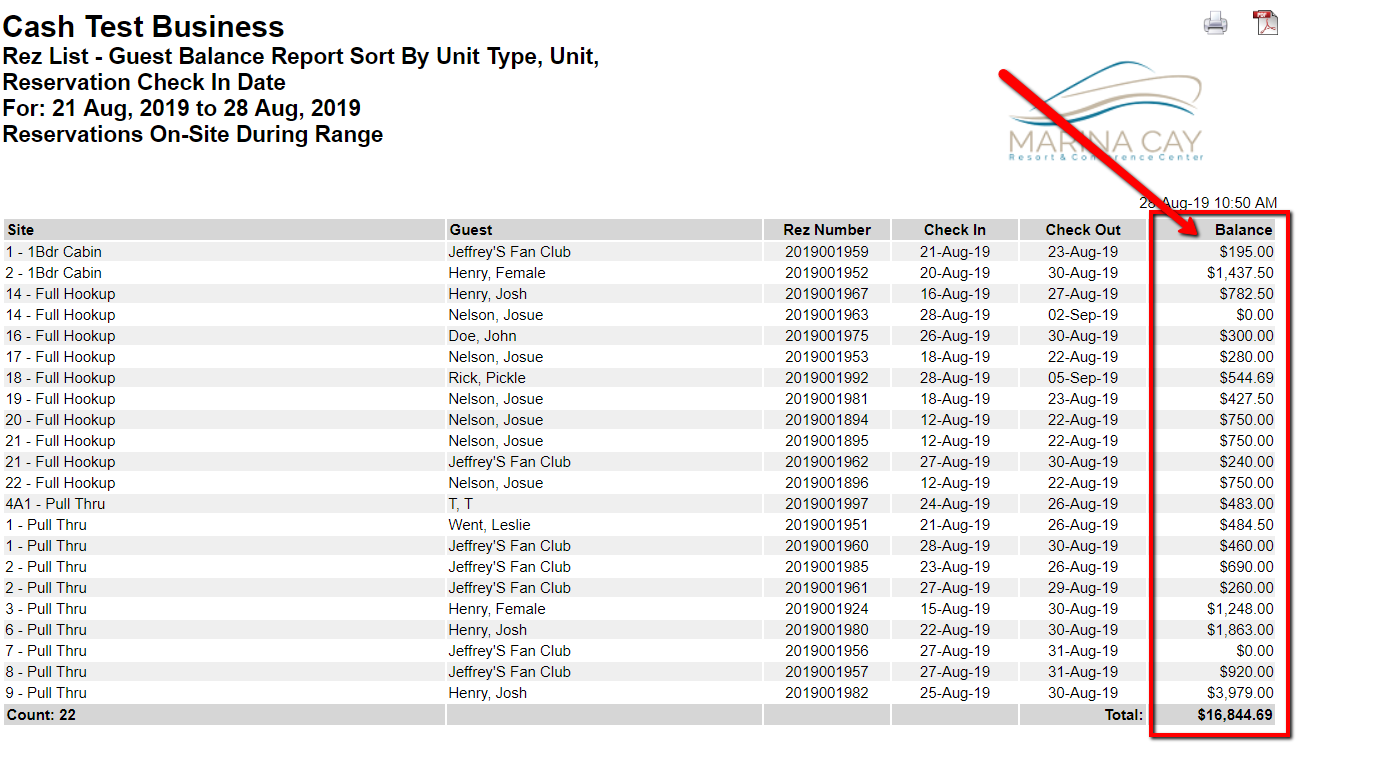
- The balance column will display the balance for each guest for each of their reservations, with a grand total at the bottom.
Troubleshooting
- Ensure the correct date range is selected if the report does not display expected results.
- Verify that the system is refreshed after selecting the date range.