RezExpert Menu Navigation Overview
Last modified on:
Overview
The Menu Navigation operates as a hub where you access all areas of RezExpert. To access the Menu, click the Menu button that appears to the right of the panel headers in RXC8 interfaces, or at the top left of the RXC10 interfaces.
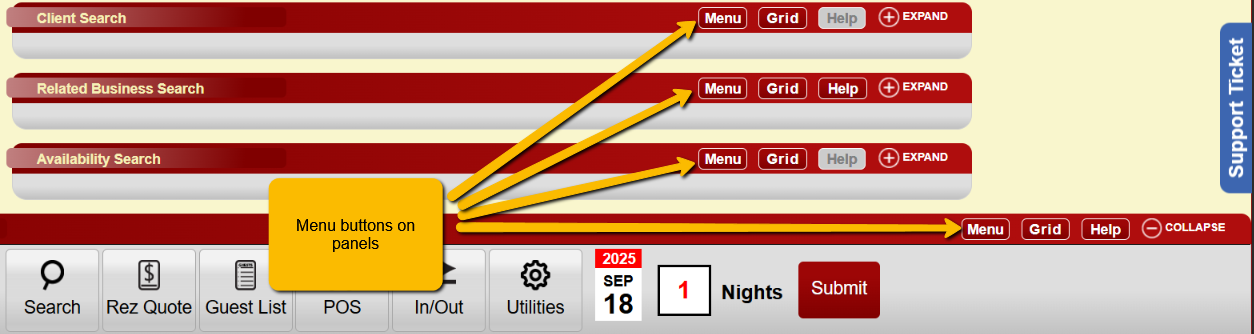

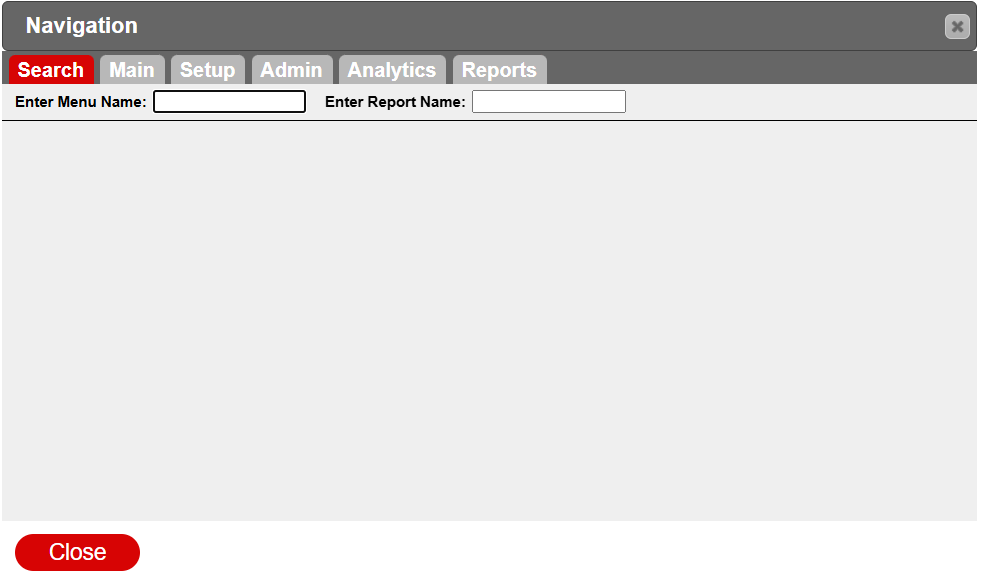
When the Menu pops up, you are presented with category tabs and a menu layout based on which tab is selected. The possible available tabs are Search, Main, Setup, Admin, Analytics, and Reports.
Prerequisites
- Access to RezExpert system
- Understanding of RXC8 and RXC10 interfaces
Steps
Search
- The menu search functionality makes it easier to find specific menu options or reports.
- Use the Menu Name field for searching menu options.
- Use the Report Name field for searching reports.
Main
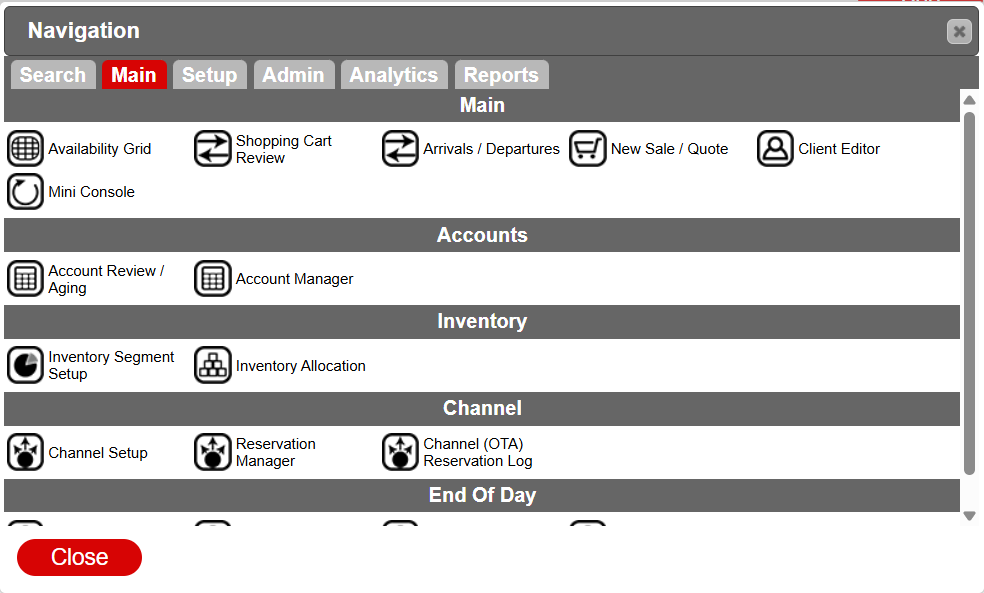
- The Main tab covers key standard operation features in RezExpert.
- Subcategories include Main, Accounts, Inventory, Channel, End Of Day.
Main
- Covers frequently visited panels such as:
- Availability Grid
- Shopping cart Review
- Arrivals/Departures
- New Sale/Quote
- Client Editor
- Mini Console
Accounts
- Deals with Accounts Receivable/Payable features:
- Account review/Aging
- Account Manager
Inventory
- Covers inventory management panels:
- Inventory Segment Setup
- Inventory Allocation
Channel
- Manages OTA/Channel configurations:
- Channel Setup
- Reservation Manager
- Channel (OTA) Reservation Log
End Of Day
- Processes/reviews daily transactions:
- Perform Cut-Off
- Point Of Sale Activity
- Payment Audit
- Daily Closure
Setup
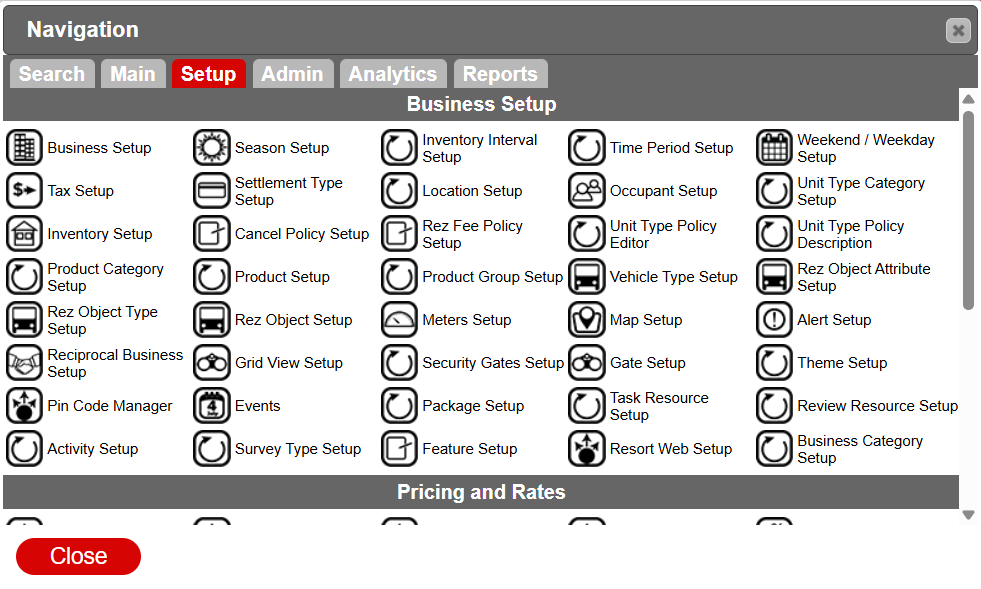
- Handles the majority of setup configuration.
- Subcategories include Business Setup, Pricing and Rates, Employee Setup, Marketing Setup, Admin/Accounting, Preferences.
Business Setup
- Houses setup panels necessary for operating your business:
- Business Setup
- Tax Setup
- Inventory Setup
- Product Category Setup
- Rez Object Type Setup
- Reciprocal Business Setup
- Pin Code Manager
- Activity Setup
- Season Setup
- Settlement Type Setup
- Cancel Policy Setup
- Product Setup
- Rez Object Setup
- Grid View Setup
- Events
- Survey Type Setup
- Inventory Interval Setup
- Location Setup
- Rez Fee Policy Setup
- Product Group Setup
- Meters Setup
- Security Gates Setup
- Package Setup
- Feature Setup
- Time Period Setup
- Occupant Setup
- Unit Type Policy Editor
- Vehicle Type Setup
- Map Setup
- Gate Setup
- Task Resource Setup
- Resort Web Setup
- Weekend / Weekday Setup
- Unit Type Category Setup
- Unit Type Policy Description
- Rez Object Attribute Setup
- Alert Setup
- Theme Setup
- Review Resource Setup
- Business Category Setup
Pricing and Rates
- Revolves around rate configuration:
- Rate Group Setup
- Rates Setup
- Rate Plan Manager
- Product Rates Setup
- Discount setup
Employee Setup
- Configures staff members using the system:
- Security Group Setup
- Employee setup
- Employee Department Setup
Marketing Setup
- Sets up marketing types and promotions:
- Marketing Type Setup
- Promo Code Setup
Admin/Accounting
- Administrative setup process, dealing with billing, accounting, documents, and more:
- Product / GL Number Setup
- Member Type / Source Defaults
- GL Number Setup
- Custom Field Setup
- Document Manager
- Billing Policy Type Setup
- Task Category Setup
- Member Type Setup
Preferences
- Allows changes to the look and feel of the system:
- Theme Editor
Admin
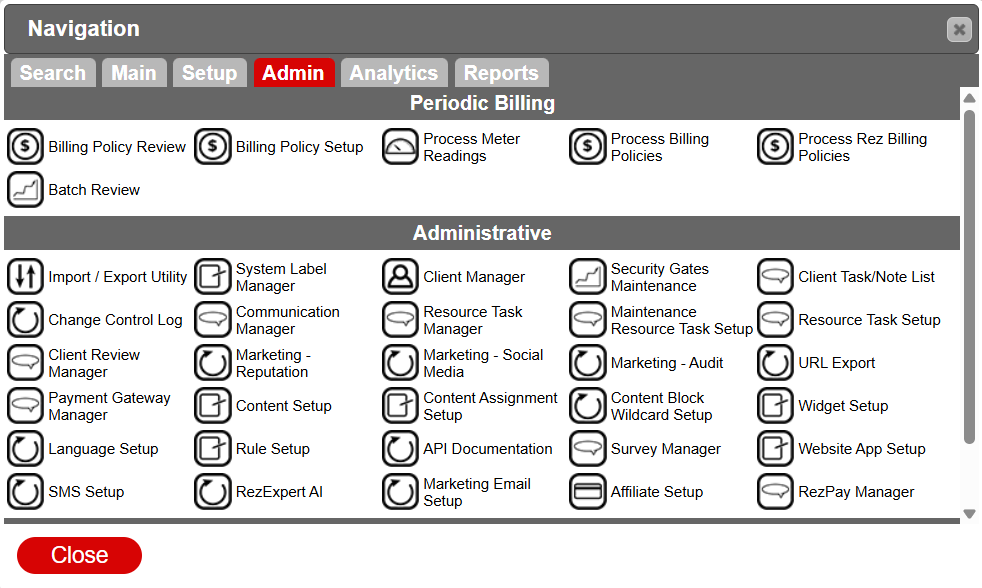
- Houses pages for managers, administrators, or supervisors to set up processes or get information.
- Subcategories include Periodic Billing, Administrative, and Analytics.
Periodic Billing
- Manages time-sensitive billing processes:
- Billing Policy Review
- Billing Policy Setup
- Process Meter Readings
- Process Billing Policies
- Process Rez Billing Policies
- Batch Review
Administrative
- Deals with operations defining business identity:
- Import / Export Utility
- Change Control Log
- Client Review Manager
- Payment Gateway Manager
- Language Setup
- SMS Setup
- System Label Manager
- Communication Manager
- Marketing - Reputation
- Content Setup
- Rule Setup
- RezExpert AI
- Client Manager
- Resource Task Manager
- Marketing - Social Media
- Content Assignment Setup
- API Documentation
- Marketing Email Setup
- Security Gates Maintenance
- Maintenance Resource Task Setup
- Marketing - Audit
- Content Block Wildcard Setup
- Survey Manager
- Affiliate Setup
- Client Task/Note List
- Resource Task Setup
- URL Export
- Widget Setup
- Website App Setup
- RezPay Manager
Analytics
- Provides statistics based on different criteria:
- Business Dashboard
- Type Revenue & Occupancy
- Unit Revenue & Occupancy
- Marketing Type Statistics
Analytics
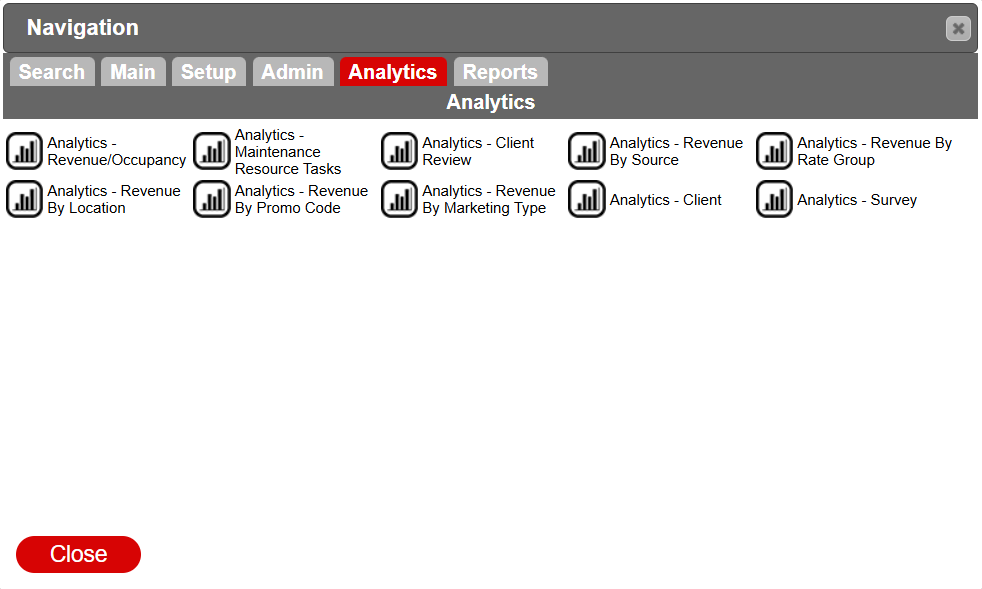
- Houses panels with revenue statistics based on different criteria:
- Analytics - Revenue/Occupancy
- Analytics - Revenue By Location
- Analytics - Maintenance Resource Tasks
- Analytics - Revenue By Promo Code
- Analytics - Client Review
- Analytics - Revenue By Marketing Type
- Analytics - Revenue By Source
- Analytics - Client
- Analytics - Revenue By Rate Group
- Analytics - Survey
Reports
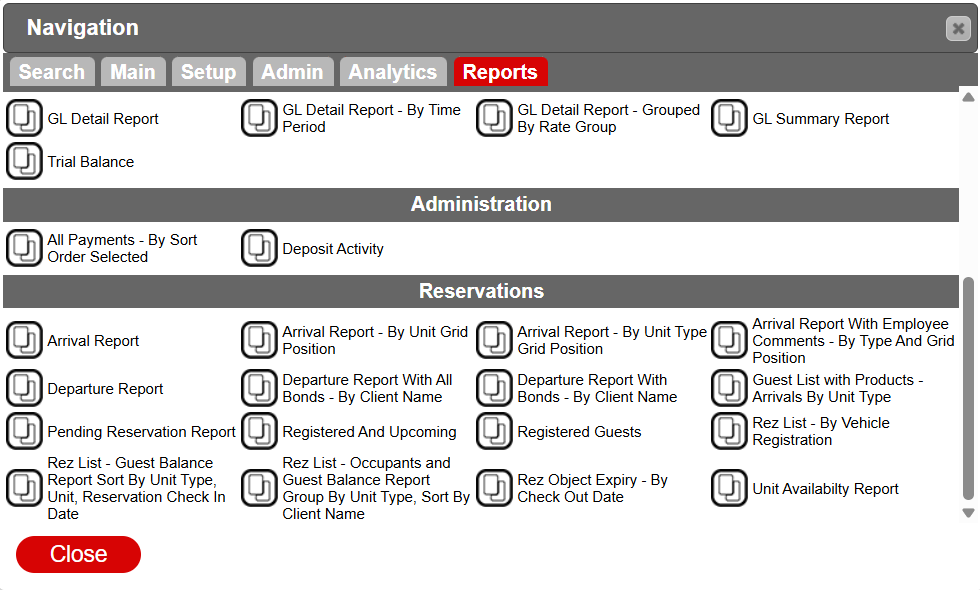
- Hub for all business reports, ranging from manager to reservation reports.
Manager
- Reports catering to manager needs:
- Accounts Receivable - Business Aging Report
- Business Statistics Summary
- Guest Statistics - By Unit Type
- Promo Code Report
- Availability Listing - By Date Range
- Daily Occupant Count - 7days
- Guest Statistics - By Unit Type Category
- Promo Code Report - By Rate Group
- Availability Status Report
- Discount Report
- Marketing Report
- Promo Code Report - By Unit Type
- Business Statistics
- Edited Charges On A Reservation - By Edit Date
- Online Booking Fees Payable
End Of Day
- Shows daily closure information:
- End Of Day - Cut Off Review
- Reconciliation Display
Income
- Shows reports regarding business revenue:
- GL Detail Report
- GL Detail report - By Time Period
- GL Detail Report - Grouped By Rate Group
- GL Summary Report
- Trial Balance
Administration
- Key payment-related reports:
- All Payments - By Sort Order Selected
- Deposit Activity
Reservations
- Reports regarding reservation and occupancy information:
- Arrival Report
- Departure Report
- Pending Reservation Report
- Rez List - Guest Balance Report Sort By Unit Type, Unit, Reservation Check In Date
- Arrival Report - By Unit Grid Position
- Departure Report With All Bonds - By Client Name
- Registered And Upcoming
- Rez List - Occupants and Guest Balance Report Group By Unit Type, Sort By Client Name
- Arrival Report - By Unit Type Grid Position
- Departure Report With Bonds - By Client Name
- Registered Guests
- Rez Object Expiry - By Check Out Date
- Arrival Report With Employee Comments - By Type And Grid Position
- Guest List with Products - Arrivals By Unit Type
- Rez List - By Vehicle Registration
- Unit Availability Report
Troubleshooting
- Ensure you have the necessary permissions to access specific tabs and reports.
- Verify network connectivity if the menu does not load.
- Contact support for persistent issues with accessing or navigating the menu.