Removing Closed Unit Types from Grid View
Last modified on:
Overview
Closed Unit Types currently appear on the All Types view tab and the Calendar Quote tool. This document provides instructions on how to remove closed Unit Types from the Grid view.
Prerequisites
- Access to the Menu Bar in the application.
- Permissions to modify Business Setup settings.
Steps
- Navigate to Setup
- Click on Setup from the Menu Bar.
- Expand Business Setup.
- Select 7. Unit Types > Units > Features. - Select Closed Unit Type
- Expand the All Types selection on the left.
- Select the closed Unit Type you wish to modify.
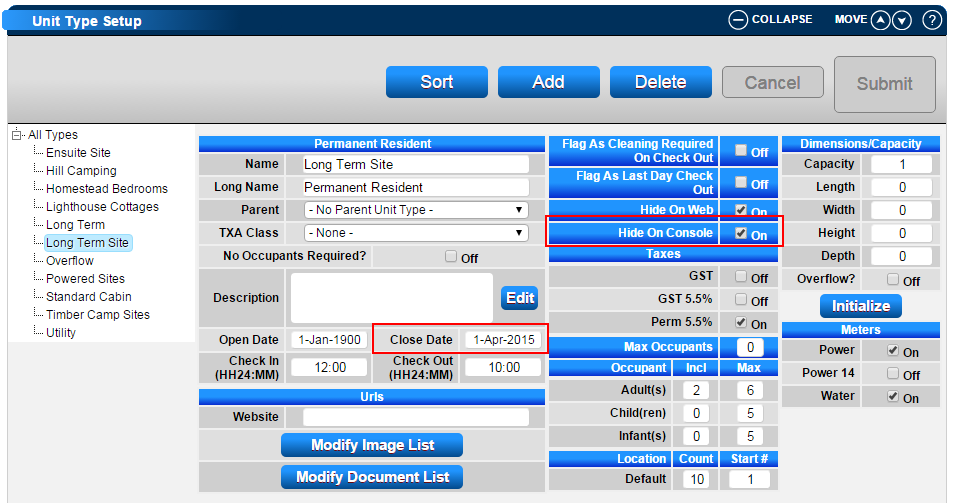
- Hide from Console
- After selecting the closed Unit Type, check the Hide From Console flag.
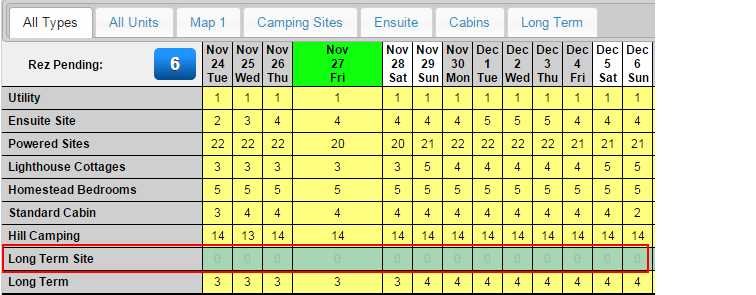
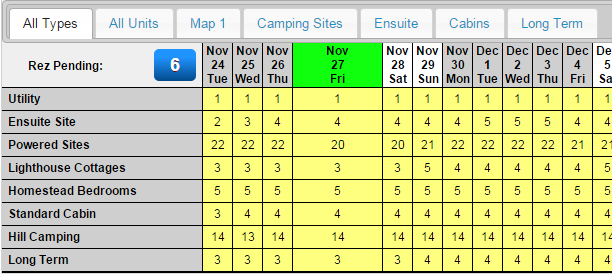
- The Unit Type will no longer display in the All Types view tab and the Calendar Quote tool but will remain visible in other areas of RezExpert for reporting purposes.
Before:
After:
Troubleshooting
- Ensure you have the necessary permissions to modify settings in the Business Setup.
- Verify that the correct Unit Type is selected before applying the Hide From Console flag.