RezExpert URL Export Panel Overview
Last modified on:
Overview
The URL Export panel contains all the URLs necessary for navigating the RezExpert system. It provides access to various interfaces such as Console and Resort Web, tailored to your business setup.
Prerequisites
- Access to the RezExpert system.
- Administrative privileges to navigate to the URL Export panel.
Steps
Location
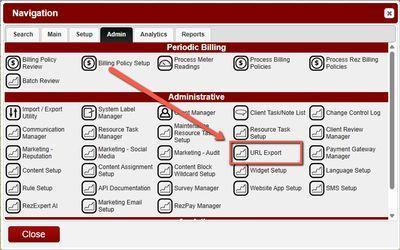
- Click any Menu button.
- Click on the Admin tab.
- Select URL Export in the Administrative section.
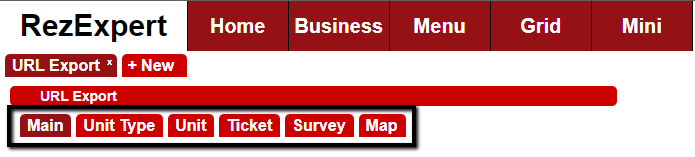
At the top of the page, different tabs are displayed based on the complexity of your business setup.
Main Tab
- The Main tab displays a table with the Names and URLs of available interfaces (Console and Resort Web) for your business.
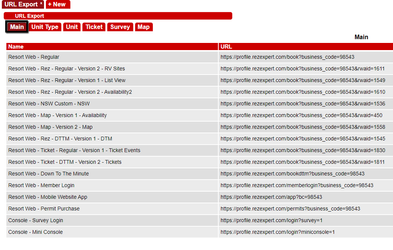
- The Main panel loads both default and custom URLs related to your business setup. Below are some generic/default URLs:
- Resort Web - Regular: Loads the main Booking Interface for online bookings.
- Resort Web - Down To The Minute: Loads the Booking Interface for Down To The Minute bookings.
- Resort Web - Member Login: Loads the page for clients to log in with credentials created during their first online booking.
- Resort Web - Mobile Website App: Loads the mobile version of RezExpert.
- Resort Web - Permit Purchase: Loads the web page for purchasing permits.
- Console - Survey Login: Loads the login page for accessing configured Surveys.
- Console - Mini Console: Loads the mini Console, a mobile-friendly version of your console system.
Unit Type URL Export for Book Now Buttons
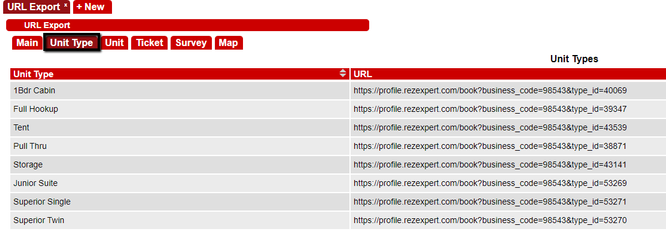
- Unit Type specific URLs allow your webmaster to update existing or add new Book Now buttons, directing guests to make reservations for specific Unit Types.
Guests Clicking on a Unit Type Book Now Button
- Once Unit Type URLs are placed on your website, guests clicking a Book Now button next to a Unit Type will be directed to that Unit Type's Online Booking Interface.
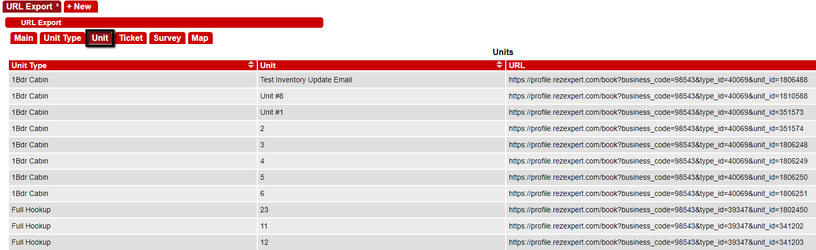
Unit URL Export for Book Now Buttons
- Unit specific URLs allow your webmaster to update existing or add new Book Now buttons, directing guests to make reservations for specific Units if applicable.
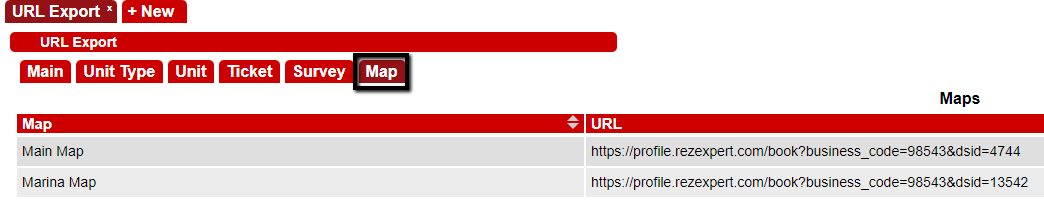
Map URL Export
- Map specific URLs allow your webmaster to update existing or add new Book Now buttons, directing guests to Maps if using Map-based Online Bookings.
Ticket URL Export
- Ticket URLs allow your webmaster to update existing or add new Ticket purchasing buttons or links, directing guests to the Tickets interface for online ticket sales.

Note: The "ga=XXXXXX" relates to the Google Analytics code.
Survey URL Export
- Survey URLs allow your webmaster to update existing or add new Survey links or buttons, directing guests to available Surveys.

URL Extensions for Bookings
- Extensions can be added to booking URLs to enhance the booking flow for customers. These extensions can include specific check-in dates, lengths of stay, and occupant counts, which will prepopulate the booking interface.
Feature | URL Extension
|
Check In Date | &open_date=YYY-MM-DDT00:00:00 |
Number of Days | &days= |
Referral Code | &rc= |
Occupants | &oids=XX,XX |
Number of Occupants | &oa=XX,XX |
Troubleshooting
- Ensure you have the necessary administrative privileges to access the URL Export panel.
- Verify that the URLs are correctly configured and accessible from your business setup.