Adding Product to Existing Reservation
Last modified on:
Overview
This document provides a step-by-step guide for adding a product to an existing reservation for the first time.
Prerequisites
- Access to the client reservation system.
Steps
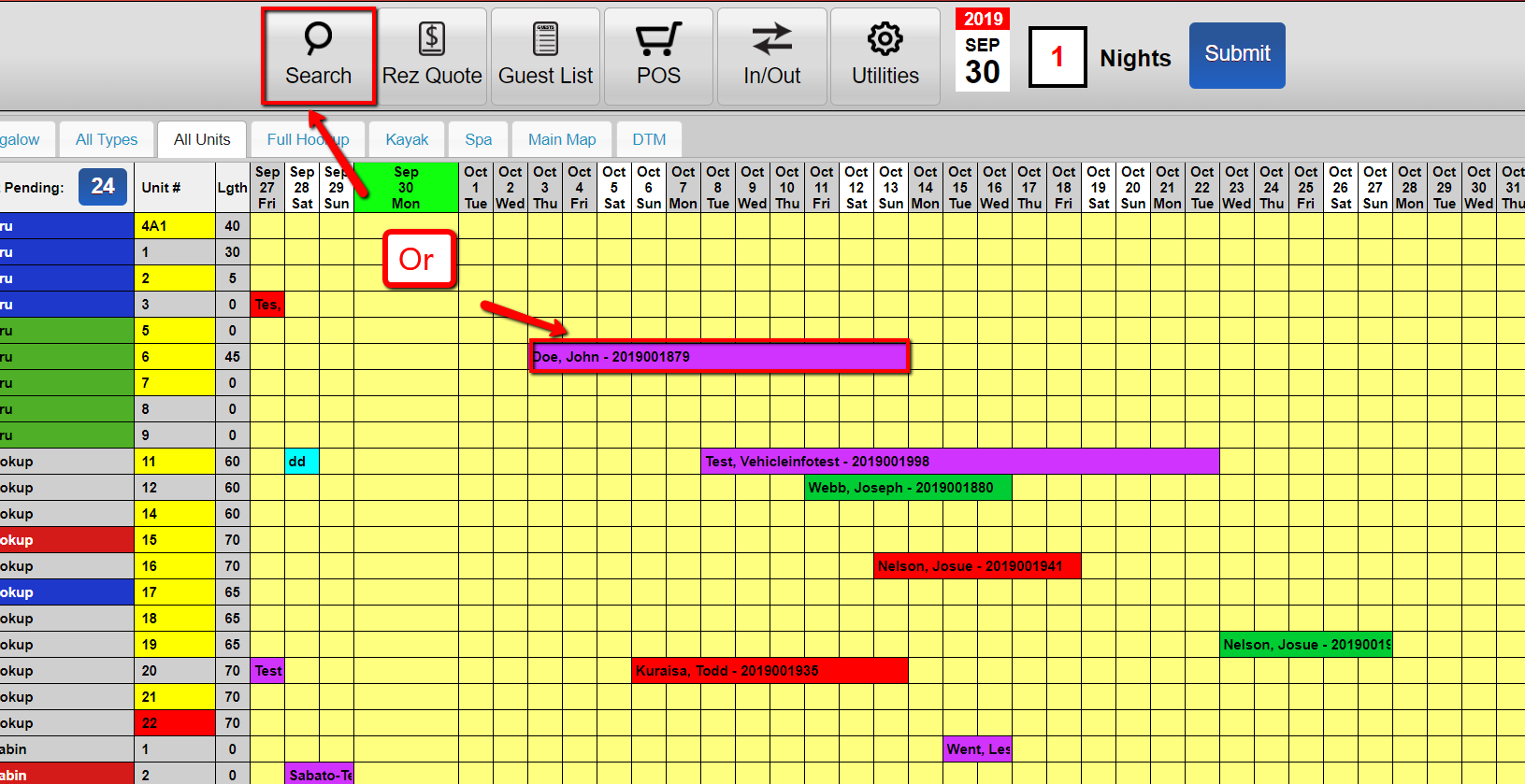
- Search for the client
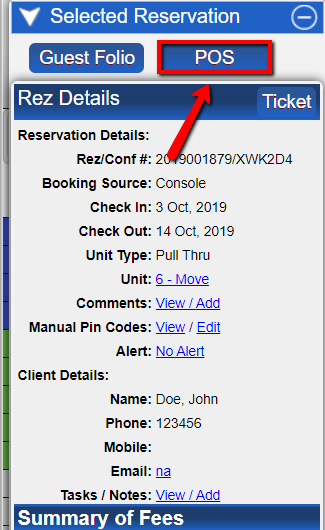
- Click POS
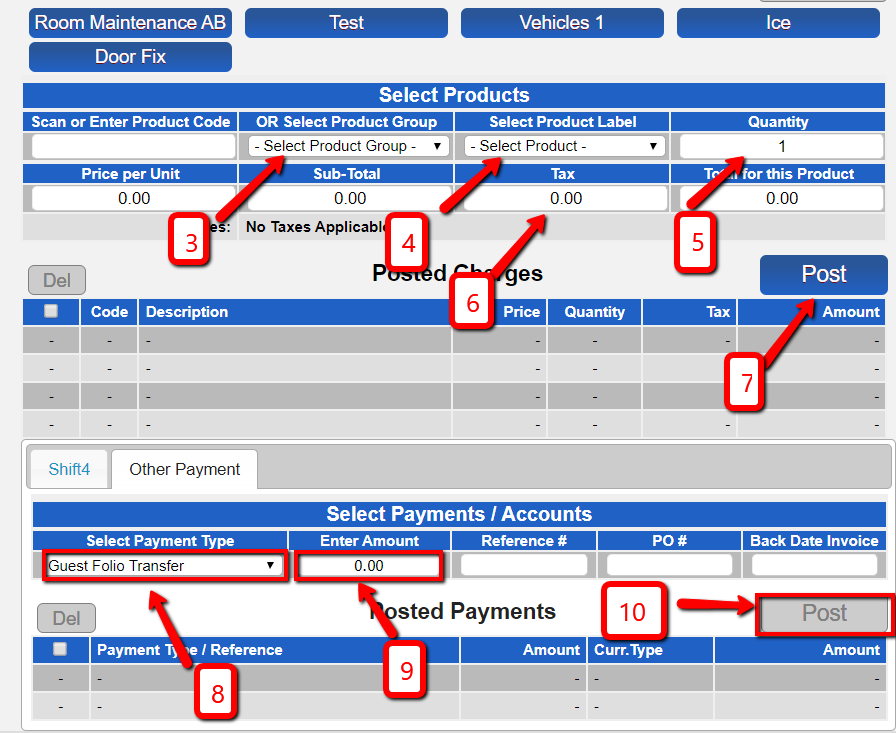
- Select ‘Product Group’
- Select ‘Product Label’
- Input the desired quantity
- Remove ‘Taxes’ if none are to be added
- Click Post
- Select ‘Guest Folio Transfer’ as the payment type
- Enter the value to be paid
- Click ‘Post’
- Click ‘Submit’
Troubleshooting
- Ensure all fields are correctly filled before clicking 'Submit'.
- Verify client information is accurate to avoid errors in processing.