Checking Out Reservations with Outstanding Balances
Last modified on:
Overview
This document provides instructions on how to check out a reservation when a client has an outstanding balance.
Prerequisites
- Ensure an Accounts Receivable is created for the client. Refer to "How to Create an Accounts Receivable for a Client" for guidance.
Steps
- Access the Client's Reservation:
- Navigate to the Charges/Payments tab.
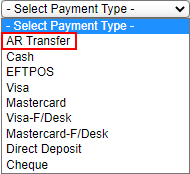
- Pay off the balance by selecting Payment Type: AR Transfer. - Check Out the Reservation:
- Proceed to check out the reservation. - Manage the Outstanding Balance:
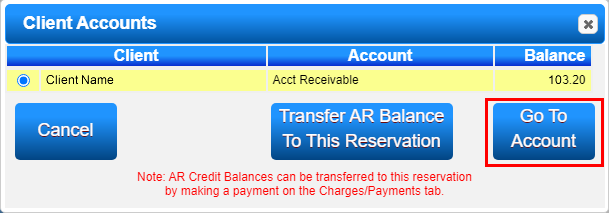
- Click the Acct button under the Primary Client name in Rez Details.
- Select "Go to Account."
- Review the balance of the outstanding reservation.
- When the client presents payment, click Payment and select the payment type along with the balance.
Troubleshooting
- Ensure that the Accounts Receivable is correctly set up before proceeding with the checkout process.
- Verify that the payment type selected is correct to avoid discrepancies in the client's account balance.