Fixing Automatic Discounts for Additional Occupants
Last modified on:
Overview
This document addresses the issue where discounts are automatically applied when additional occupants are selected.
Prerequisites
- Access to the Product Setup in the system.
Steps
To resolve the issue of discounts being applied when selecting additional occupants, follow these steps:
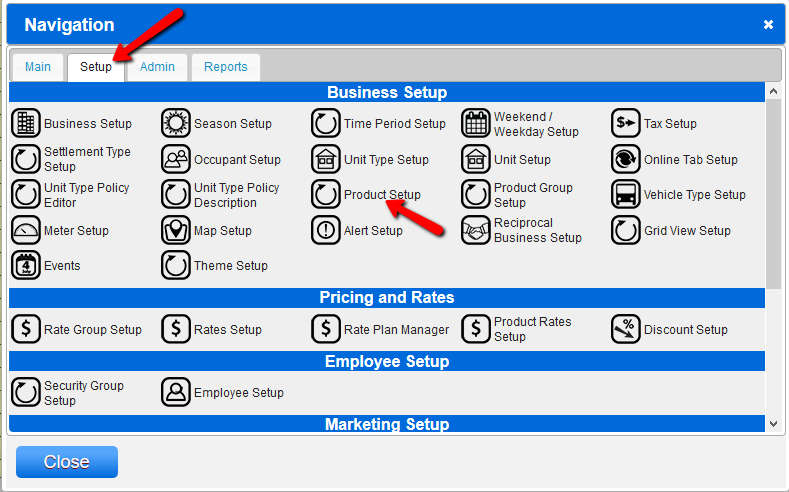
- Click on the Menu button.
- Select the Setup tab.
- Click on Products Setup.
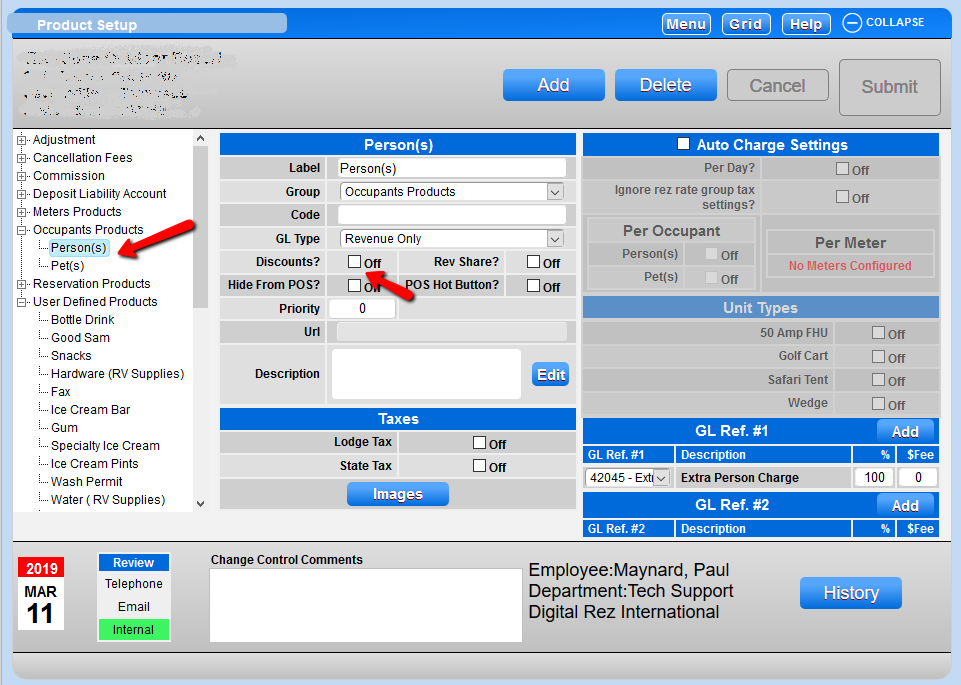
- On the left side, click the arrow next to Occupant Products to expand the occupant type listing.
- Select the occupant type that is taking discounts into calculations.
- Deselect the Discount box.
- Add change control and click Submit.
Troubleshooting
If the issue persists after following the above steps, ensure that the correct occupant type is selected and that all changes are properly submitted.