Task Resource Management Setup and Review
Last modified on:
Overview
Task Resource Management panels allow you to set up tasks and maintenance procedures to manage and review.
Prerequisites
- Access to the Task Resource Management system.
- Permissions to modify task resources.
Steps
Task Resource Setup
- Access the Menu
- Click any Menu button. - Navigate to Setup
- Click on the Setup tab.
- Select Task Resource Setup in the Business Setup section.
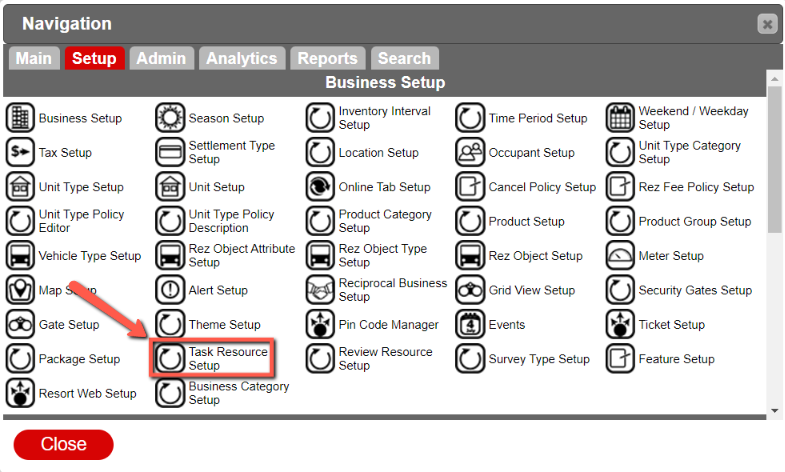
- Load Task Resource Setup Screen
- This loads the Task Resource Setup screen.
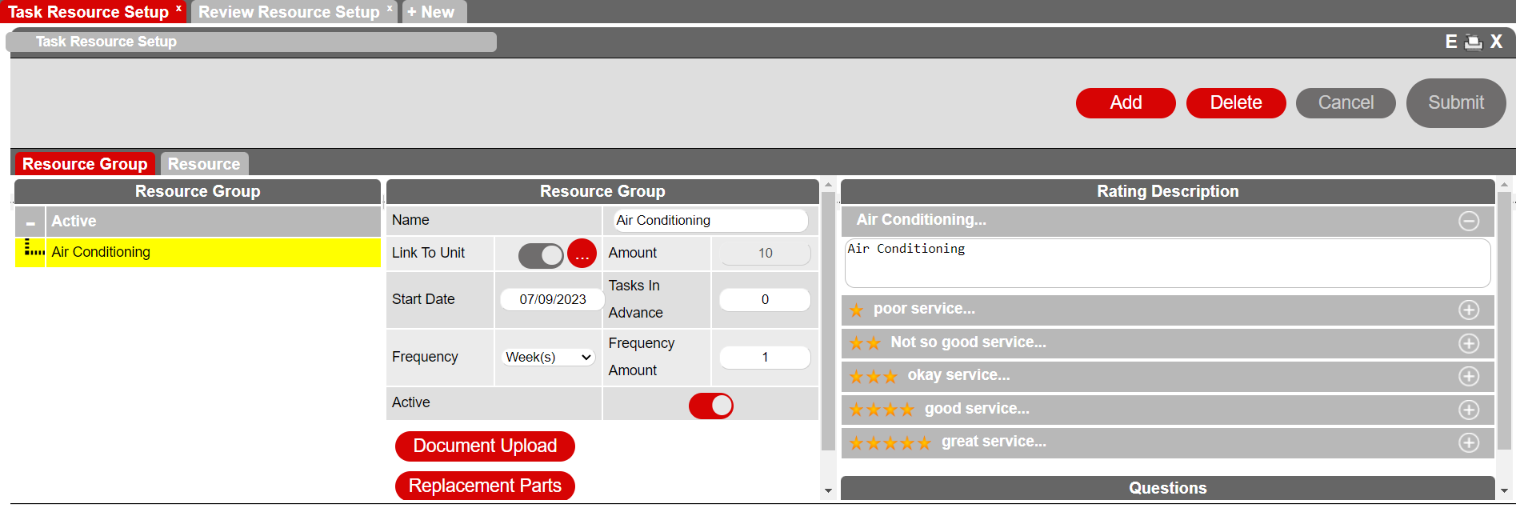
- Add a New Task Resource
- Click Add.

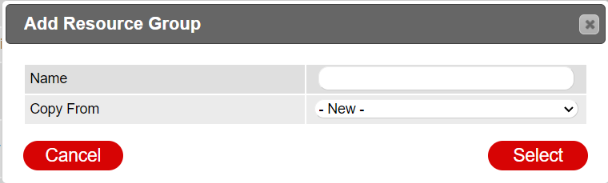
- Configure Task Resource
- Enter a name for the Task resource.
- Choose a resource to Copy From or leave it as a New resource.
- Configure Resource Group
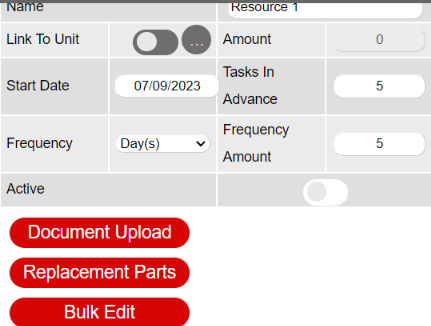
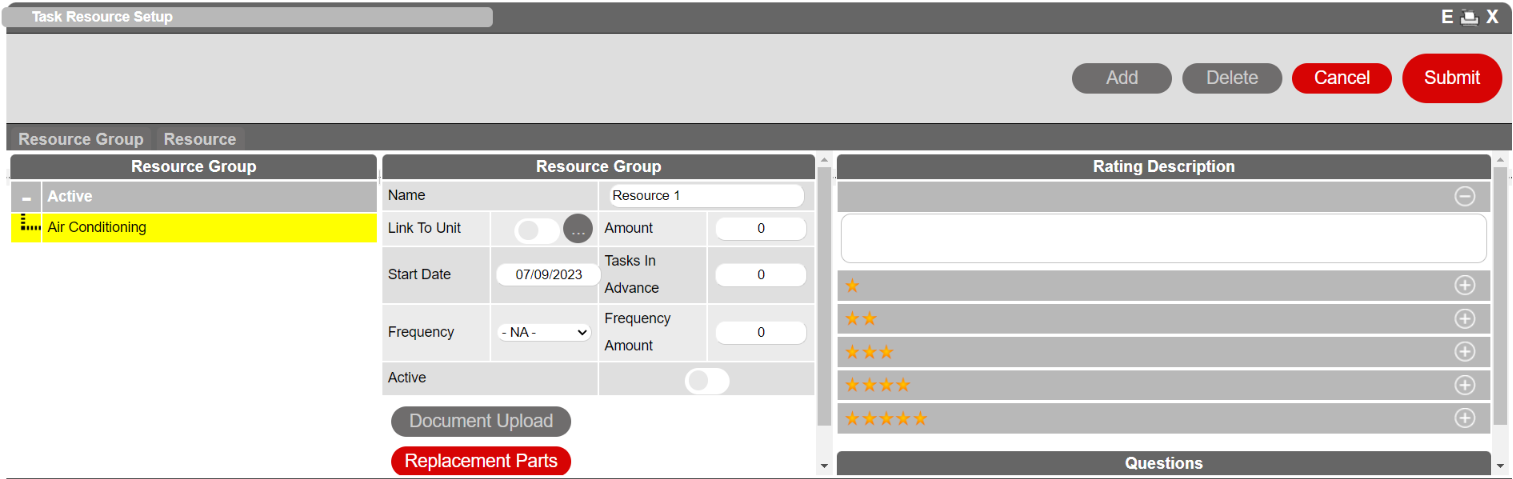
- Configure your resource group.
- Link it to a unit or units.
- Set an amount.
- Determine how many tasks can be done in advance.
- Set the frequency interval and amount in relation to the interval for the task.
- Upload any documents related to the task.
- Bulk edit individual tasks in the resource group based on location and start date.
- Rating and Questions
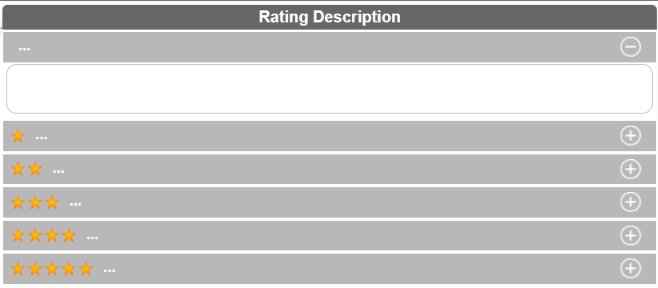
- There is a Rating section where the task resource can be rated.
- Rating Description allows you to set the Label for each rating level.
- The labels represent what the star level indicates.
- The Questions section allows you to add/delete questions related to the resource.

Review Resource Setup
- Access the Menu
- Click any Menu button. - Navigate to Setup
- Click on the Setup tab.
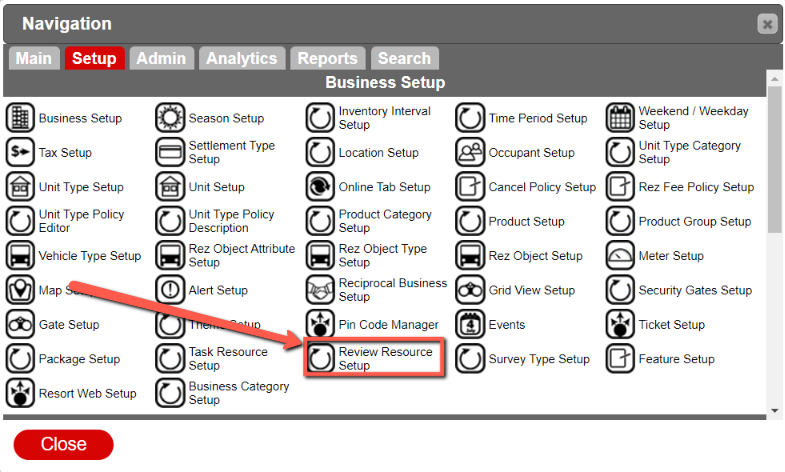
- Select Review Resource Setup in the Business Setup section.
- Add a New Review Resource
- Click Add.
- Configure Review Resource
- Enter a name for the Task resource.
- Choose a resource to Copy From or leave it as a New resource.
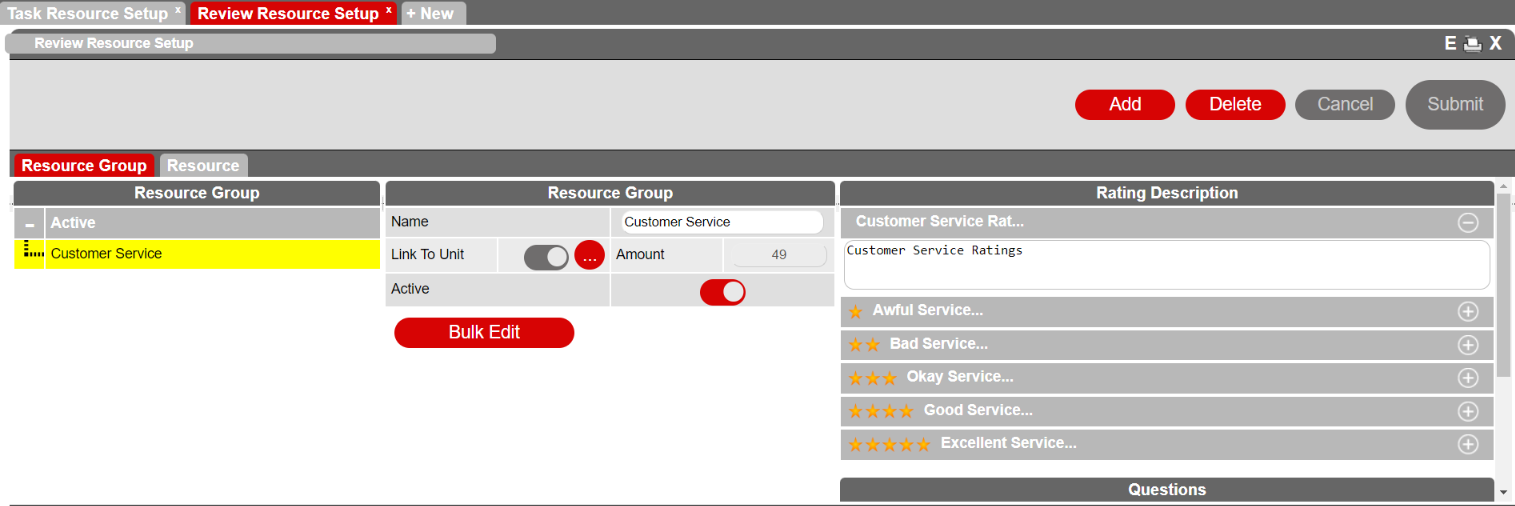
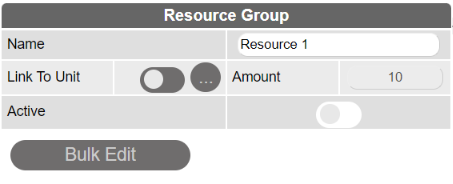
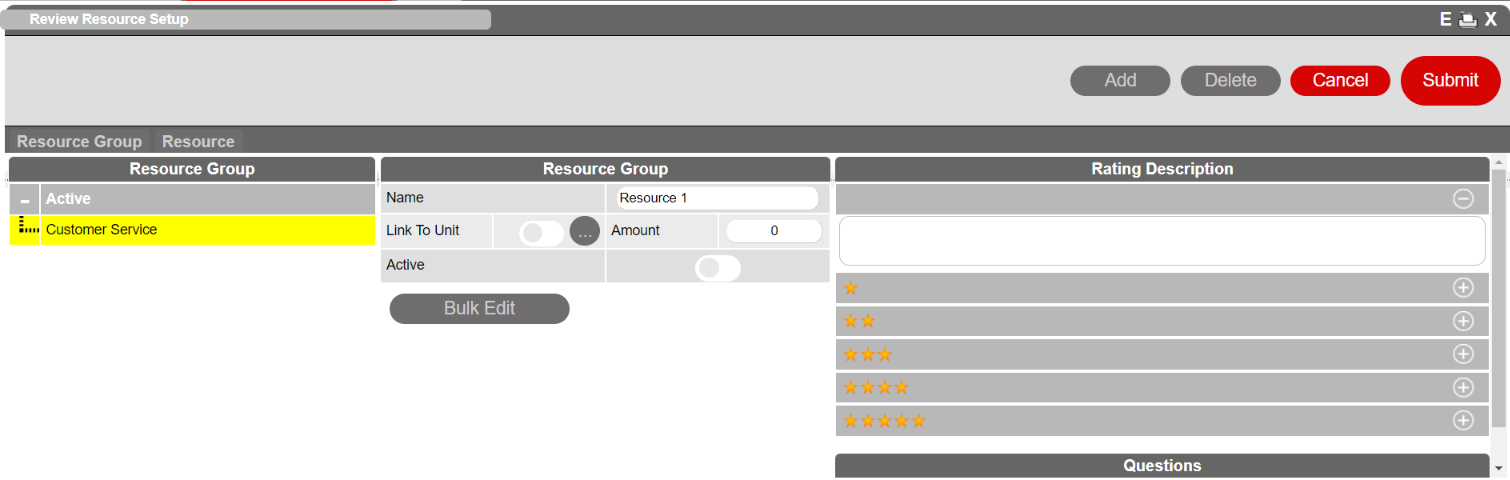
- Configure Resource Group
- Link the resource group to a unit.
- Set an amount of resources.
- Make it active or inactive.
- Bulk edit the resources.
- Rating and Questions
- There is a Rating section where the task resource can be rated.
- Rating Description allows you to set the Label for each rating level.
- The labels represent what the star level indicates.
Troubleshooting
- Ensure you have the necessary permissions to access and modify task resources.
- Verify all fields are filled out correctly when adding new resources.
- Check for any system notifications or error messages for guidance on resolving issues.
For further assistance, refer to the detailed documentation or contact support.