Pay Off Account Balance Instructions
Last modified on:
Overview
This document provides instructions on how to pay off a balance in an account.
Prerequisites
- Access to the account management system.
- Necessary permissions to view and manage account balances.
Steps
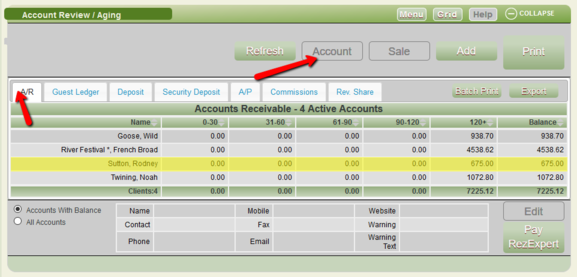
- Click Account from the Menu bar.
- Navigate to the AR tab to view a list of accounts with balances.
- Select the desired account and click the Account button.
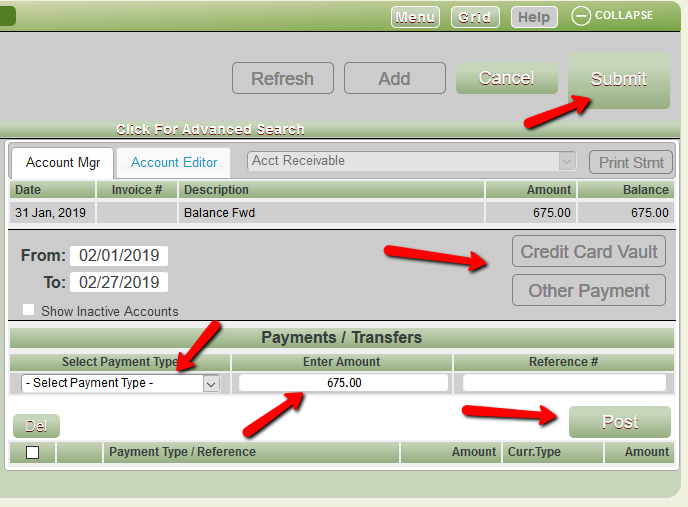
- Choose your payment process, then select the payment type and the amount being paid.
- Press Post and then Submit to finalize the payment.
Troubleshooting
For further queries, please contact:
- Phone: 888 777-0602 (Aust/NZ 61 7 4925 4400)
- Email: support@digitalrez.com