Rez Object Attribute Setup Instructions
Last modified on:
Overview
Rez Attributes allow for different details of the Object Type/Object to be created.
Prerequisites
- Access to the Menu button and Setup tab within the Business Setup section.
Steps
Location
- Click on a Menu button.
- Select the Setup tab.
- Click on Rez Object Attribute Setup within the Business Setup section.
Setup
- Click Add to create a Rez Object Attribute.
- Enter the following details:
- Name: Label of the Object Attribute.
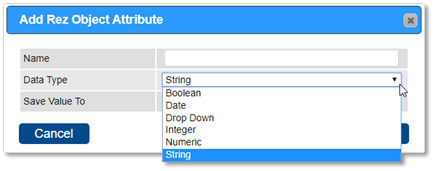
- Data Type: Select the Data Type for the attribute.
- Boolean
- Date
- Drop Down
- Integer
- Numeric
- String
Data Type Details
- Boolean: Tick box. Yes or No. (Use when only Yes or No is required).
- Date: Date Calendar field.
- Drop Down: Drop down option selection. (Used to create a selectable list of options)
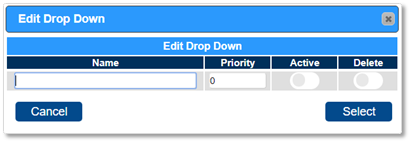
- When Data Type – Drop down is selected, the drop down options can be created for selection.
- Click on the box to create the drop down options.
- Name: Label of drop down option.
- Priority: Sort of order in drop down.
- Active: Available option.
- Integer: An integer is a whole number (not a fraction) that can be positive, negative, or zero. Integers cannot have decimal places.
- Numeric: Numbers. Can have decimal places. Must be a positive number.
- String: Used to represent text rather than numbers. It is comprised of a set of characters that can also contain spaces and numbers. (Character limit of 50)
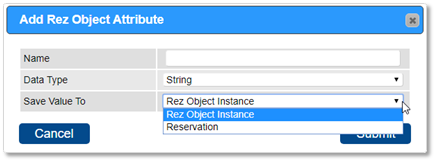
- Save Value To: Choose between Rez Object Instance or Reservation.
- Rez Object Instance: Information will stay with the Object. Once entered, the information cannot be edited.
- Reservation: Only that reservation (Check In/Out dates). Information can be edited after entry.
- Additional Settings:
- Client Search: Available search option in Client Search.
- Min Length: Minimum length of data entered into field.
- If 0 = not mandatory
- If 1 or greater = becomes a mandatory/forced field.
- Max Length: Maximum length of data field.

Troubleshooting
Rez Object Attributes
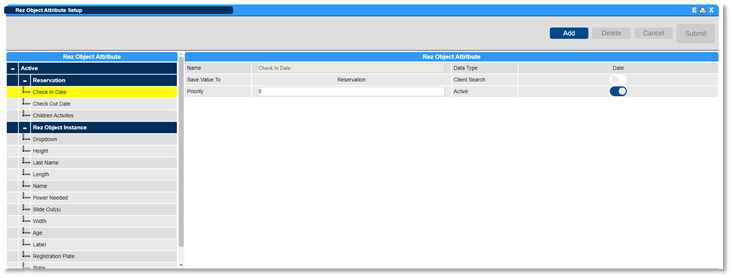
- All Object Attributes will be listed on the left under current status (Active or Inactive) and the Saved Value (Reservation or Rez Object Instance).
- System Object Attributes can only be made inactive and cannot be deleted.
- Custom Object Attributes can be deleted if they haven’t been used within any settings or Guest Folios.
For more detailed instructions, click here to print the Help Document.