Change Assigned Unit Type in Booking
Last modified on:
Overview
This document provides a step-by-step guide on how to change the assigned unit type of a booking.
Prerequisites
- Access to the booking grid.
- Permissions to edit bookings.
Steps
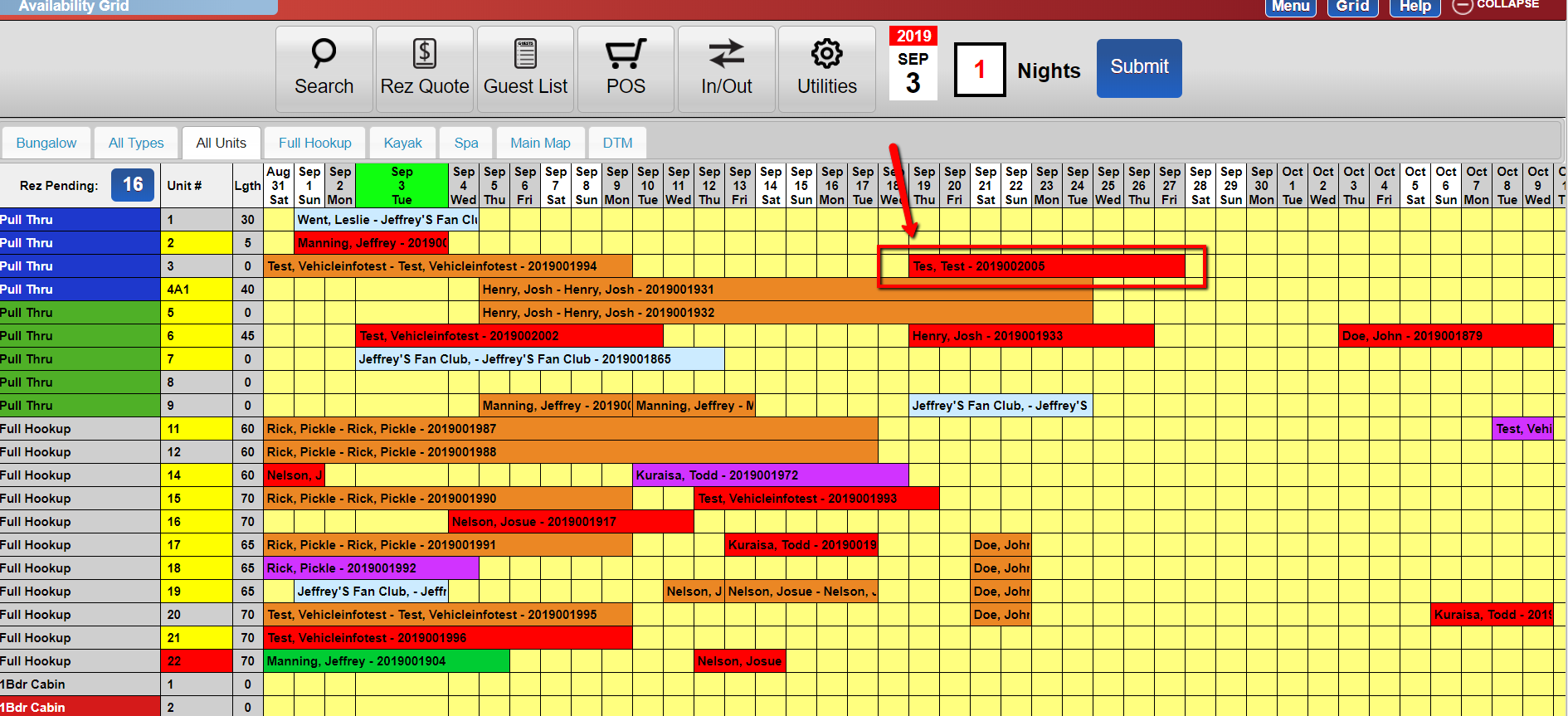
- From the grid, left-click the booking which you are trying to change the unit type of.
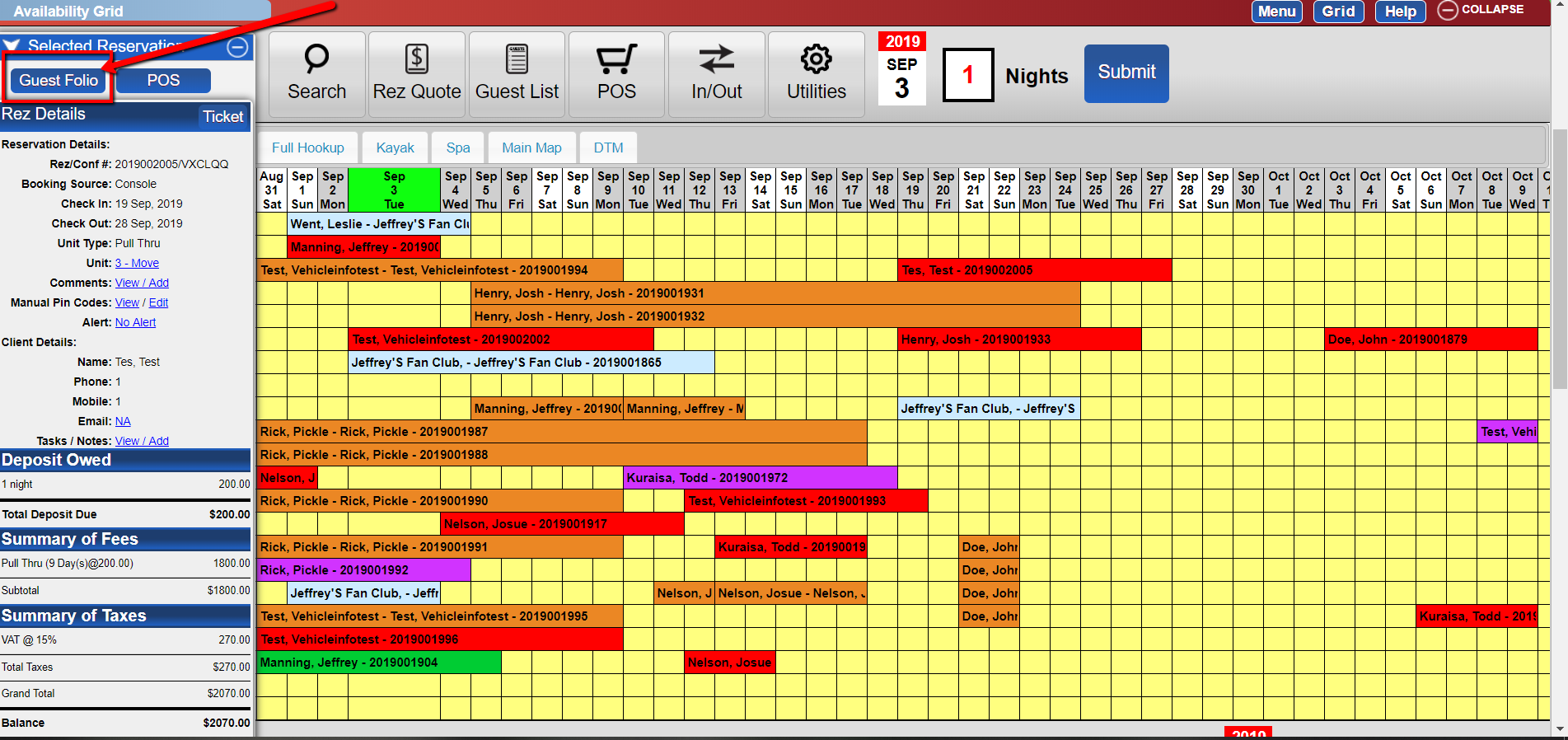
- Click the "Guest Folio" button on the left.
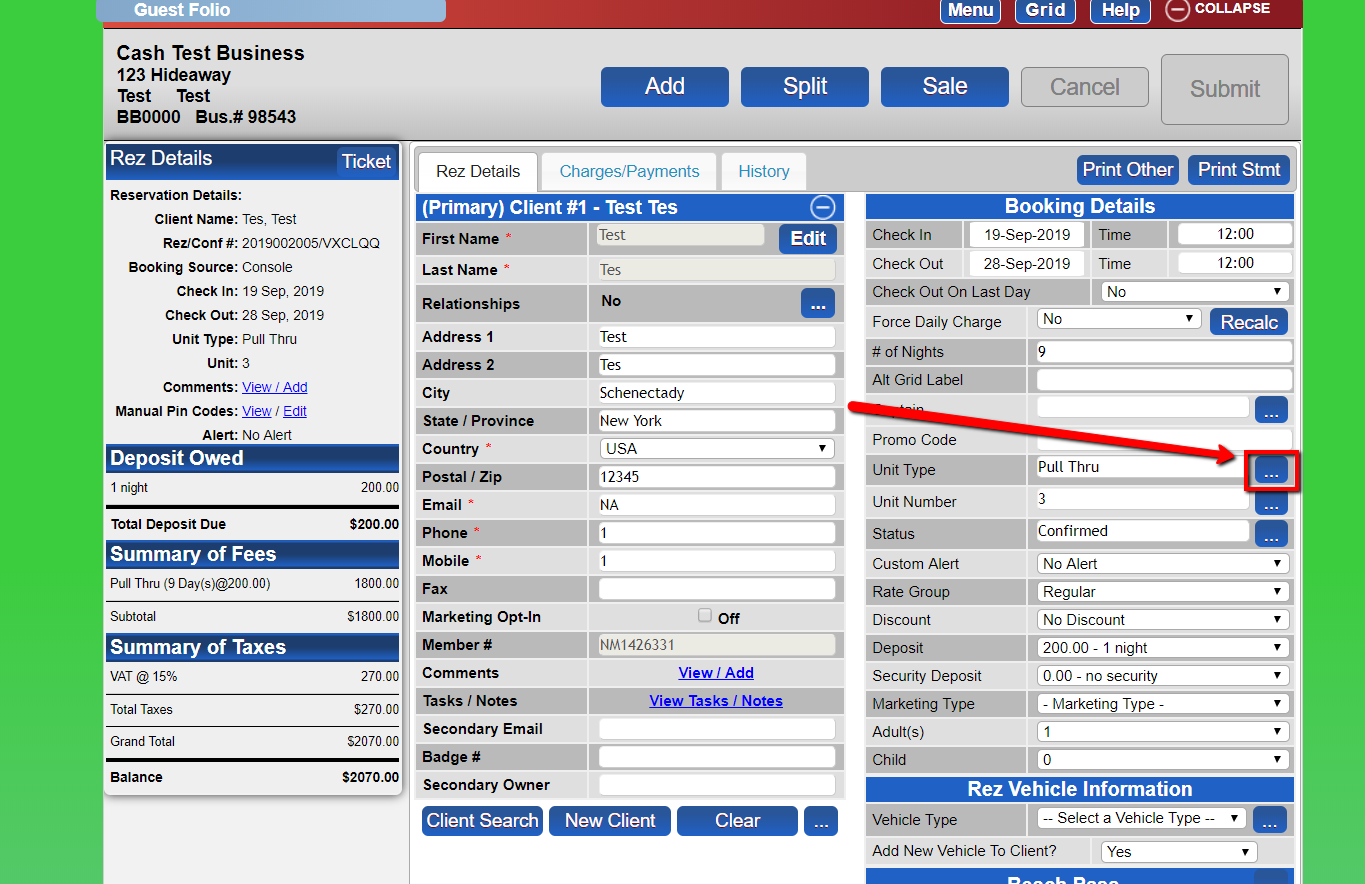
- In the Rez Details section of the Guest Folio, click the three-dot button next to the unit type on the right.
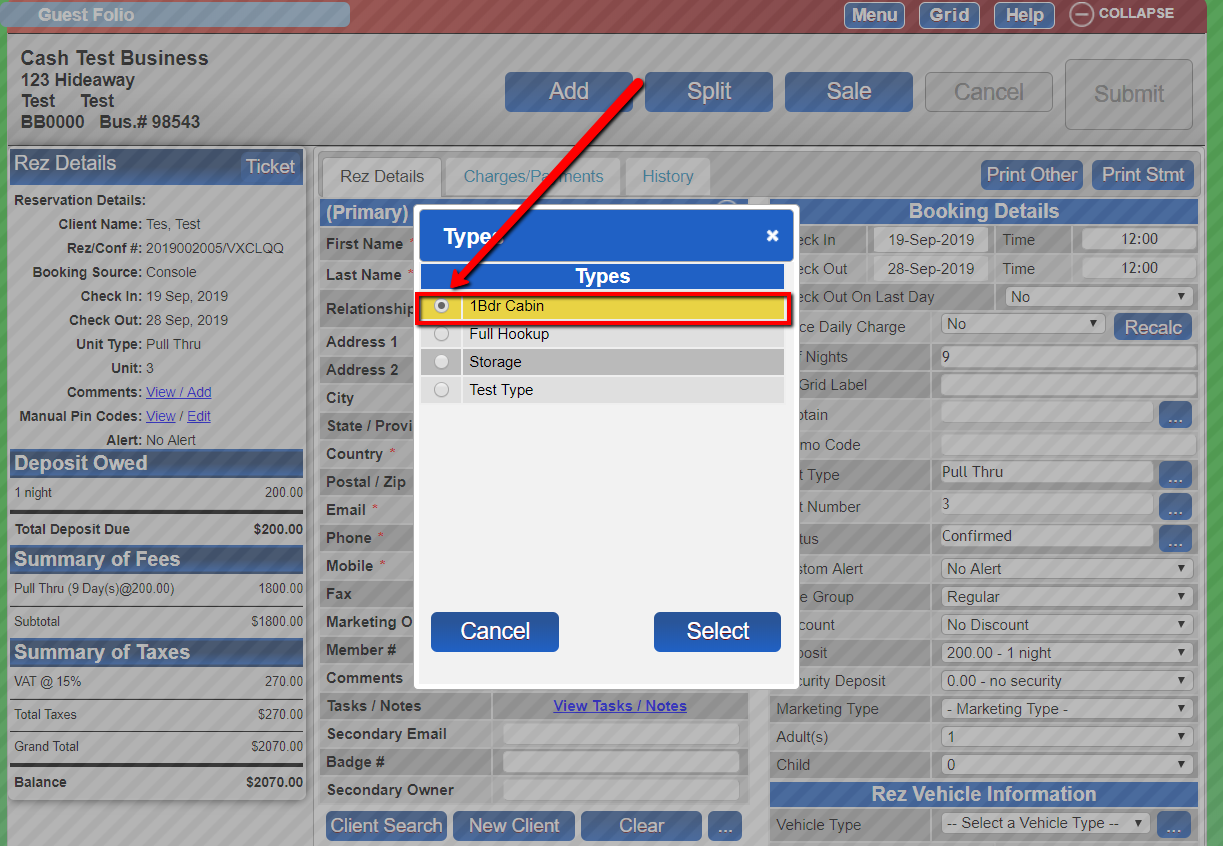
- Within the type panel, select the unit type you would like to change to.
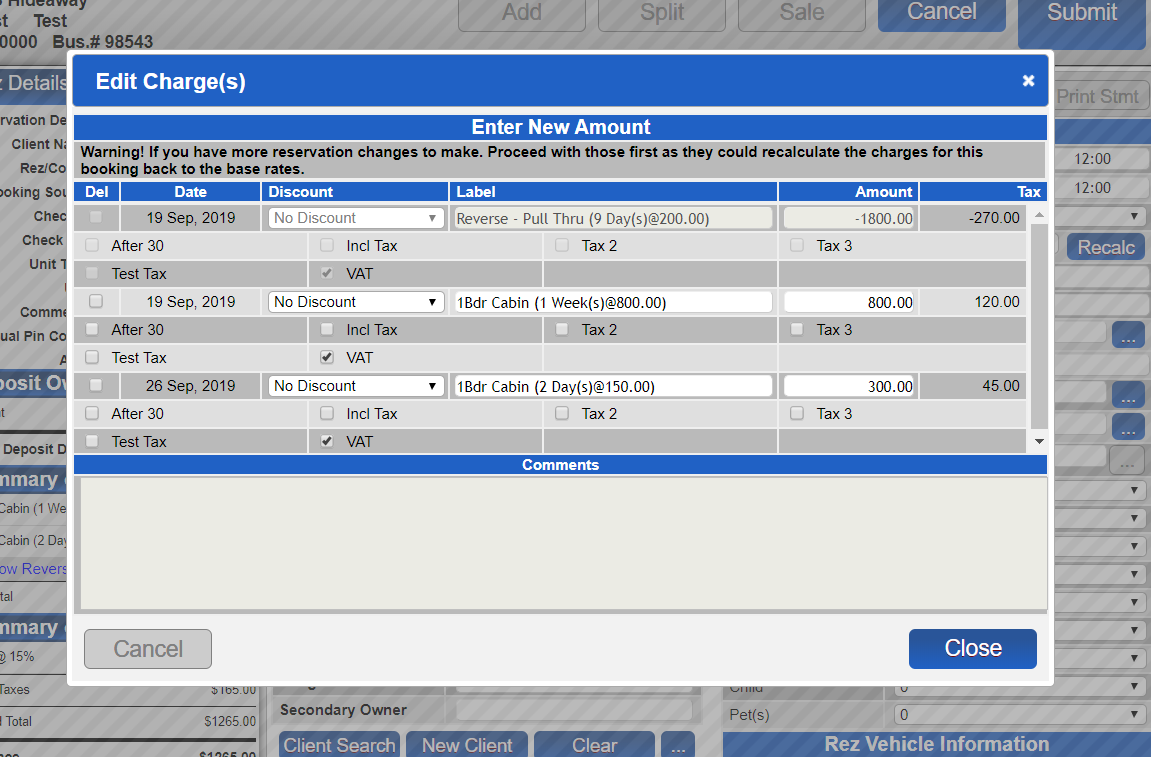
- Make any changes to the charges as desired, then close the edit charges panel.
- When you are satisfied with the changes you have made, submit.
Troubleshooting
- Ensure that you have the necessary permissions to edit bookings.
- Verify that the selected unit type is available for the booking dates.