Add Pets to Grid and Set Pricing
Last modified on:
Overview
This document provides a step-by-step guide on how to add your pets to the grid and set a price for them.
Prerequisites
- Access to the grid interface
- Necessary permissions to modify occupant and rules setup
Steps
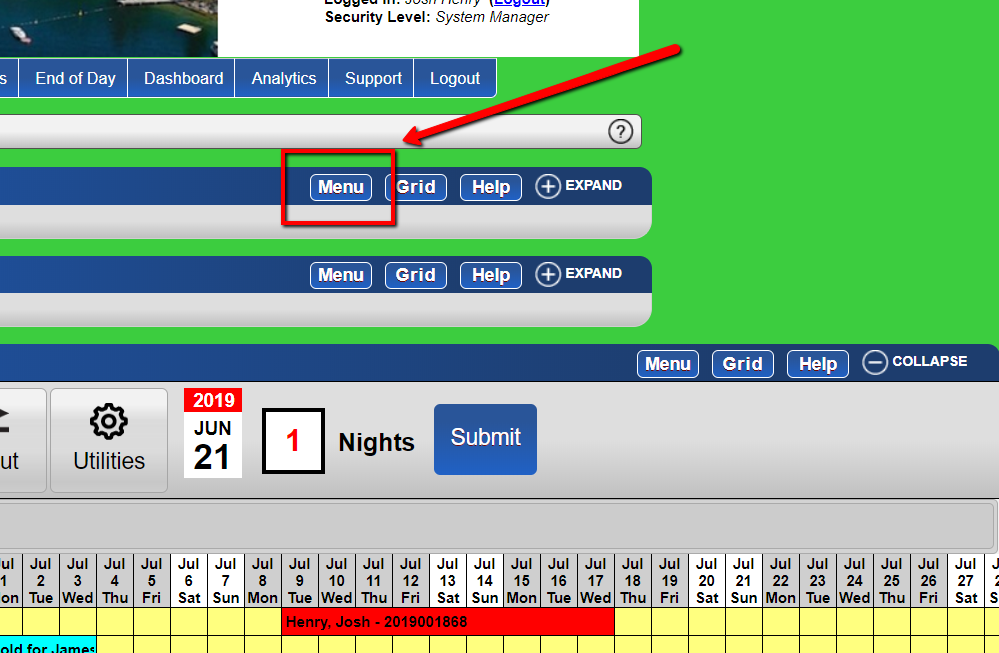
- Access the Menu
- From the grid, click the menu button.
-
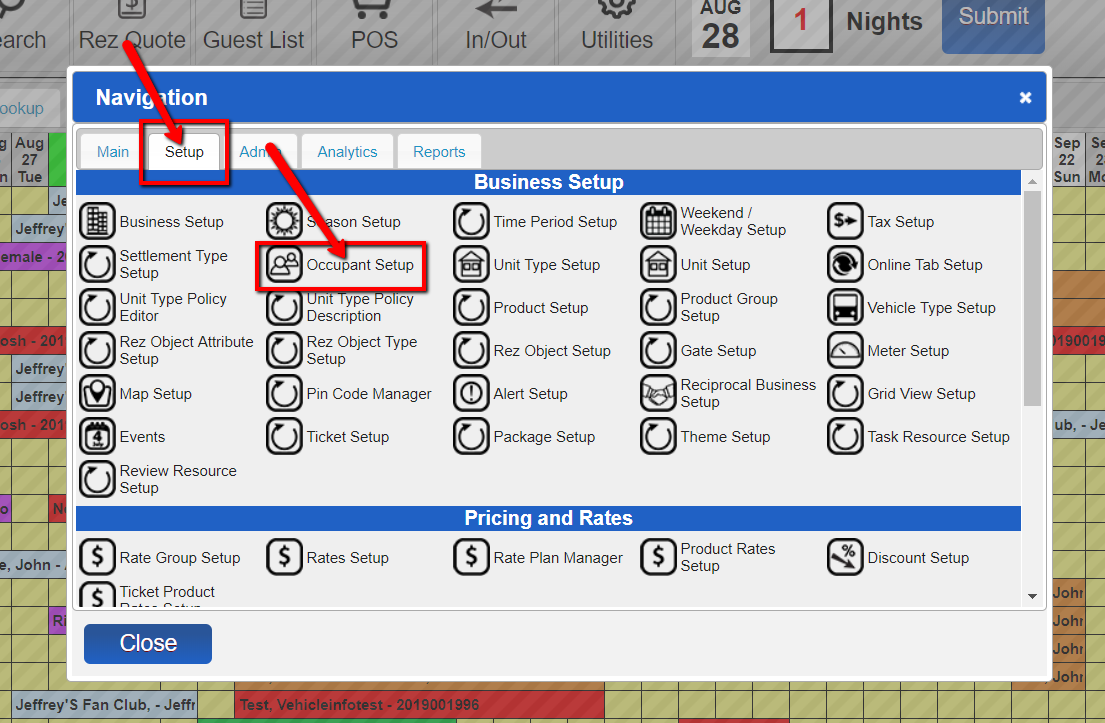
- Select Occupant Setup
- Under the setup tab, select the "occupant setup" option.
-
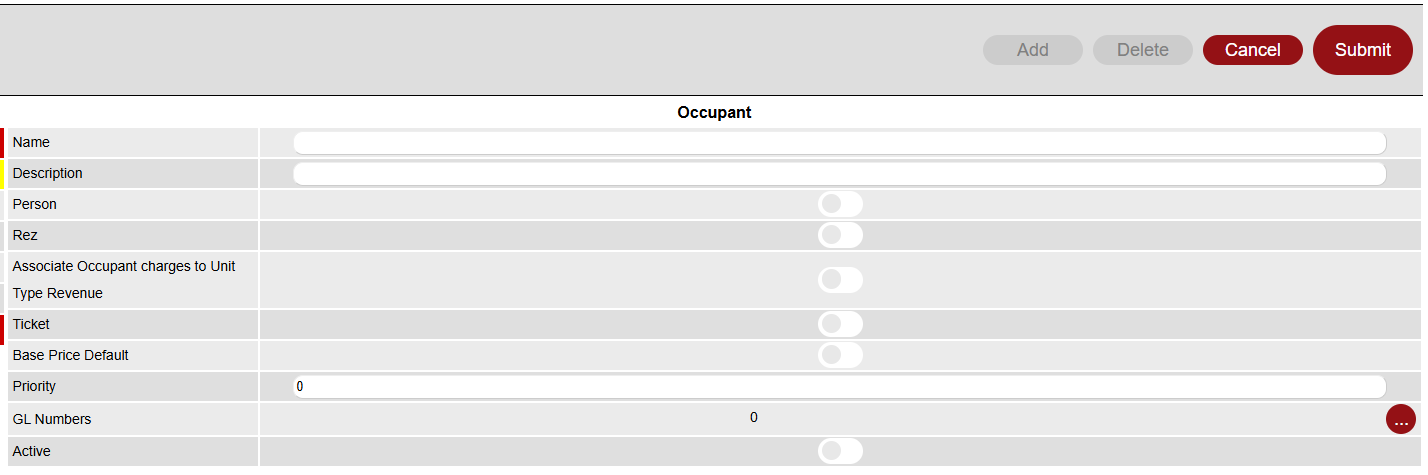
- Add Occupant
- Click the "add" button.
- Enter your Occupant Name and fill in/select any relevant options for this occupant, then submit.
-
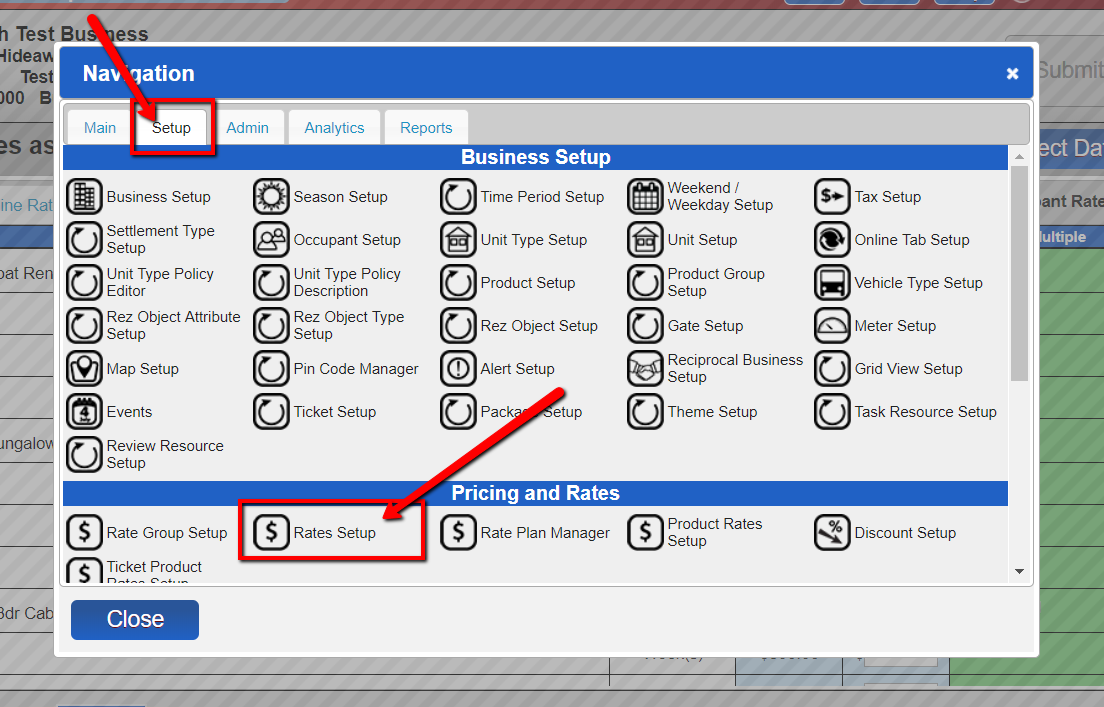
- Select Rules Setup
- From the menu once more, under the setup tab, select the "Rules Setup" option.
-
- Enter Pet Rates
- Click "Occupant Rates" on the right, then scroll down to enter the rates for "Pet(s)".
-
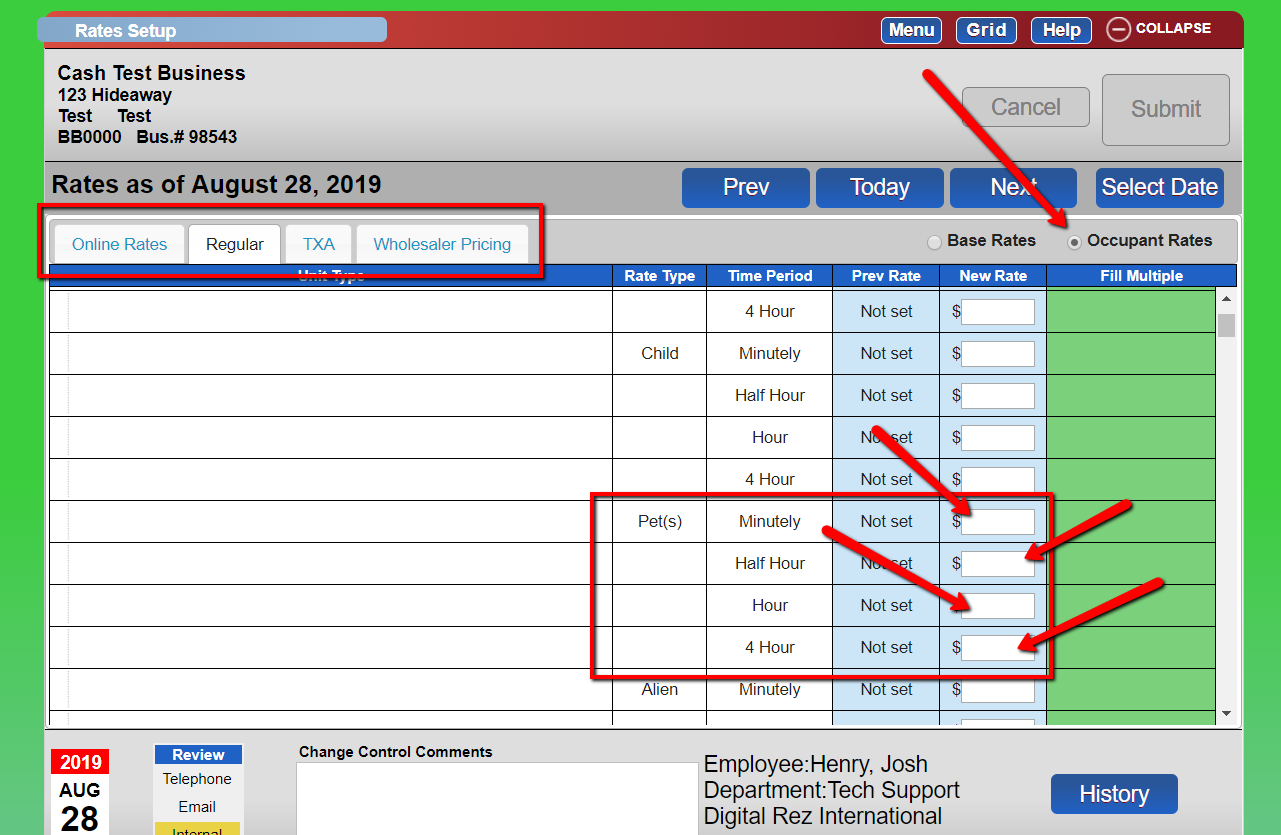
- Submit Changes
- After entering the rates, enter your change control comments and submit.
Troubleshooting
- Ensure you have the necessary permissions to access and modify the setup options.
- Verify that all required fields are filled out correctly before submitting changes.