Performing Final Daily Closure in RezExpert
Last modified on:
Overview
Final Daily Closure allows operators to merge selected End of Day cutoffs into a single Final Cutoff for financial reporting purposes.
Prerequisites
- Completion of the End of Day cutoff(s).
Steps
Location
- After completing the End of Day cutoff(s), click End of Day from the Menu Bar.
- Select Final Daily Closure.
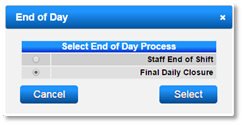
- Alternatively, click on a Menu button and select Final Daily Closure within the End of Day section on the Main tab.
Cut-Off Search
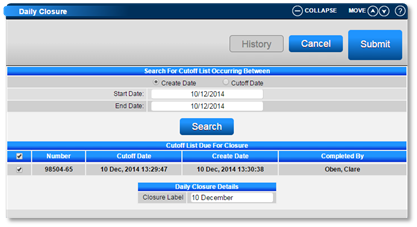
- Perform a search for cutoff(s) to be included in the Final Daily Closure.
- Search by the Creation or Cutoff date by selecting the appropriate radio button and entering the date range.
- Click Search to view all cutoff(s) completed within the specified date range.
Cutoff List Due for Closure
- From the displayed cutoff(s), select the cutoff(s) to be included in the Final Daily Closure. This can be a single or multiple cutoff(s).
- Enter the name of the Closure, e.g., "Week ending 7th November."
- Press Submit to finalize the cutoff closure.
Closure History and Reports
- All Final Daily Closures are stored within the Closure History.
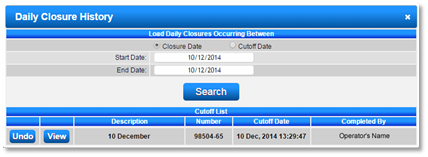
- Click History to view or undo a Closure.
- To view the completed closure, select the Closure Date radio button and click Search.
- The completed closure will display, allowing the options to:
- View – View Closure Reports.
- Undo – Ungroup the cutoff(s). (Once undone, a different selection of cutoffs can be selected)
- Select the Report(s) and press Print to print a Closure Report.
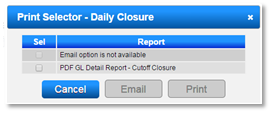
- After a Closure has been performed, you can view these at any time by pressing the History button and pressing the View button next to the Closure to see the Financial reports selection.
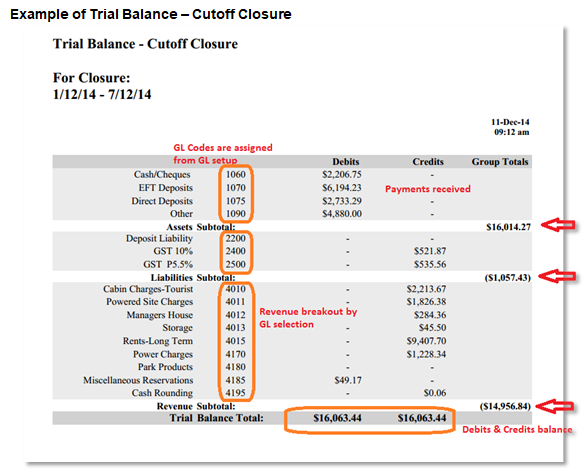
- The key financial report in RezExpert is the Trial Balance. This report is customized to your business GL (General Ledger) codes entered in the GL Setup screen. If GL codes are assigned to all products & payment types, Debits & Credits will always balance; Debits are money received & Credits are the dissection to the appropriate liability (deposits & tax) and revenue categories.
Troubleshooting
- For more information on General Ledger Setup and assignment, refer to the How to assign the General Ledger.
- Click here to print the Help Document.