Inventory Control: Unit Link Configuration
Last modified on:
Overview
This document relates to inventory control using the if booked then block process. For example, if you have a unit that can be rented hourly or for an entire day, booking it for the whole day will block its hourly inventory. Conversely, if rented by the hour or a different period, the daily rental will be blocked for that unit. The system can handle the blocking based on how you configure the units.
Prerequisites
- Ensure you have access to the Admin tab in the system.
Steps
Location / Setup
- Click Menu.
- Select the Admin tab.
- Select Inventory Setup.
- Select the Room tab.
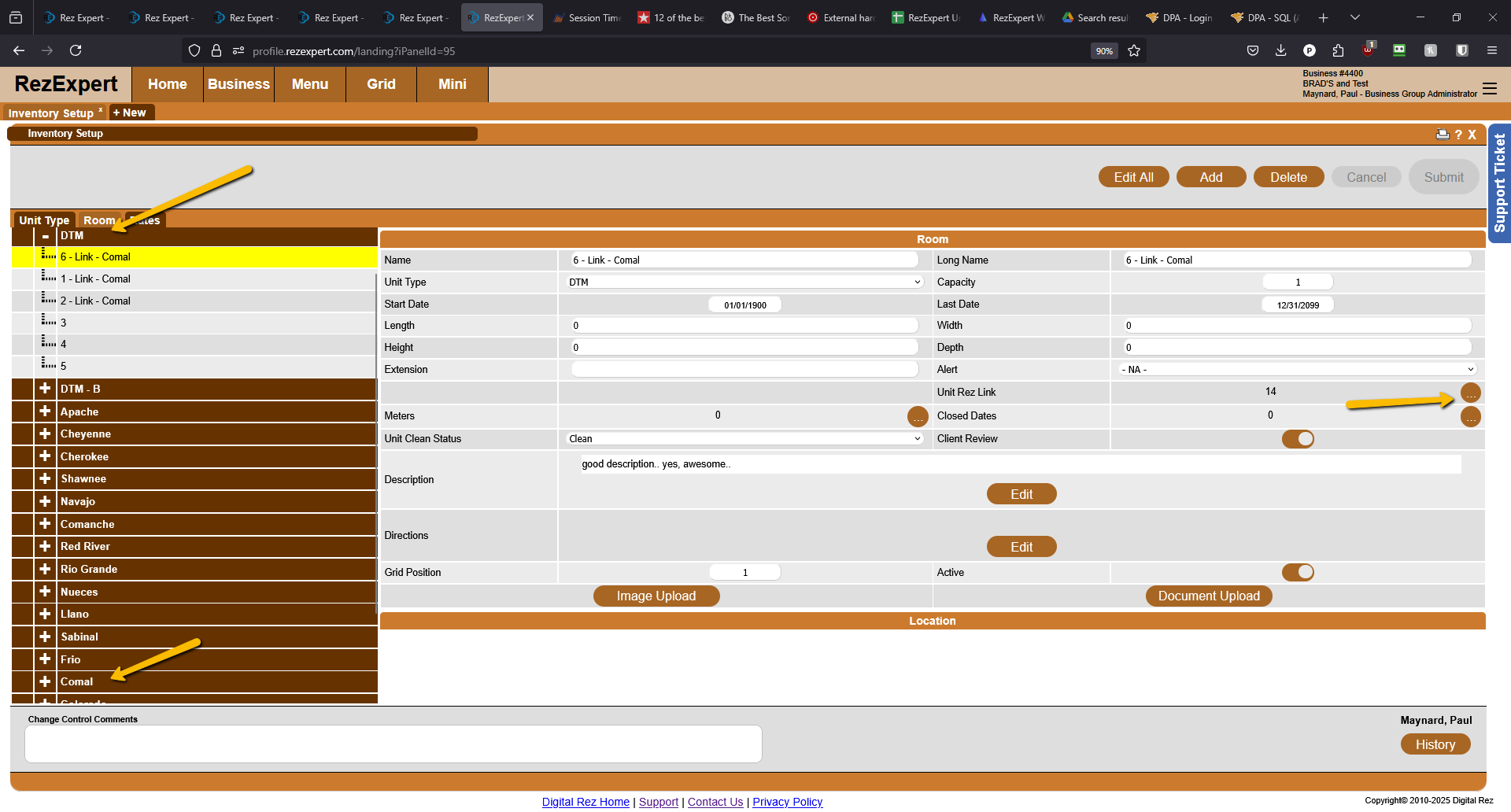
- As shown above, there is a Comal unit type, and Comal is also under the DTM unit.
- To link the two, click the 3-dot circle next to the Unit Rez Link. This will give you the option to select the unit for linkage.
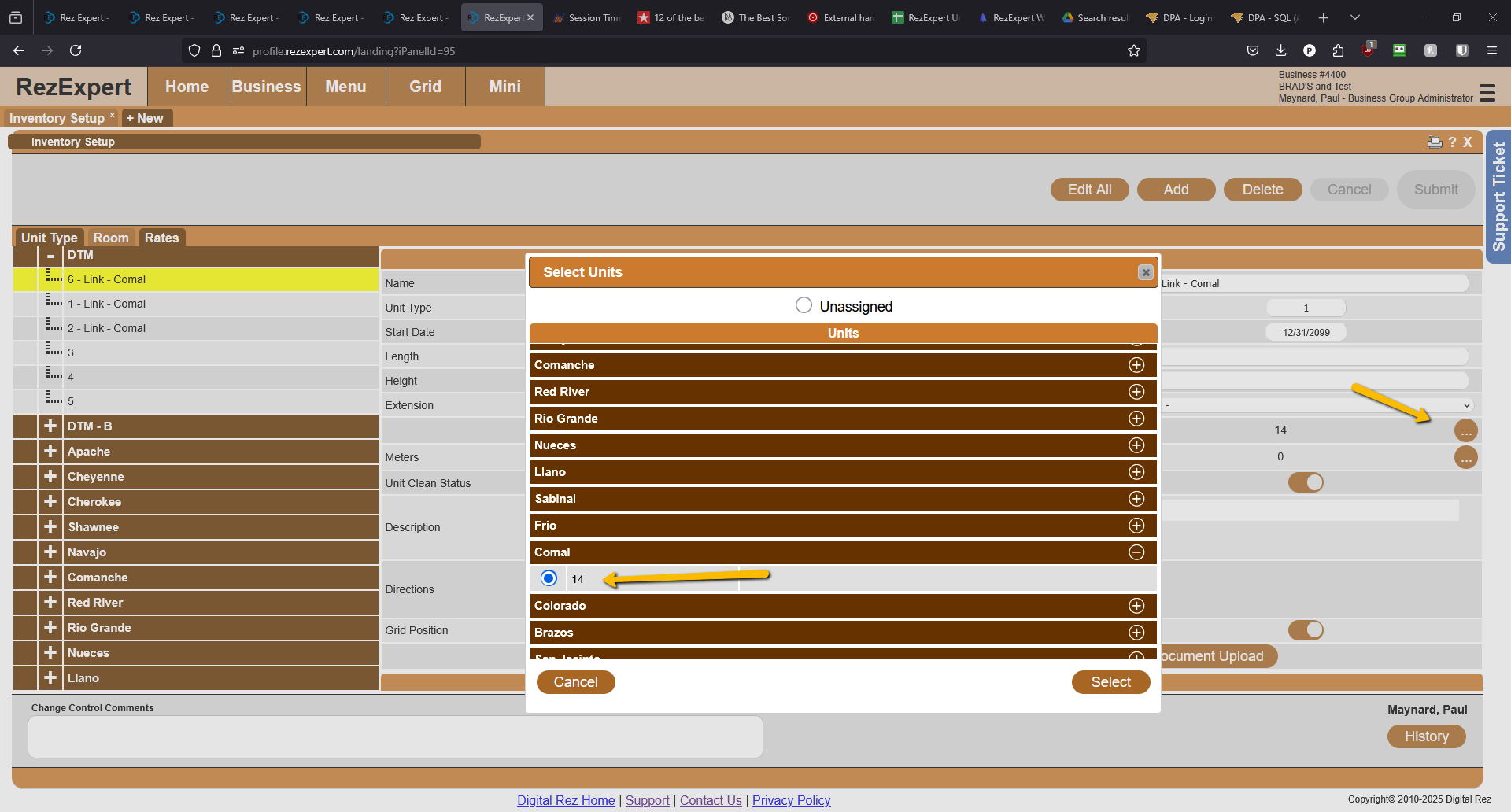
- Once this process is completed, if the unit is booked by either process selected, the availability for the other process will be blocked.
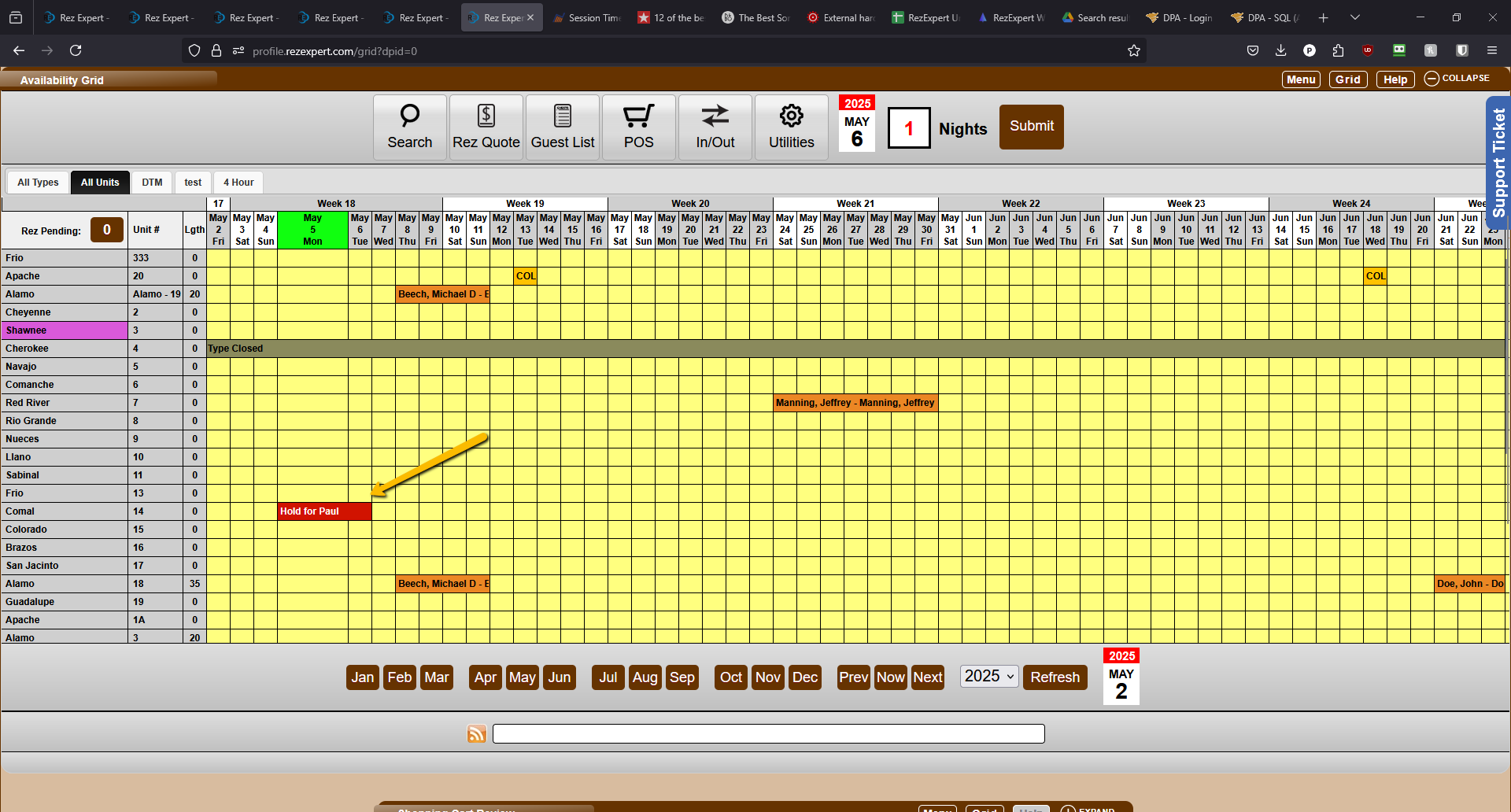
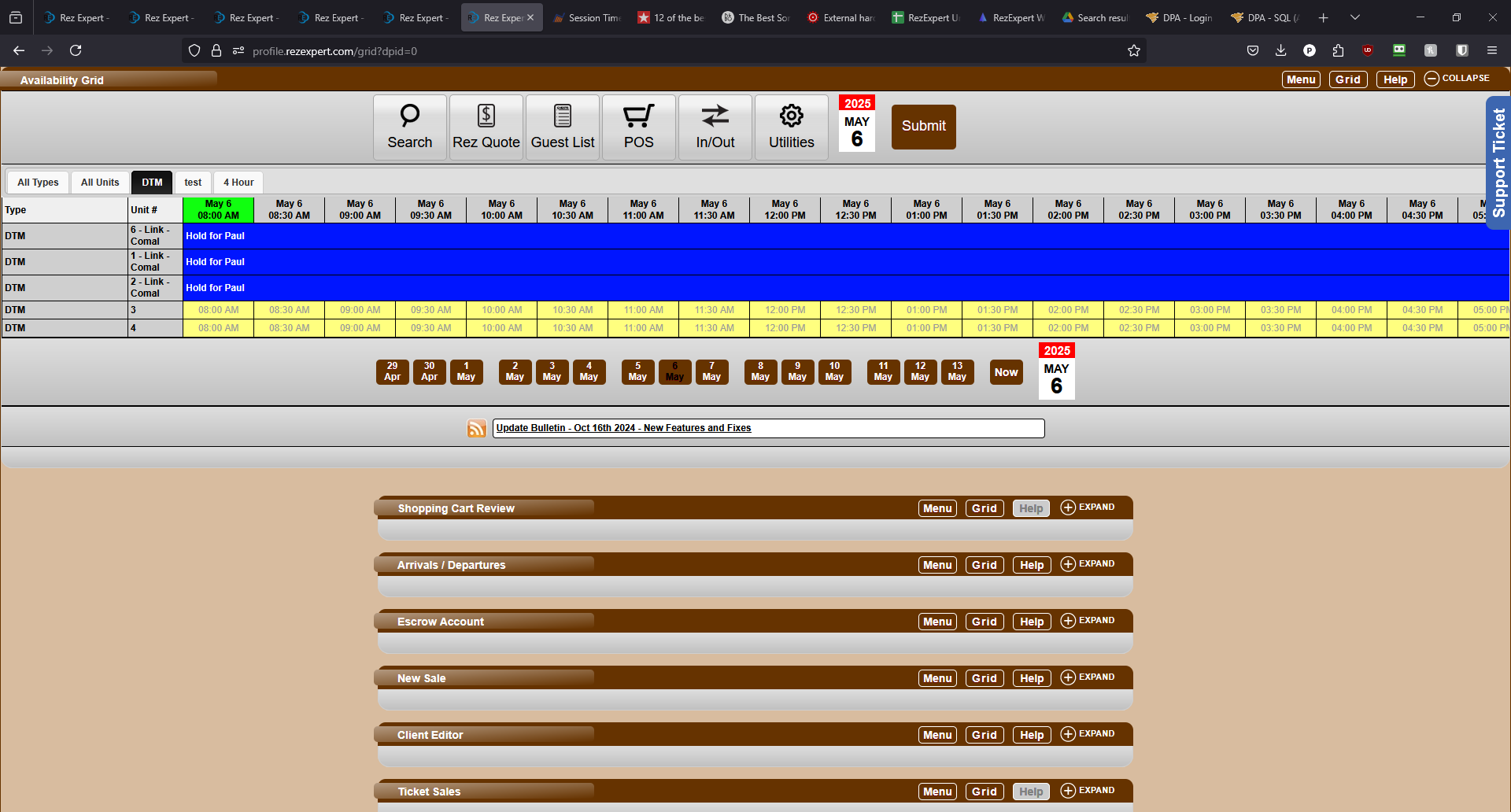
- As shown above, the Comal unit is held for Paul. If you go to the DTM tab, you will see that Comal units are blocked from being booked, as seen in the next image.
Troubleshooting
- Ensure that the unit types are correctly configured under both the Room and DTM tabs.
- Verify that the linkage between the unit types is properly established through the Unit Rez Link option.