Setting Up Rates for the First Time
Last modified on:
Overview
This document provides a step-by-step guide for setting up rates for the first time.
Prerequisites
- Access to the system's menu and setup options.
Steps
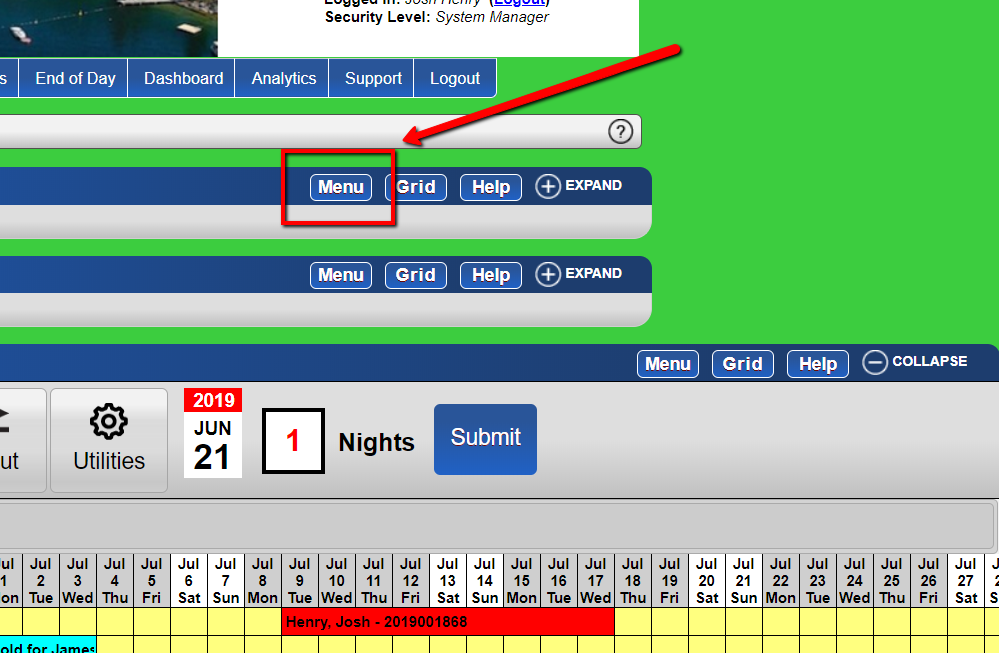
- Access the Menu
- Click the 'Menu' button.
- Navigate to Rates Setup
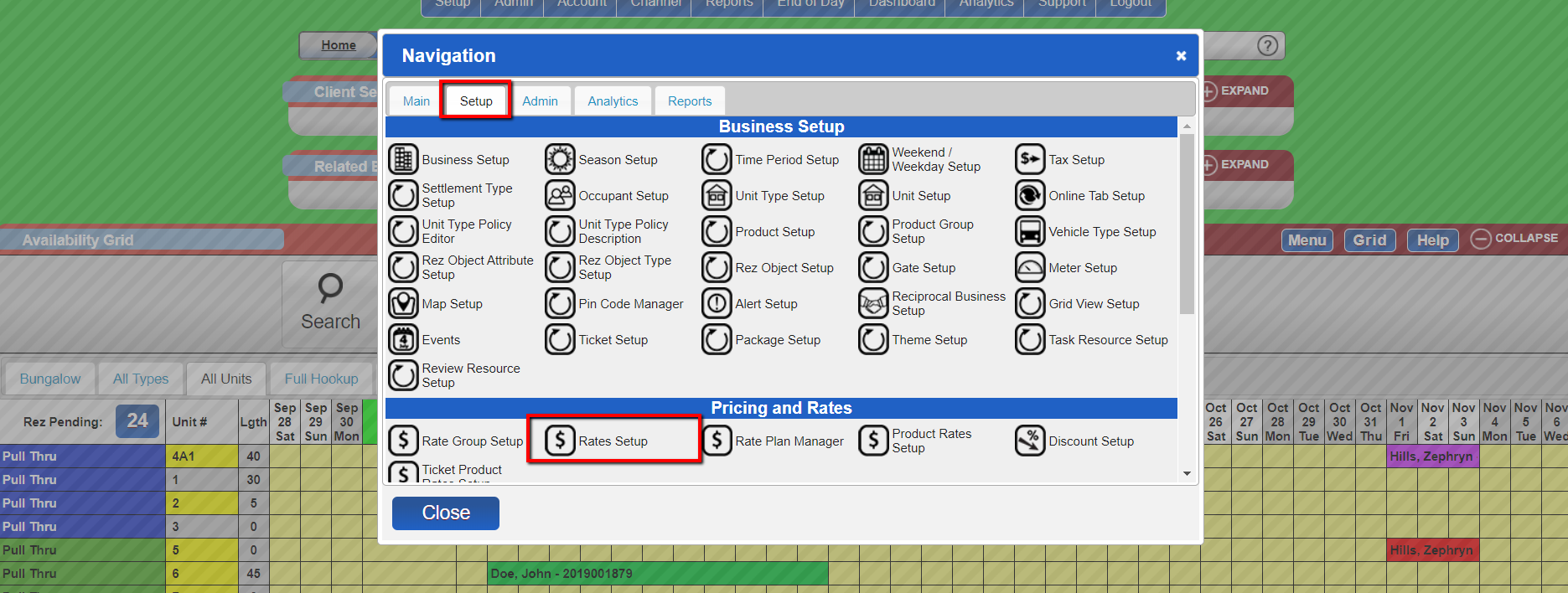
- Go to Setup.
- Under Pricing and Rates, select Rates Setup.
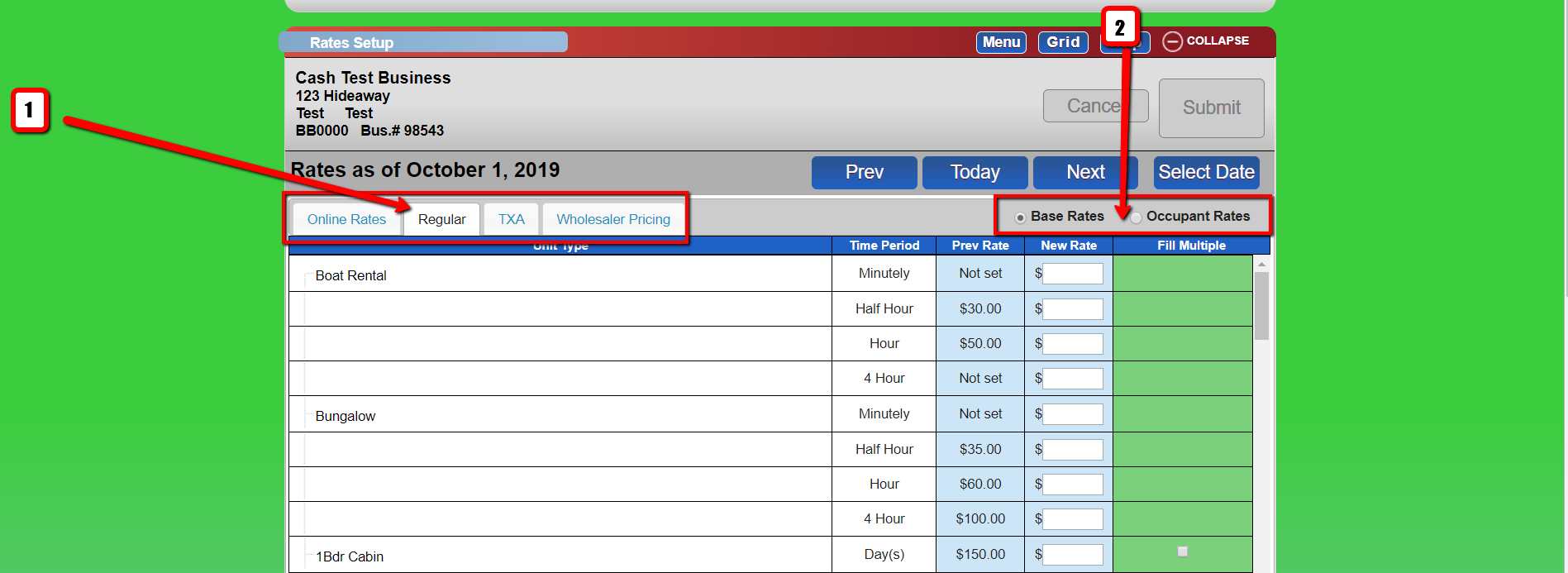
- Select Rate Group and Rates
- Choose the Rate Group you are making changes for.
- Select the rates you wish to change (Base or Occupant Rates).
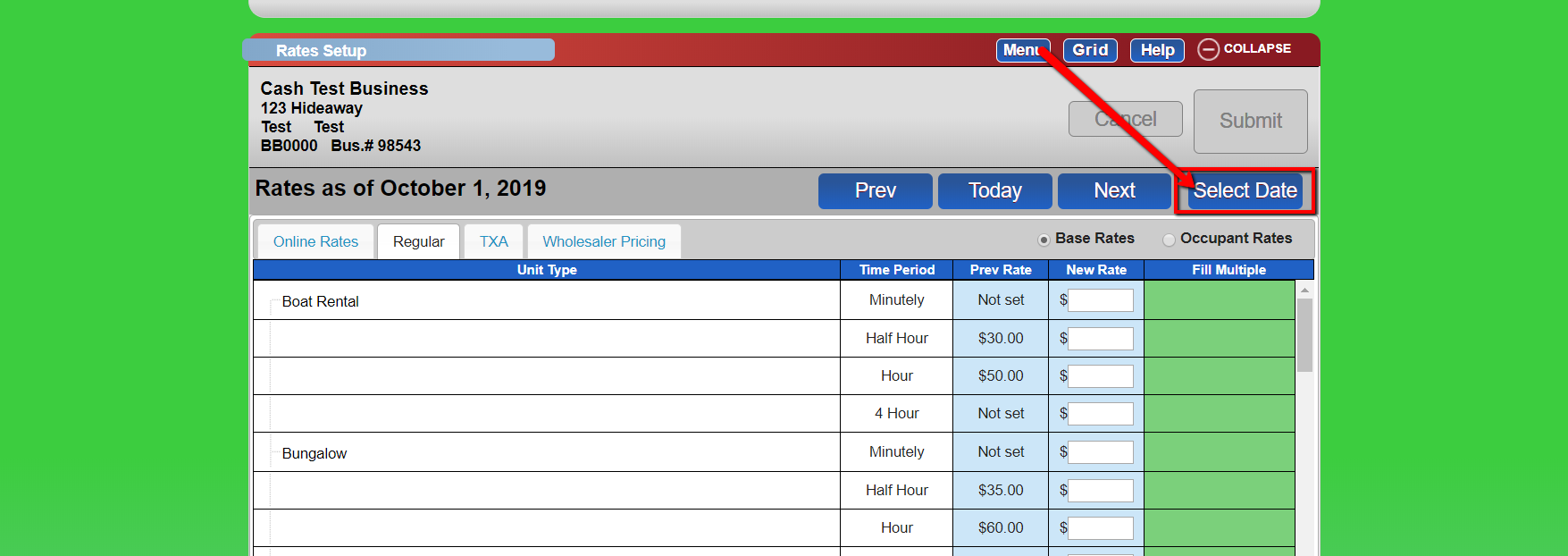
- Set Effective Date for Rate Changes
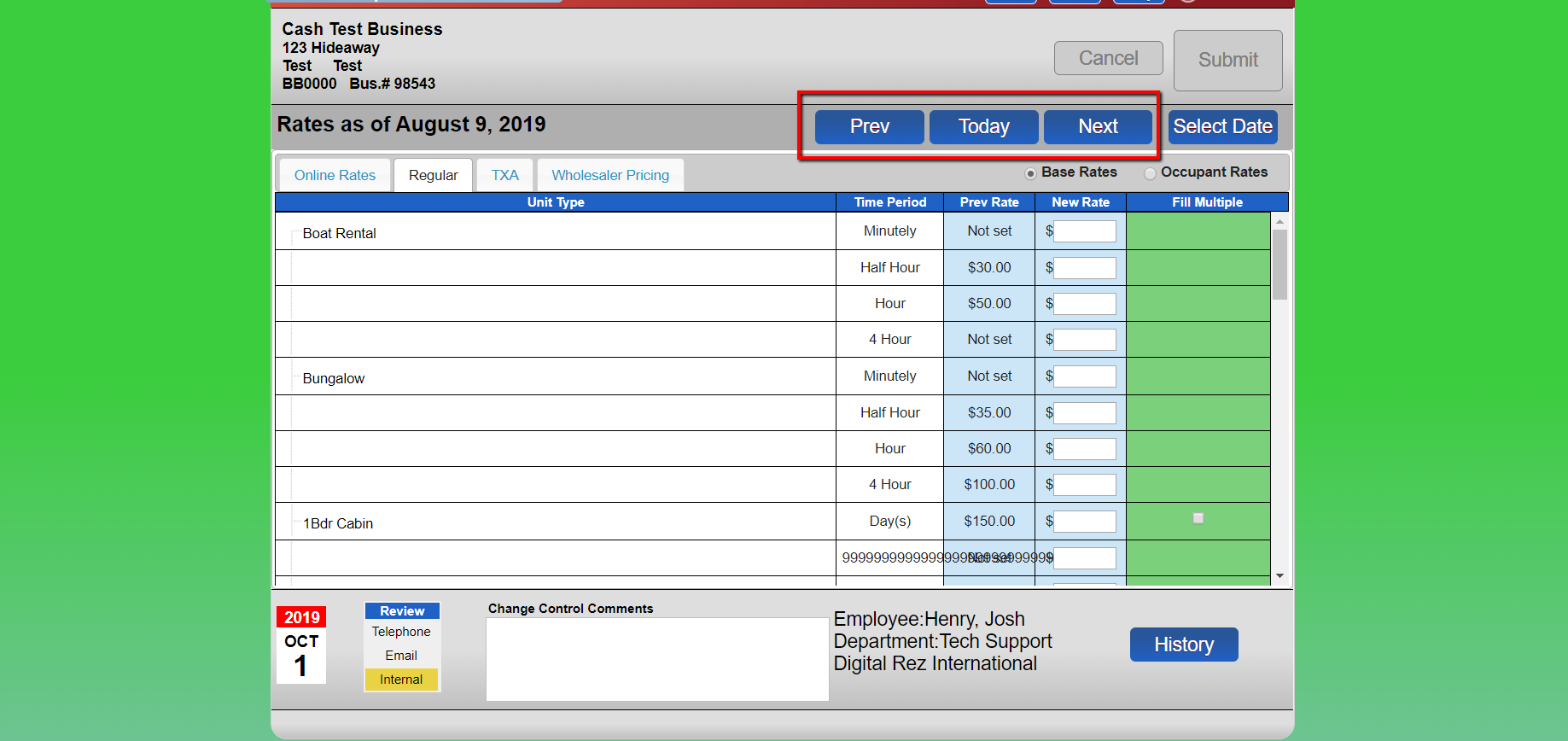
- To have rate changes take effect on a certain date:
- Select ‘Select Date’.
- Choose the desired date on the calendar.
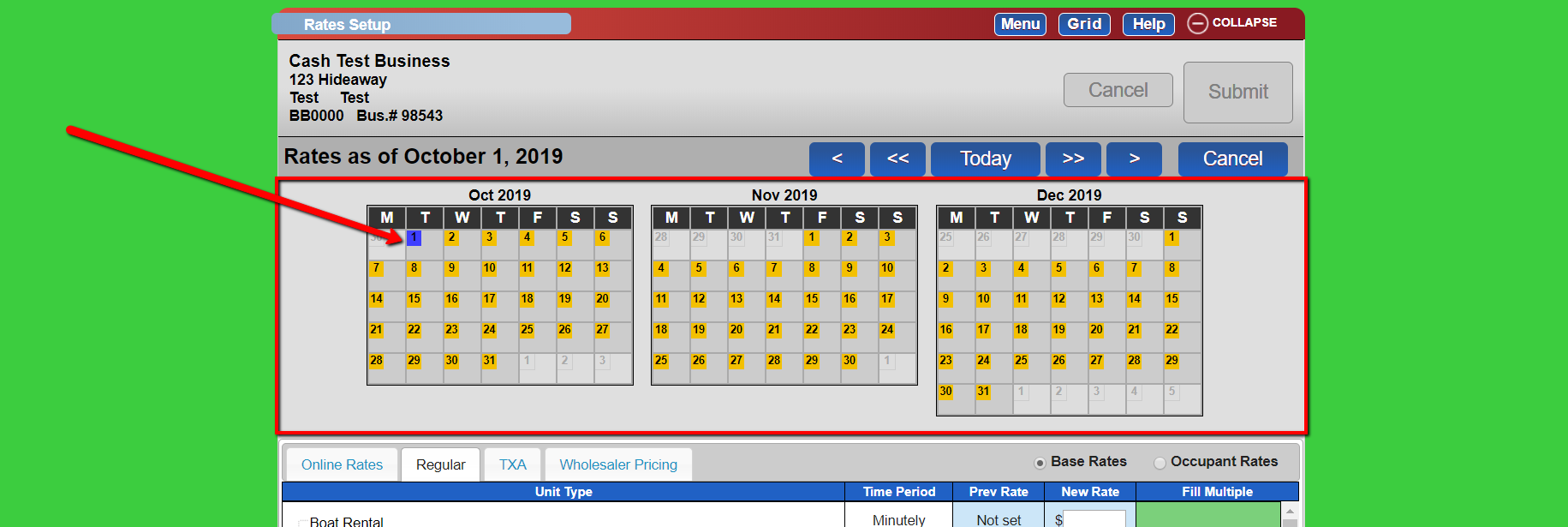
- Rates as of the current date will change to rates as of the date you selected.
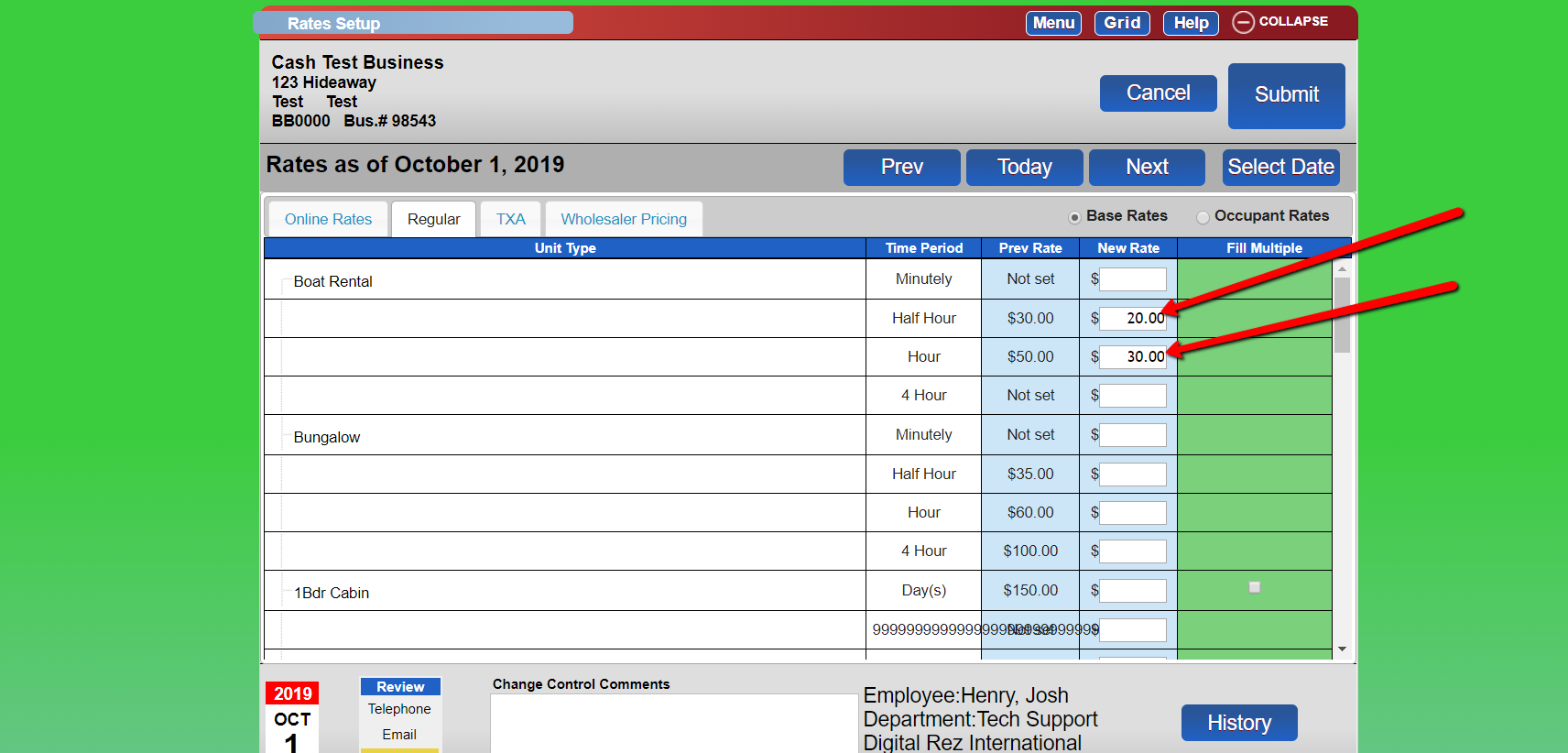
- Enter New Rates
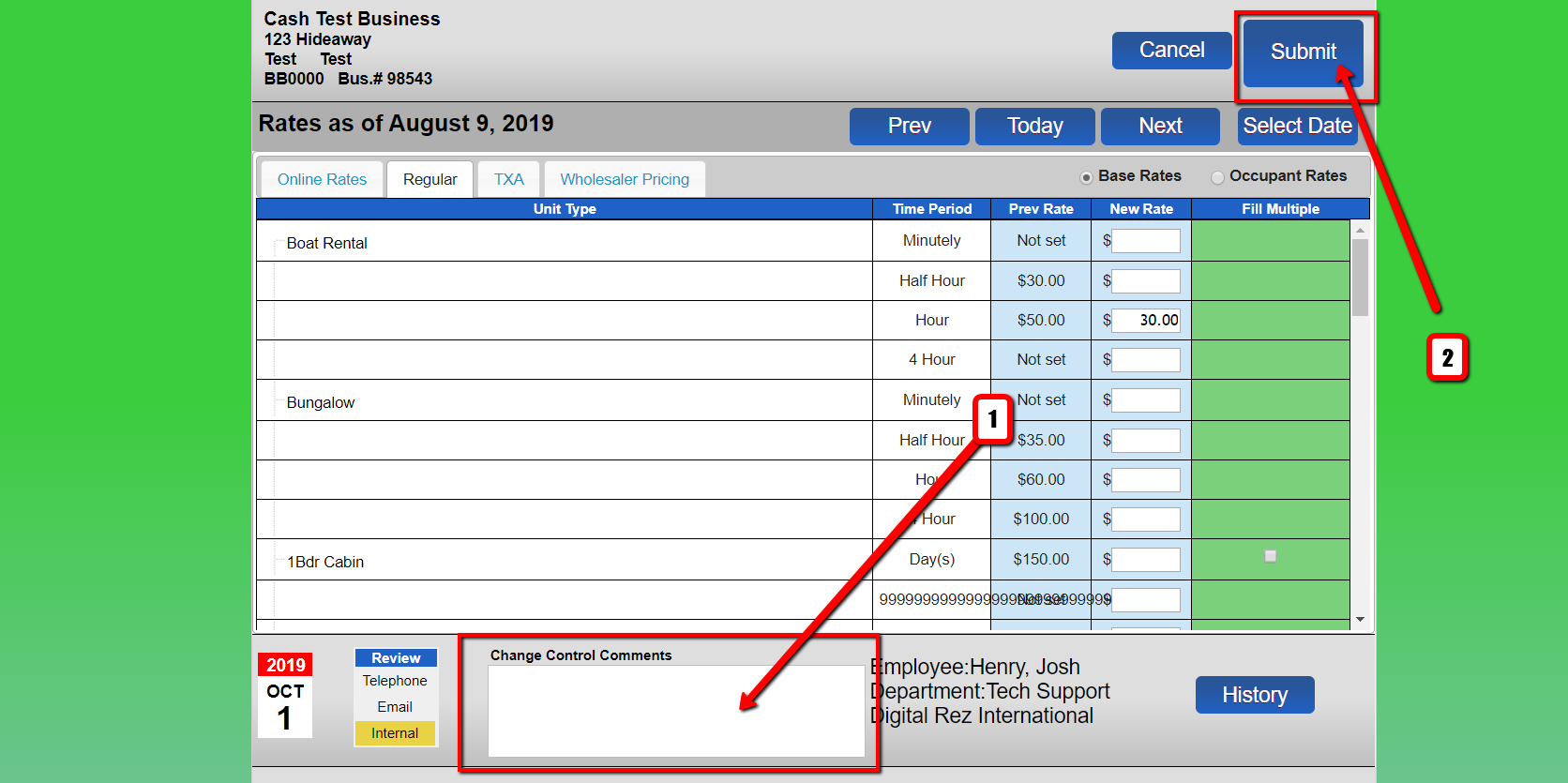
- Go into the New Rate column and add the relevant rates.
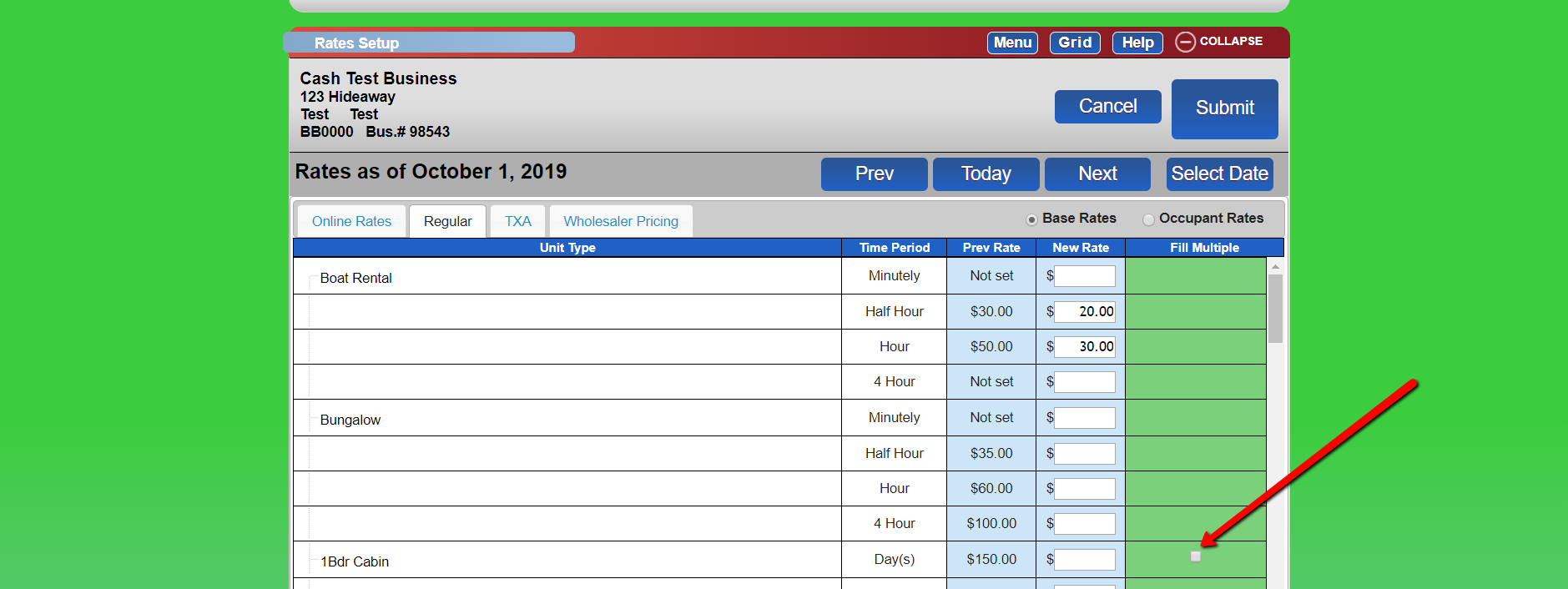
- Fill Multiple Rates
- Select the square relevant to unit types that will have the same rates.
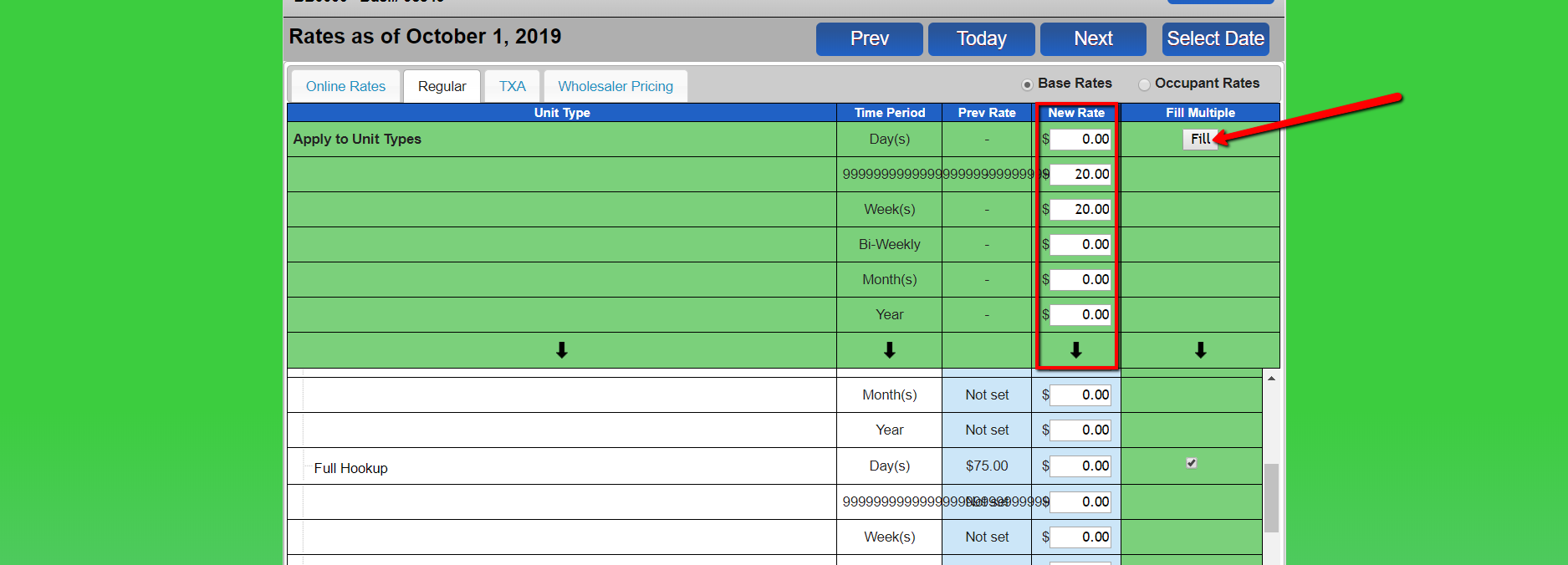
- Fill in the rates and click Fill when finished.
- Submit Changes
- Add a change control comment and click submit.
Troubleshooting
- Ensure you have the necessary permissions to access and modify rate settings.
- Verify that the correct Rate Group and rates are selected before making changes.
- Double-check the effective date to ensure rate changes occur as intended.