Products Missing from Reservation Summary Fix
Last modified on:
Overview
This document addresses the issue where added products are not appearing on the reservation summary.
Prerequisites
- Ensure you have access to the Point of Sale (POS) system.
- Familiarity with the "Guest Folio Transfer" payment type.
Steps
- Identify the Issue:
- Verify if the payment type "Guest Folio Transfer" was selected during the product sale process.
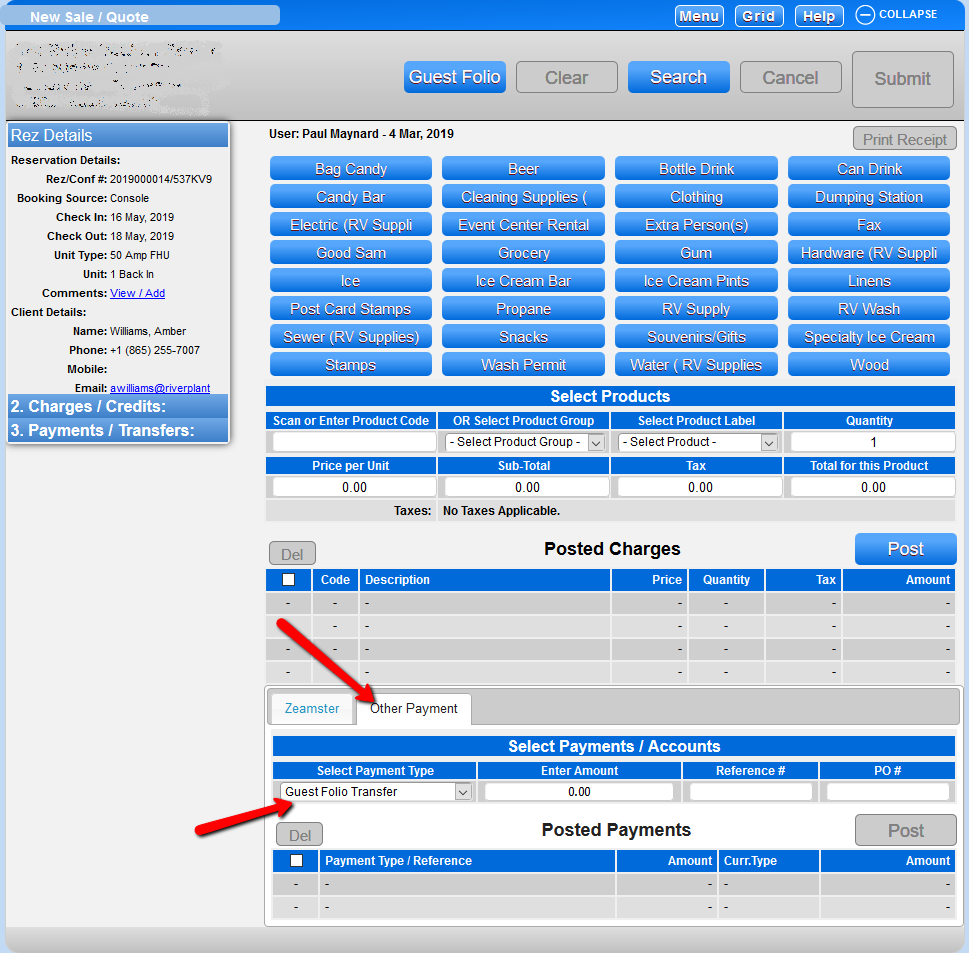
- Locate the Sale:
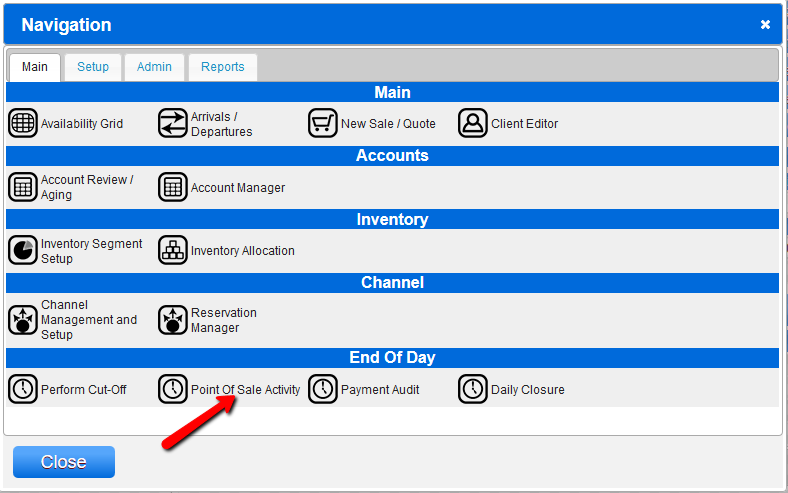
- Navigate to "Menu" and select the Point of Sale Activity panel.
- Search for the sale to confirm its details.
- Verify Client Assignment:
- Check if "No Client Assigned" appears in the POS Activity panel. This indicates the sale wasn’t attached to the reservation and the "Guest Folio Transfer" payment type was not used.
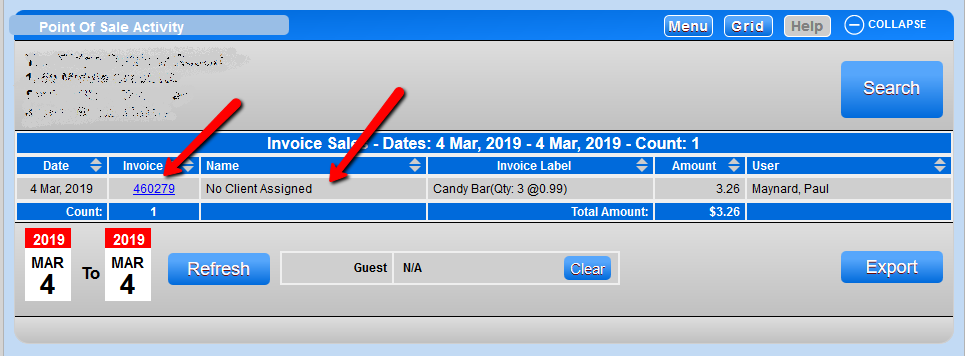
- Correct the Sale:
- Click on the invoice to determine the payment type used.
- Reprocess a sale for the opposite amount to cancel/void the incorrect sale, using the previously used payment type.
- After cancelling the incorrect sale, click on the reservation and reprocess the sale, ensuring the "Guest Folio Transfer" payment type is used.
Troubleshooting
- If further assistance is required, please contact support at 888 777-0602 or email support@digitalrez.com.