Configuring Alternate Grid Label in Availability Grid
Last modified on:
Overview
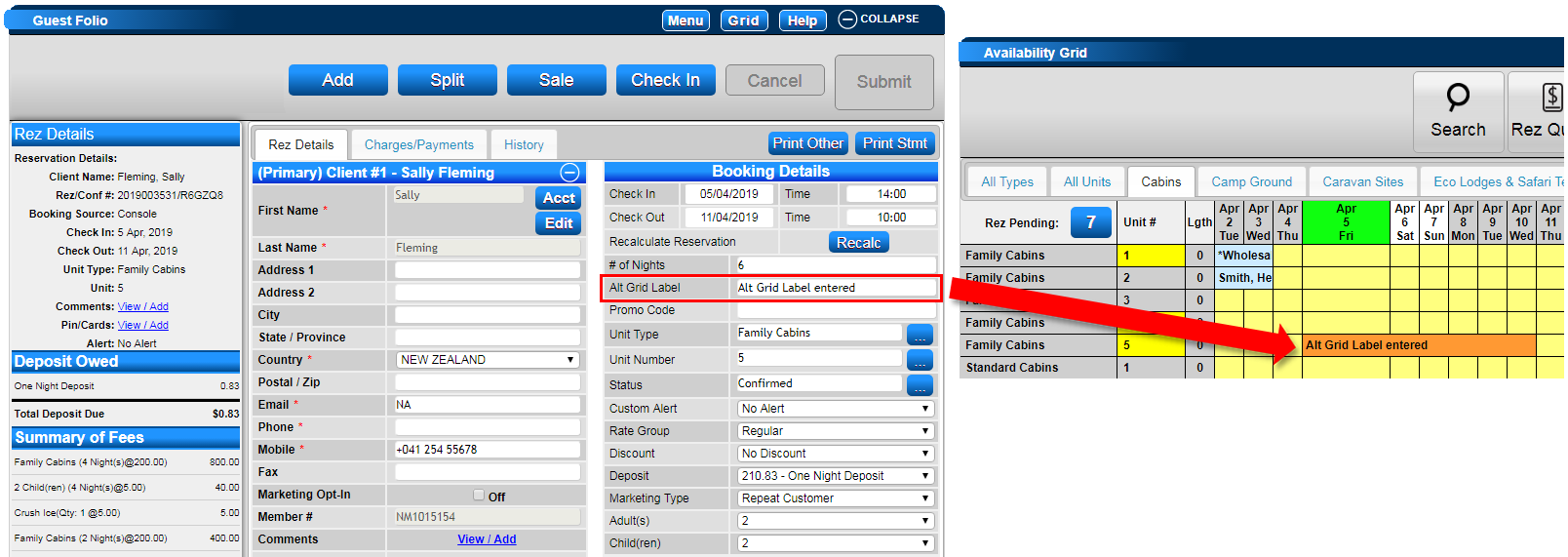
The Alternate Grid Label preference setting adjusts the Client Name shown on the Availability Grid to display the Alt Grid Label, as entered in the Guest Folio.
Prerequisites
- Location
- Setup
- Guest Folio
Steps
Location
- Click on a Menu button.
- Select the Setup tab.
- Click on Business Setup within the Business Setup section.
Setup
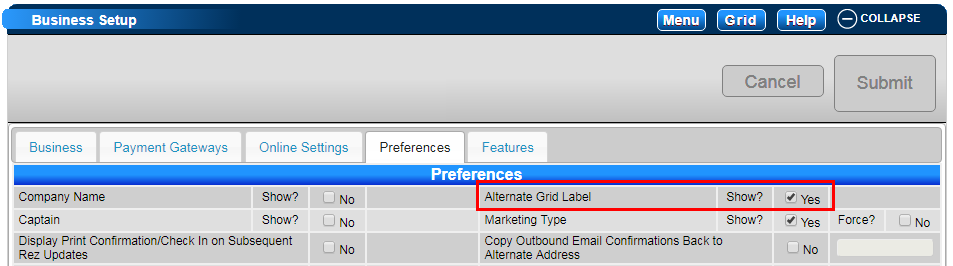
- Click on the Preferences tab.
- Click on the Show flag next to the Alternate Grid Label setting to enable the field.
Guest Folio
- The Alt Grid Label field will now display in the Booking Details side of Guest Folios.
Troubleshooting
For additional help, click here to print the Help Document.