Changing Unit Name in Inventory Setup
Last modified on:
Overview
This guide provides a step-by-step process for changing the name of one of your units.
Prerequisites
- Access to the system where the unit name change is to be made.
Steps
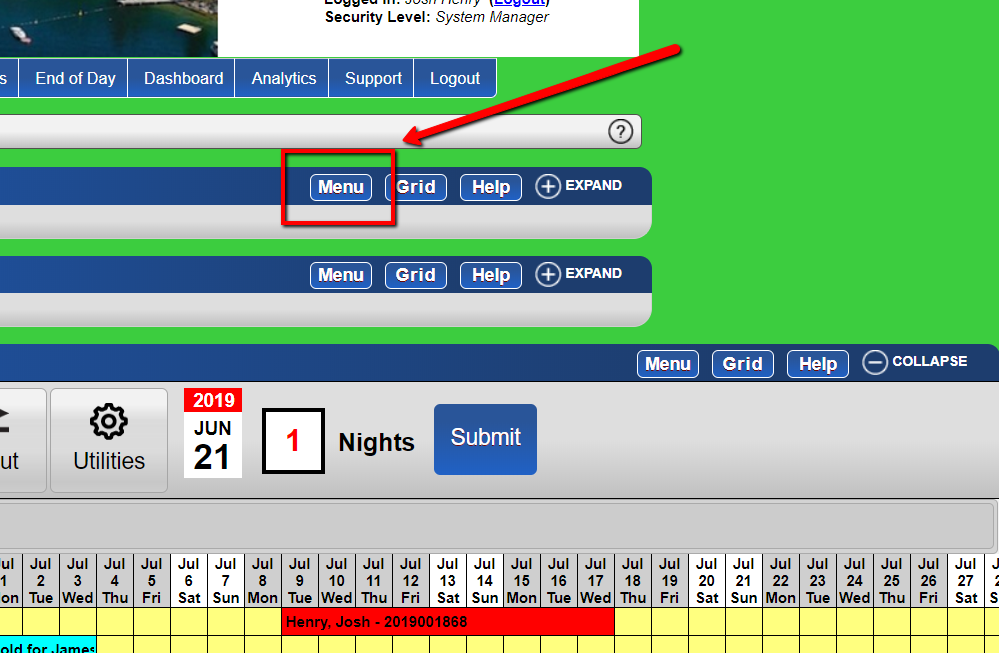
- Access the Menu
- From the grid, click the "Menu" button.
-
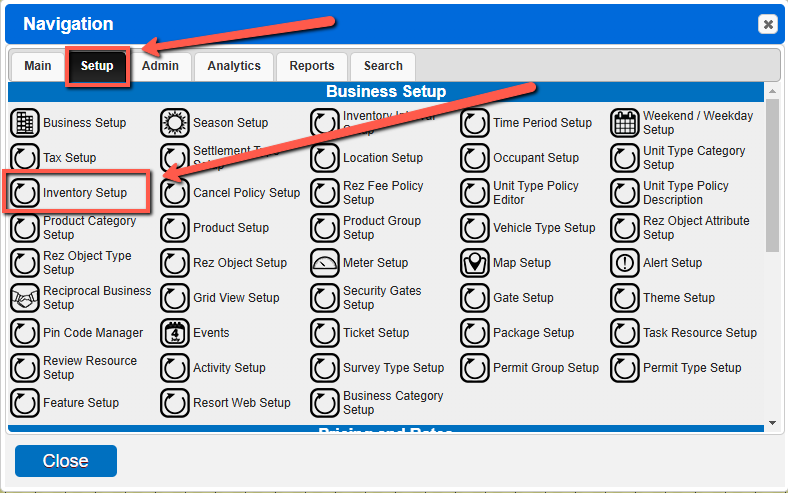
- Navigate to Inventory Setup
- Select the "Inventory Setup" option under the "Setup" tab.
-
- Select and Expand Unit Type
- Select the Unit Tab and expand the unit type to be adjusted.
-
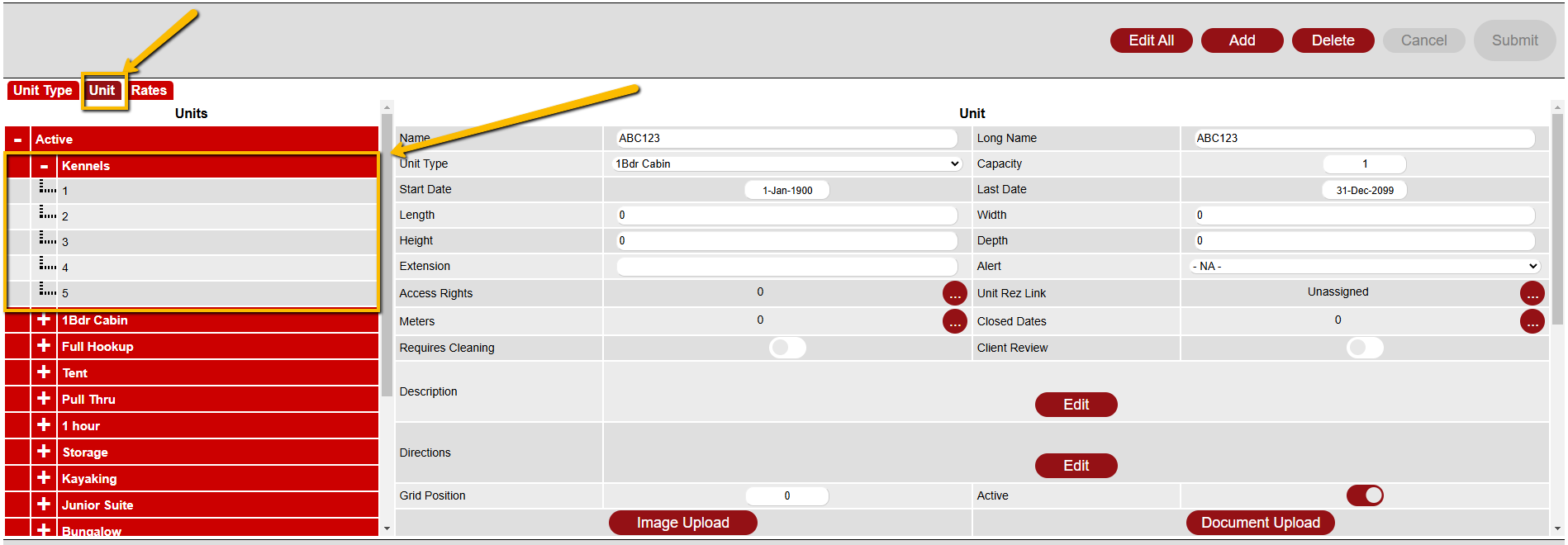
- Adjust Unit Name
- Select the Unit to be adjusted, change the Name and Long Name.
-

- Submit Changes
- Submit your changes.
Troubleshooting
- Ensure you have the necessary permissions to make changes to the unit names.
- Verify that all fields are correctly filled before submitting changes.