Client Management Process Overview
Last modified on:
Overview
This document provides a step-by-step guide for managing clients effectively. Follow the instructions below to navigate the client management process.
Prerequisites
- Access to the client management grid.
Steps
- Search for a Client
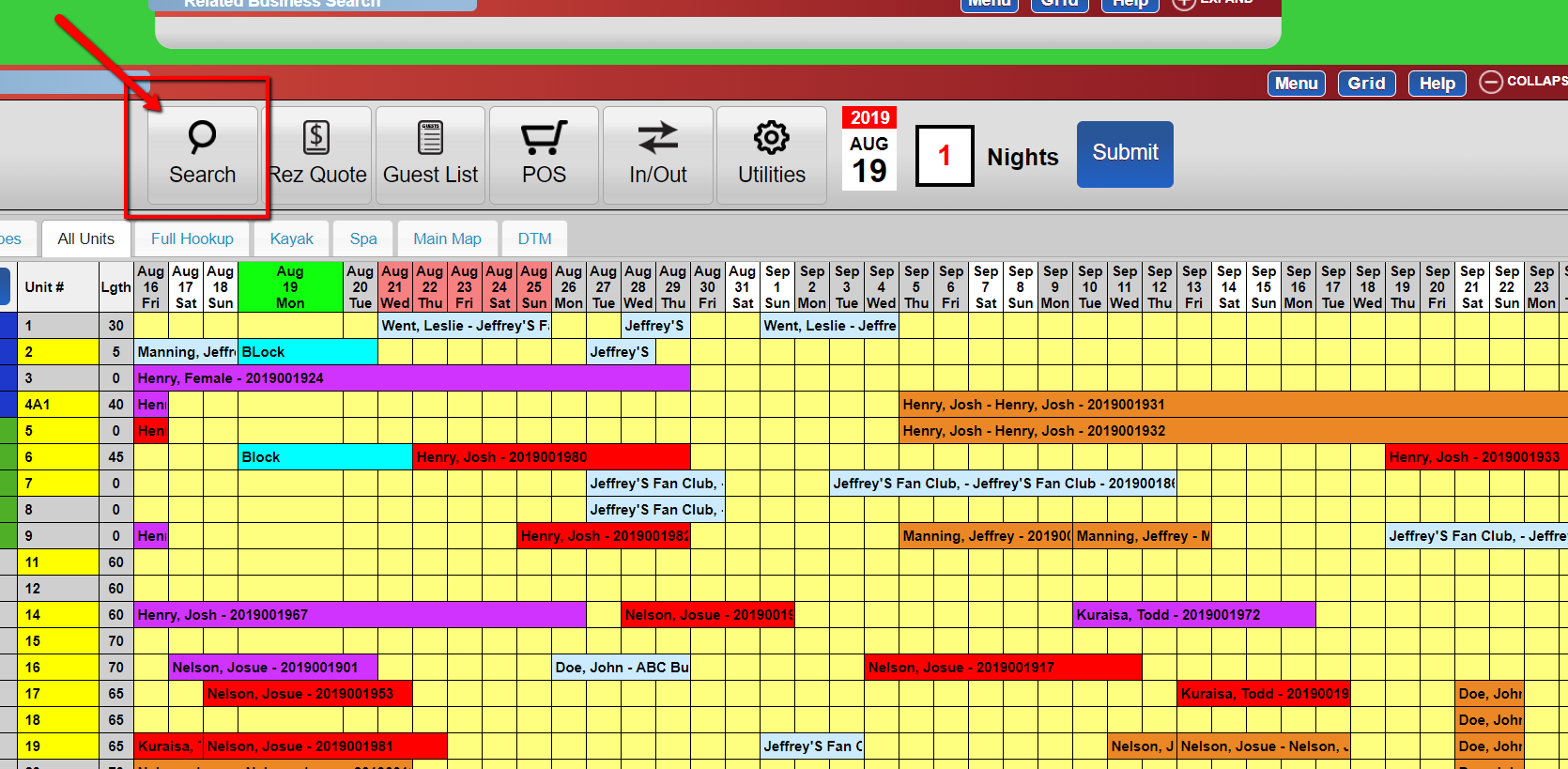
- From the grid, click the "Search" button. - Edit Client Information
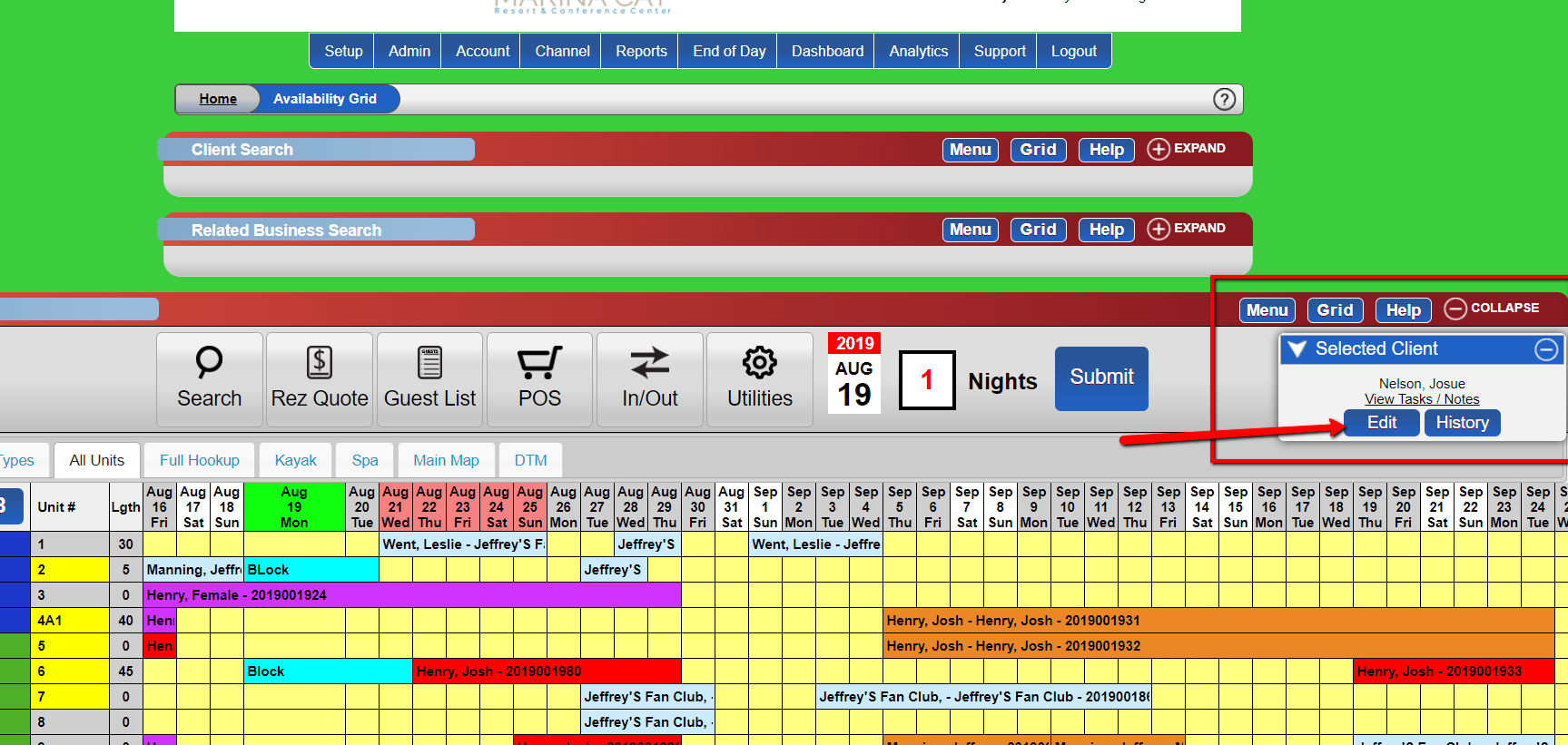
- A pop-up panel will appear on the right with the client's name.
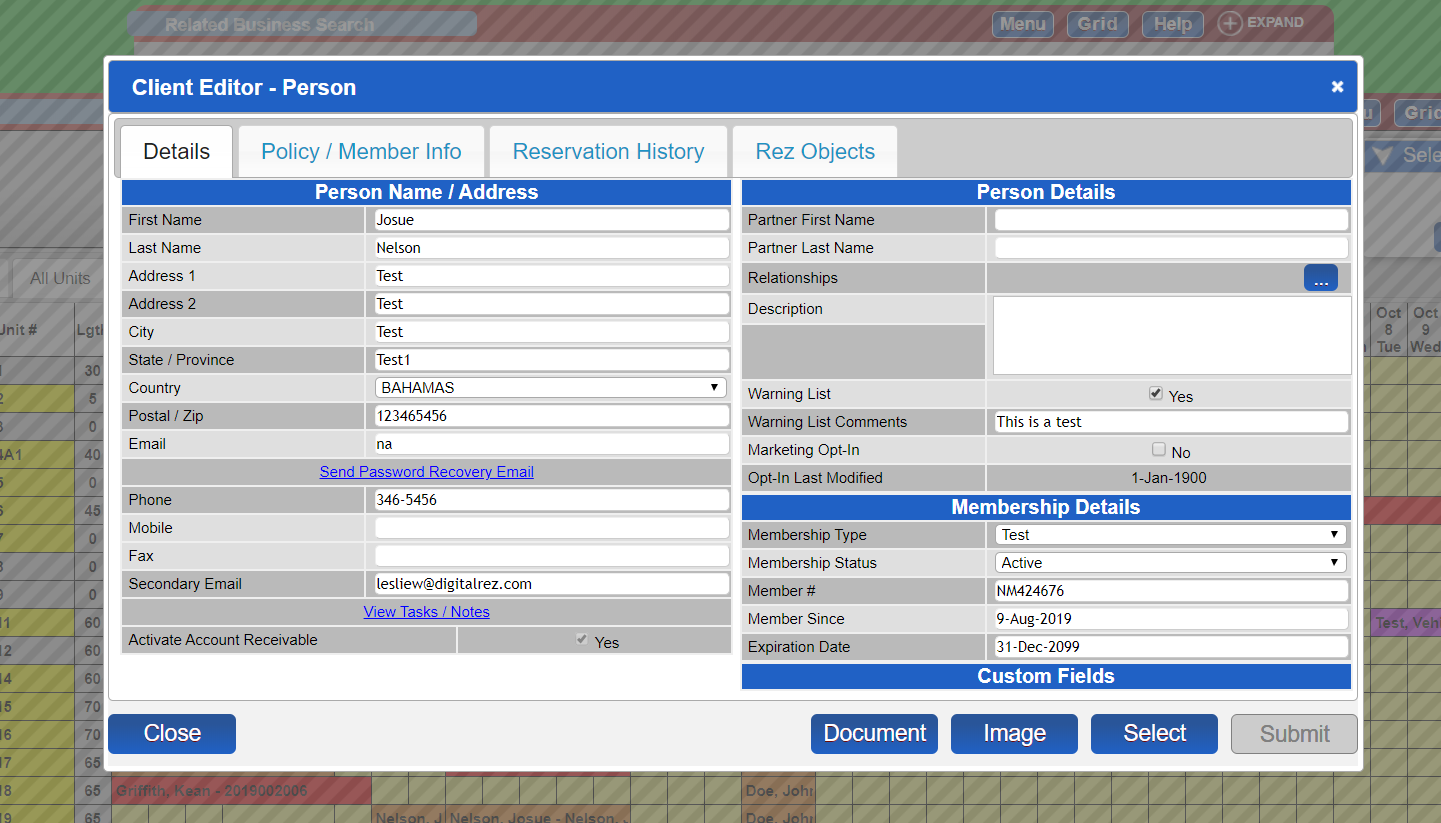
- Click the "edit" button to manage the client's information. - Additional Resources
- For more detailed instructions, refer to the in-depth video available at: https://www.youtube.com/watch?v=JYsgPV42I7c
Troubleshooting
- If the pop-up panel does not appear, ensure that pop-ups are enabled in your browser settings.
- Verify that you have the necessary permissions to edit client information.
Images