Removing Reservation from Group Booking
Last modified on:
Overview
A reservation can be removed from a Group Booking to be made into a single reservation.
Prerequisites
- Access to the Availability Grid.
- Ability to select and modify reservations.
Steps
Remove Button
- Select the Group Booking from the Availability Grid.
- Click on the desired reservation on the Grid. The reservation’s till tape will display.
- Click Guest Folio to open the Guest Folio.
- If the wrong reservation is selected, choose the appropriate reservation from the Group Booking Summary list.
- Click Remove.
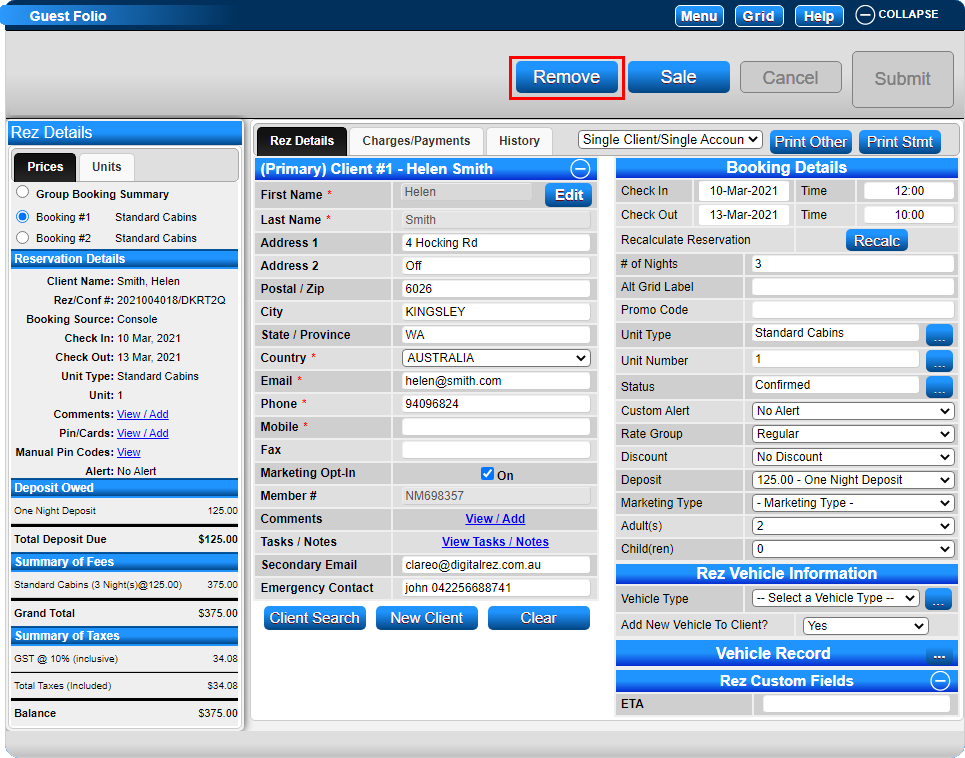
- A message box will appear asking if you would like to proceed.
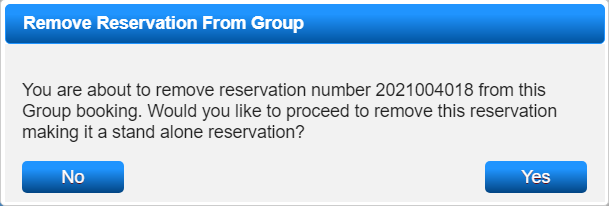
- Click Yes to proceed with removing the reservation.
- The reservation will become a single reservation.
Client Details
- All reservations removed from a Group Booking will retain the Client Details entered at the Group Booking Summary Level.
- If Client Details need adjustment, click Add New Client to enter the details of the guest staying.
- Do not overwrite the details within the removed reservation, as this will result in the loss of the original Client’s detail record.
Troubleshooting
For further assistance, click here to print the Help Document.