Settlement Type Setup Instructions
Last modified on:
Overview
This document provides a step-by-step guide on how to set up a new Settlement Type/Payment Type.
Prerequisites
- Access to the system with appropriate permissions to modify settlement types.
Steps
- Access the Menu:
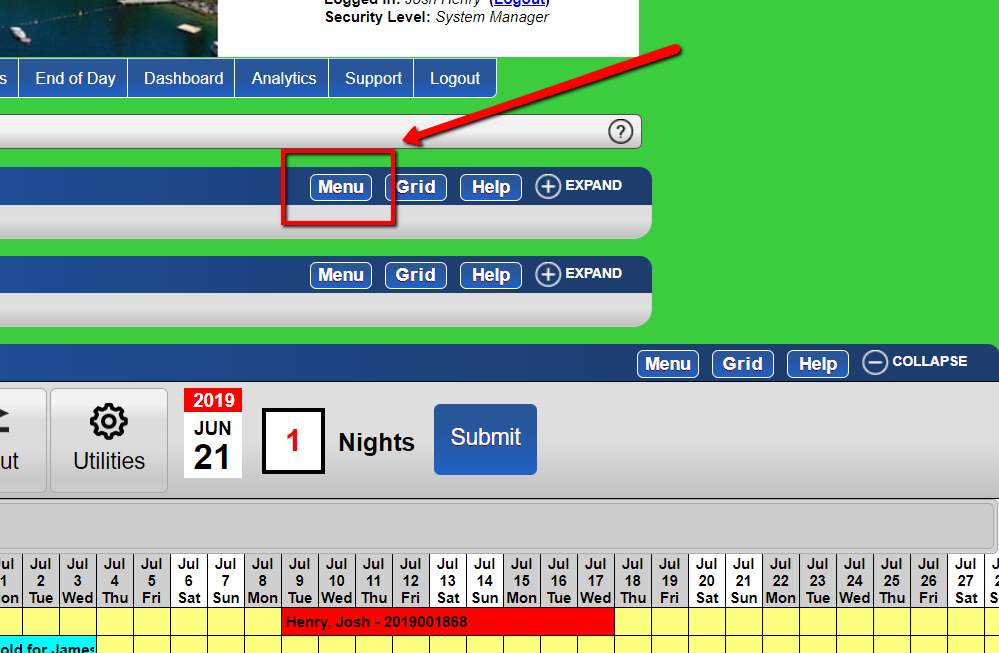
- Click on the Menu button located at the top right of any panel.
-
- Navigate to Setup:
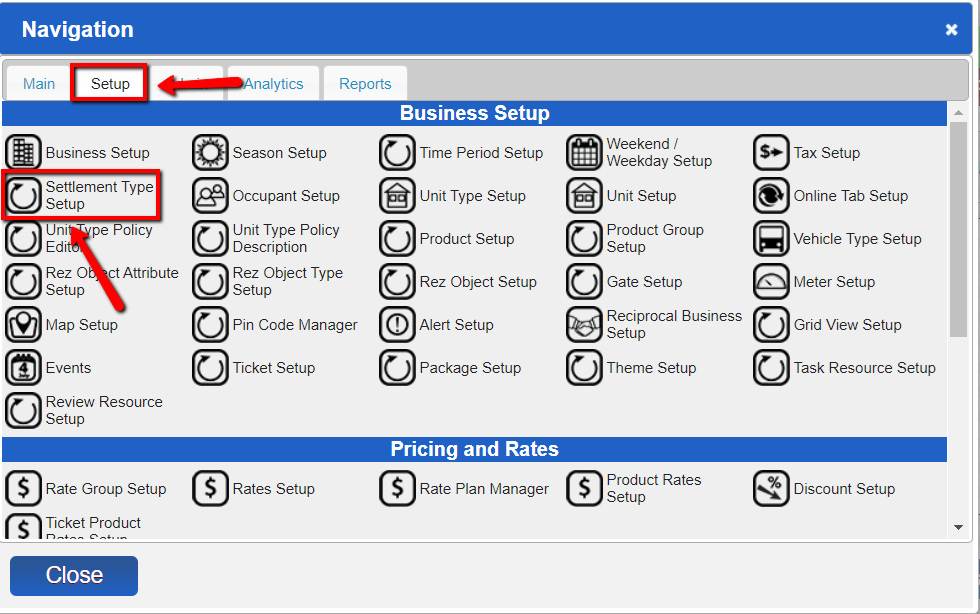
- Click on the Setup tab.
- Select Settlement Type Setup.
-
- Add a New Payment Type:
- Click Add to create a new payment type.
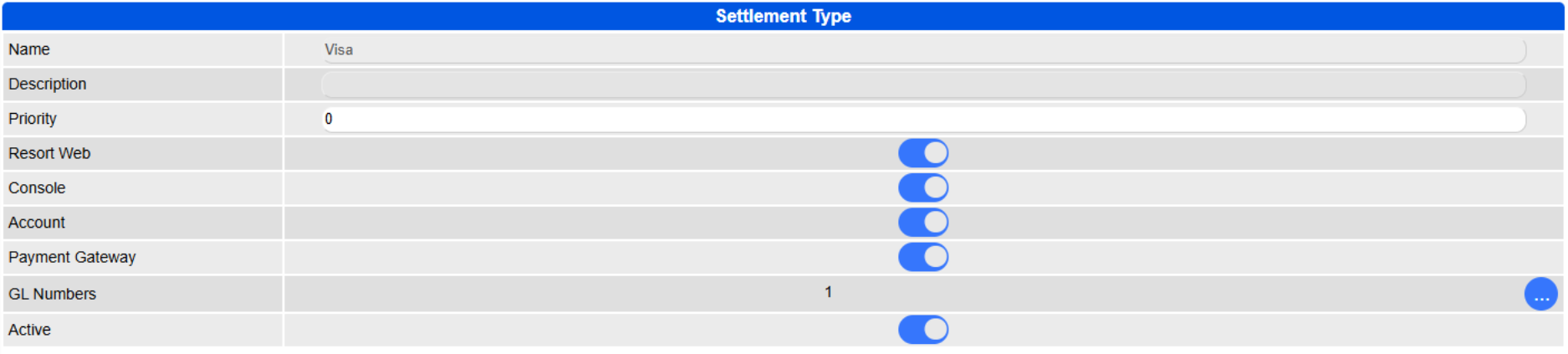
- Enter the relevant information:
- Name: This will be the name of the payment type.
- Description: Describes the settlement type you are adding.
- Priority: This refers to the order in which you wish to see the settlement types in the dropdown.
- Resort Web: To make it available for online payments.
- Console: To make it available for Point of Sale and Guest Folio.
- Account: To make it available in the Account Manager.
- Payment Gateway: Enable for all credit card type settlement types to be available within the credit card payment gateway processor.
- Active: To indicate whether this settlement type is in use or not.
- Submit:
- Click Submit to save the new settlement type.
Troubleshooting
- Ensure you have the necessary permissions to add or modify settlement types.
- Verify all required fields are filled out correctly before submitting.