Hide Unit Types in System Settings
Last modified on:
Overview
This document provides a step-by-step guide on how to hide unit types within the system.
Prerequisites
- Access to the grid interface.
- Permissions to modify unit type visibility settings.
Steps
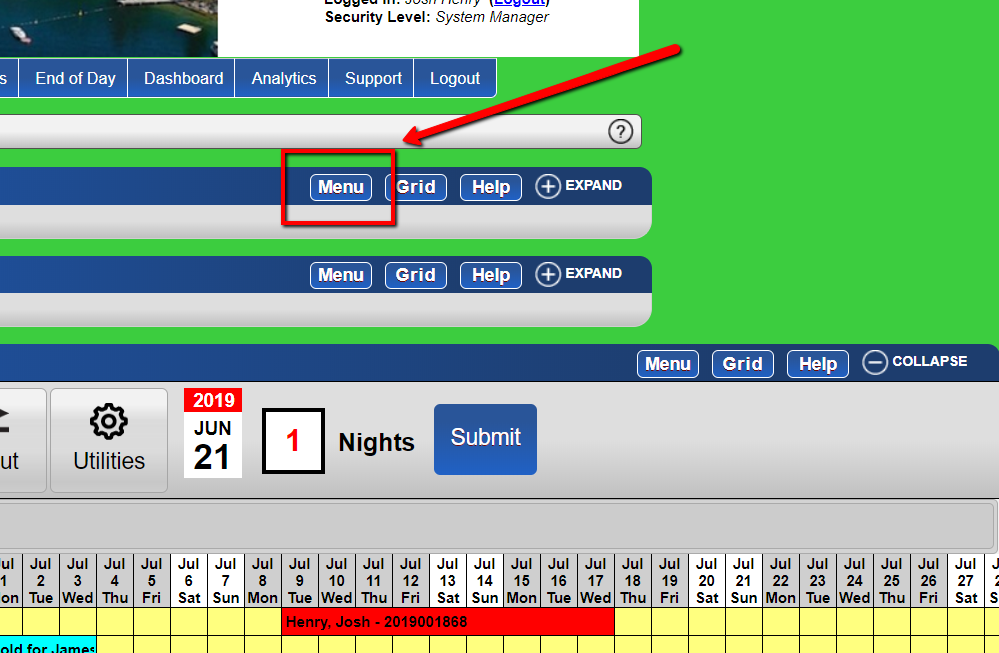
- Access the Menu
- From the grid, select the Menu button.
-
- Navigate to Inventory Setup
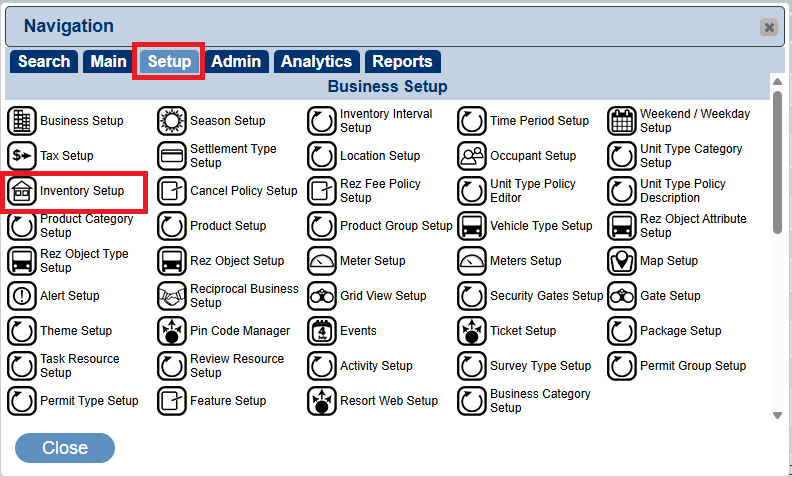
- Type "Inventory Setup" into the Panel Name box, or click on the Setup tab to select Inventory Setup.
-
- Select Unit Type
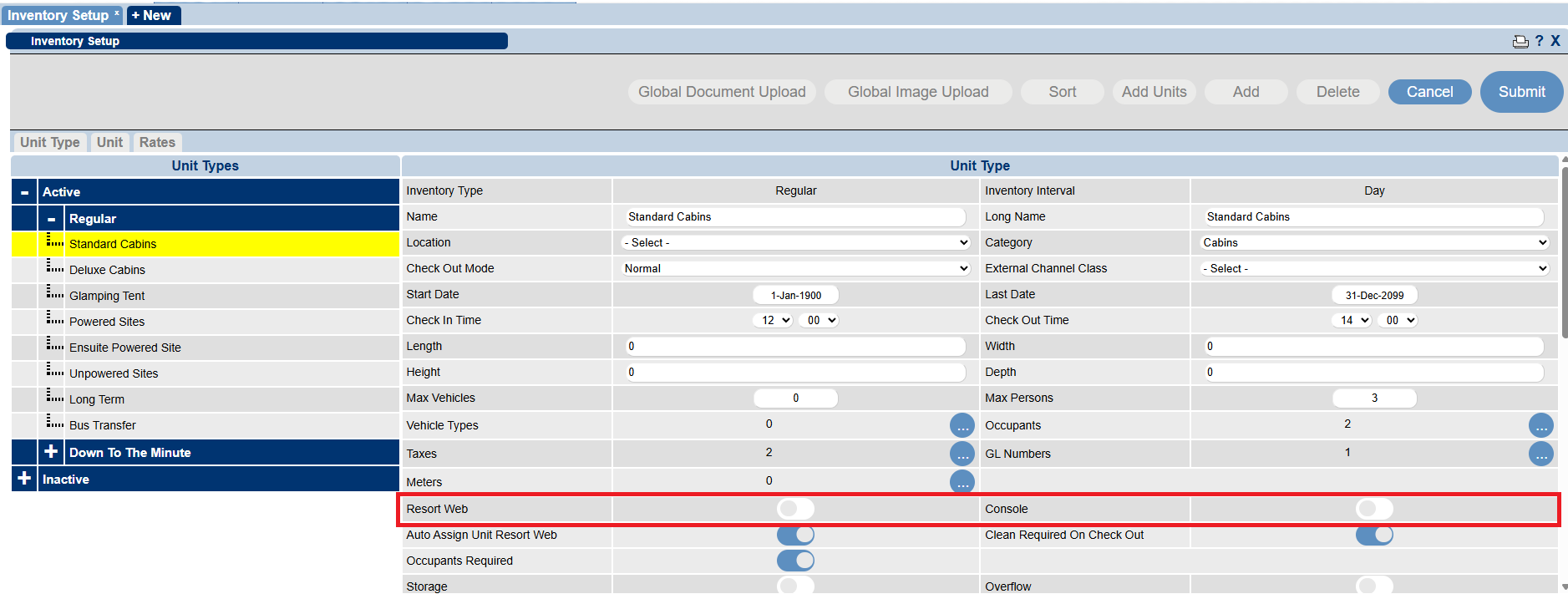
- Within the Unit Type tab, select the required Unit Type from the listing on the left. - Hide from Resort Web
- To hide the Unit Type from the Resort Web, untick the Resort Web slider. - Hide from Console
- To hide the Unit Type from the Console, untick the Console slider.
-
- Submit Changes
- Click Submit to finalize the changes.
Troubleshooting
- Ensure you have the necessary permissions to modify unit types.
- Verify that the correct unit type is selected before making changes.
- If changes do not take effect, refresh the page or clear the cache and try again.