Adjust Meter Reading Fee Label
Last modified on:
Overview
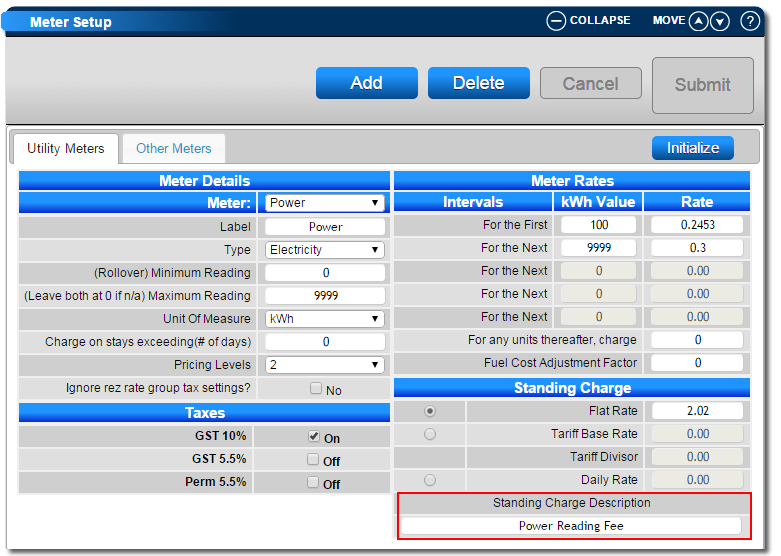
Any Meter (Electricity/Water/Gas etc.) that has a Standing Charge attached will display, on the Invoice/Statement, as "Meter Fee". The label can be adjusted to a custom label, such as "Electricity Service Charge".
Prerequisites
- Access to the Meter Setup within the Business Setup section.
Steps
- Navigate to Meter Setup
- Click on the Menu button.
- Select the Setup tab.
- Choose Meter Setup within the Business Setup section. - Adjust the Meter Label
- Select the Meter.
- In the Standing Charge box, enter the new label into the Standing Charge Description.
- Press Submit to finalize the adjustment.
Troubleshooting
For more information on Meter Setup, click here.