Handling Credit Card Failures in Online Booking
Last modified on:
Overview
Occasionally, clients encounter difficulties in completing an online booking due to factors such as browser failures, internet drop-offs, power outages, or misunderstandings. RezExpert addresses this by pre-storing the client’s contact and reservation information before they submit their credit card details, which remain unseen. This process involves system background event logging, enabling property managers to connect completed payments found in credit card merchant audit screens.
Prerequisites
- Access to the online booking interface from your website.
- Access to the Payment Gateway Manager panel.
Steps
- Pre-storing Information:
- Clients update their contact information before posting credit card details.
- RezExpert stores a six-character Confirmation Number (e.g., V4DA9T) with the tentative booking information.
- This Confirmation Number is also sent to the credit card processor for reference. - Handling Disconnected Payments:
- Merchants can use the Confirmation Number to tie disconnected payments to the correct reservation.
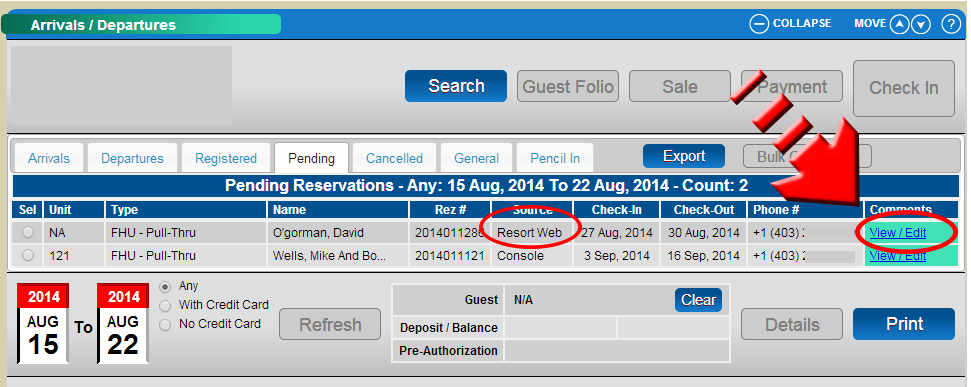
- Property managers can contact prospective guests via phone or email to confirm their intentions if no payment is found on the credit card service provider's audit interface. - Employee Comments:
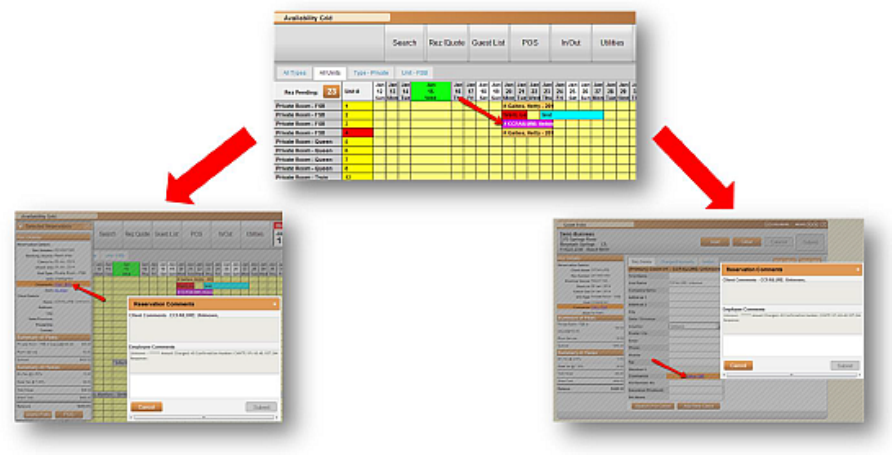
- Employee comments attached to reservations provide retained information, aiding in determining payment completion. - Cancellation Process:
- If a prospective client decides not to book, the reservation can be canceled in the standard way. - Logging Failures:
- All credit card failures are logged within the Payment Gateway Manager panel, under the Unresolved section. - Accessing Payment Gateway Manager:
- Click on the Menu button.
- Select the Admin tab.
- Click on Payment Gateway Manager within the Administrative section. - Viewing Reservation Information:
- Click the comments link to view all reservation information captured before the failure occurred.
Troubleshooting
- Ensure that the client’s contact information is updated before they attempt to post credit card details.
- Verify the Confirmation Number with the credit card processor to resolve disconnected payments.
- Use the Payment Gateway Manager to track and resolve unresolved credit card failures.