Exporting Customer Email List from Grid Interface
Last modified on:
Overview
This document provides a step-by-step tutorial on how to export an email list of your customers for mass email usage.
Prerequisites
- Access to the Grid interface where the email list will be exported from.
Steps
- Initiate Export Process
- From the Grid, click the In/Out button.
-

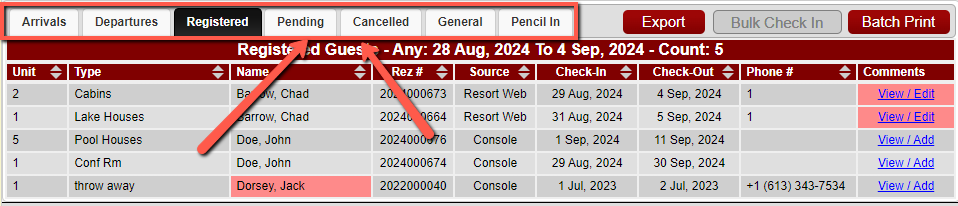
- Select Export Tab
- Select the tab you wish to export from.
-
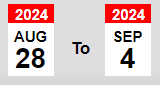
- Set Time Frame
- Adjust the calendars in the bottom left to your desired time frame.
-
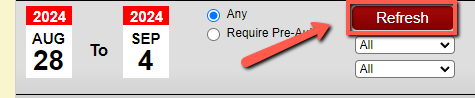
- Refresh Data
- Click the Refresh button.
-
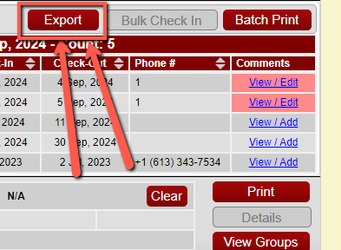
- Export Data
- Click Export.
-
- Deselect Criteria
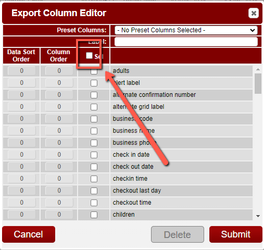
- Press the Sel checkbox to deselect all criteria.
-
- Select Specific Criteria
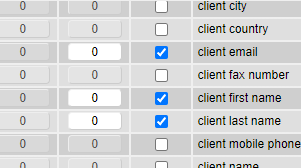
- Select the specific criteria for the email list (client name, client email).
-
- Name and Submit Preset List
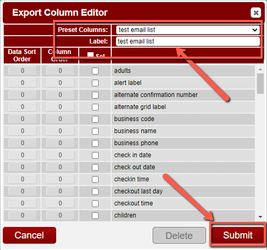
- Name the Preset list in the Label section at the top of the panel.
- Click the Submit button.
-
- Finalize Export
- Close the confirmation window.
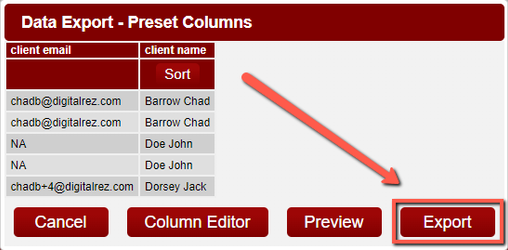
- Click Continue to view the Export list.
- Click the Export Button to download the exported list.
-
Troubleshooting
- Ensure all steps are followed in sequence to avoid errors.
- Verify that the correct tab and criteria are selected before exporting.
- If issues persist, consult technical support for further assistance.