Bulk Checkout Process in RezExpert
Last modified on:
Overview
Bulk Checkout in RezExpert allows you to check out multiple reservations with a $0.00 balance in a batch.
Prerequisites
- Ensure that the reservations have a zero balance before proceeding with the bulk checkout.
Steps
Location
- Click on the In/Out button on the Availability Grid to access the Arrivals/Departures panel.

Departures Tab
- Click on the Departures Tab to view all departures that are due.
- The Bulk Check Out button is available to quickly check out all reservations with a zero balance.
- Click the Bulk Check Out button.
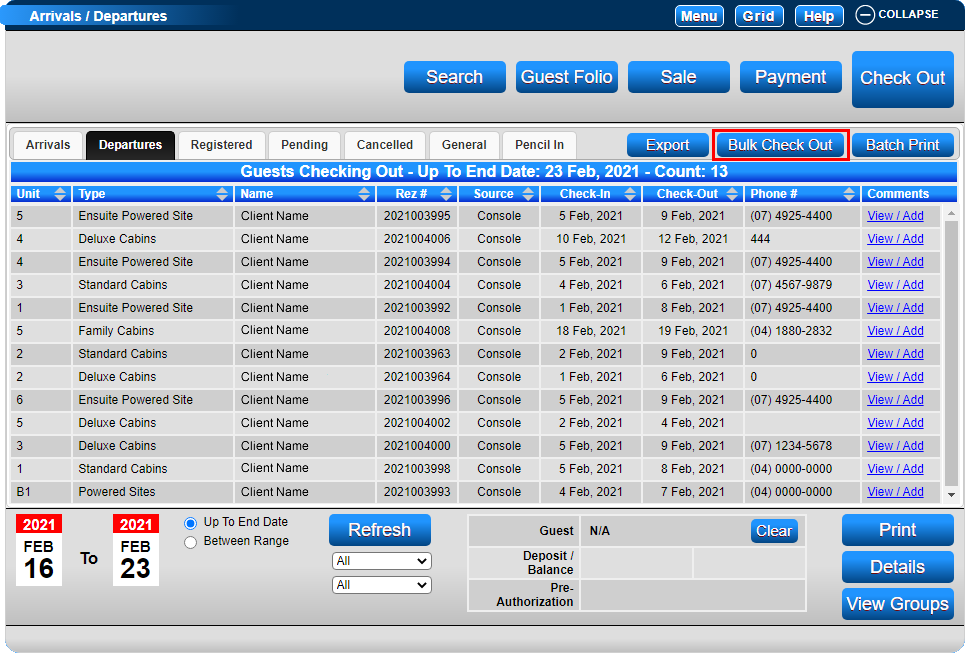
Reservation Balances
- The current balances of the reservations will display in the Bulk Check Out display box.
- Only the reservations with a Zero balance are available to check out.
- Click 'Sel' to select all reservations, or individually click to select the reservations that you wish to check out.
- Press 'Submit' to check out the reservations.
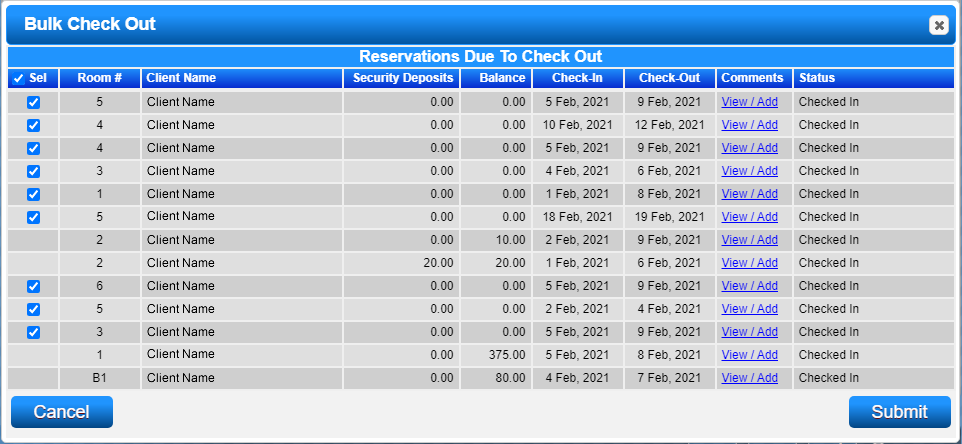
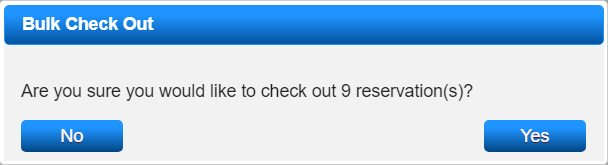
- Any reservations with a balance or unsettled Security Deposit will remain for attention.
Bulk Check Out for Group Reservations
- Within a Group Booking, you have the option to Bulk Check Out all of the reservations in one step.
- Click on Booking #1 (or any booking within the Group Booking).
- Click on the Status box and press 'Bulk Chk Out'.
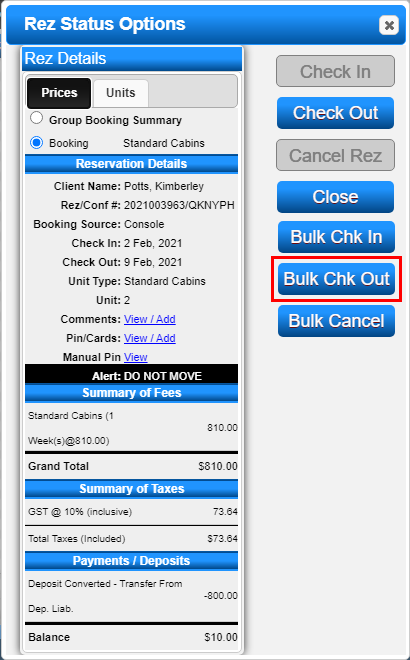
Troubleshooting
- Ensure all reservations have a zero balance before attempting a bulk checkout.
- Reservations with balances or unsettled security deposits will not be processed and will require individual attention.