Corporate Business Reservation Process
Last modified on:
Overview
Businesses will book a number of rooms/units for their employees. Reservations can be made under the Business (Corporate) name, with the option to record the staying Employee's name(s), if required.
Prerequisites
- Ensure a Business record exists prior to creating the reservation(s).
- Click here to view how to make a Business/Corporate Record.
Steps
Search for the Business Record
- Search for the Business Record:
- Click Search on the Availability Grid.
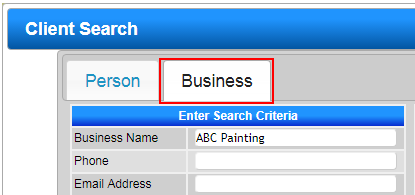
- Click the Business tab and enter the Business's name.
- Select the required Business.
- If no Business Record is found, click Add New Business to create the record.
- The record will appear as the Selected Client on the right-hand side of the Availability Grid.
Selecting Unit Type and Dates
- Select Dates and Units:
- For Group and Single Reservations, select the Date from the Calendar Quote Tool.
- Enter the number of nights and press Submit; or select the dates and unit(s) on the grid and press Submit. - Enter Occupant Details:
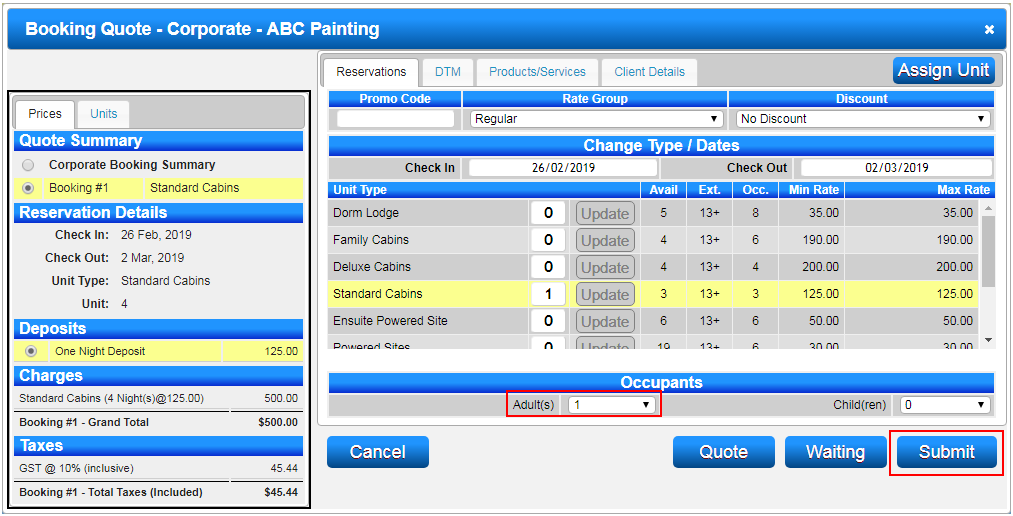
- The Booking Quote screen will appear to enter the number of occupant(s).
- Once entered, press Submit to access the Guest Folio.
Guest Folio
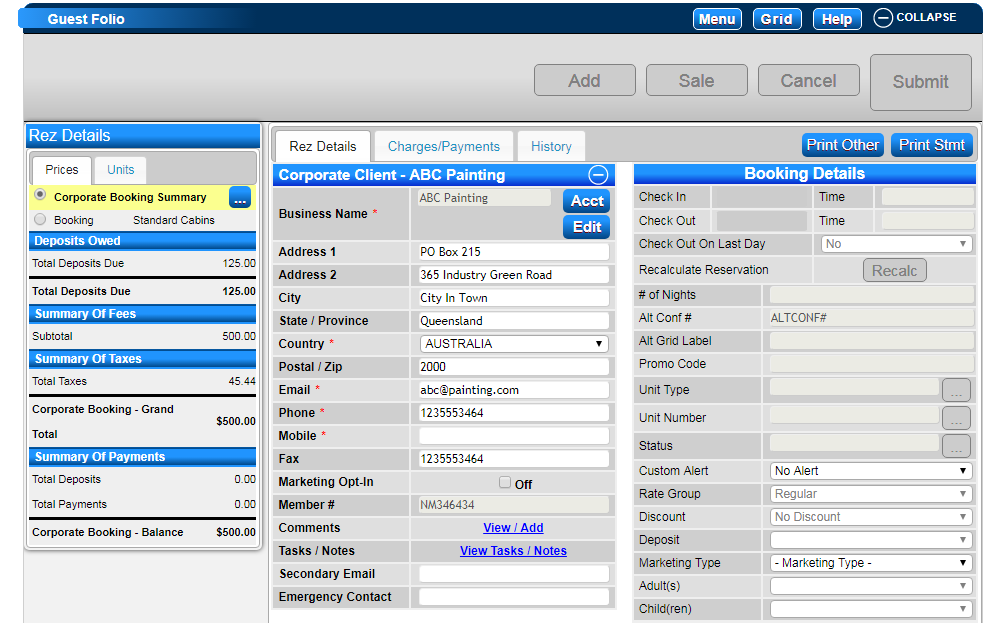
- Corporate Guest Folio:
- The Corporate Guest Folio will resemble a Group Booking with the Business Name in the Corporate Booking Summary.
- Corporate Booking Summary will hold the Business Name and contact information.
- Booking(s) will hold the Booking Details (Check In/Out dates, Unit Type, Unit #, etc.).
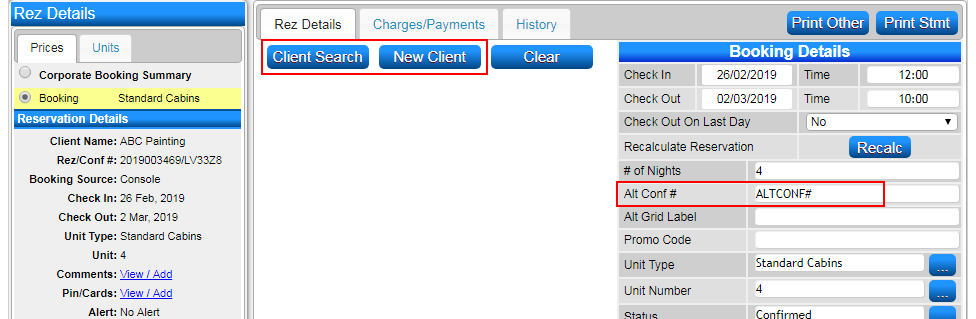
- The Client Name can be left blank if the Employee’s details are not known or not required. - Enter Employee Details:
- If the staying Employee’s details are required, click on the Booking’s radio button within the till tape on the left and click Client Search or New Client button. - Alt Conf #:
- Use this field to enter the Business supplied Invoice. It is recommended for all Corporate Reservations.
- Once all required information has been entered, press Submit to finalize. - Display on Availability Grid:
- The Corporate Reservation will display on the Availability Grid under the Business Name (then Employee Name if entered).
- The color will help identify Corporate Reservations.
Troubleshooting
- If a Business record is not found, ensure it is created before proceeding with reservations.
- For additional help, click here to print off the Help Document.