Adding Extra Occupant Post Check-In Reservation
Last modified on:
Overview
This document provides instructions on how to add an extra occupant to a reservation after it has been checked in.
Prerequisites
- Access to the Guest Folio system.
Steps
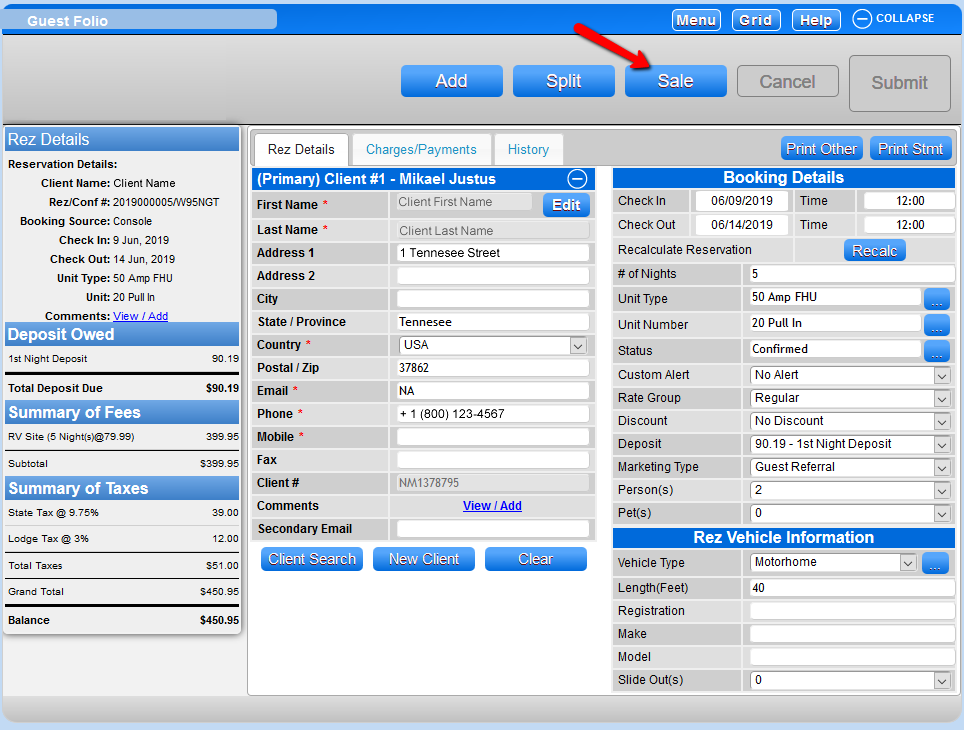
- Click Sale at the top of the Guest Folio.
- Click on the Product Group dropdown and select Occupant Products.
- Click on the Product Label dropdown and select the Occupant Type or use the hot button if available.
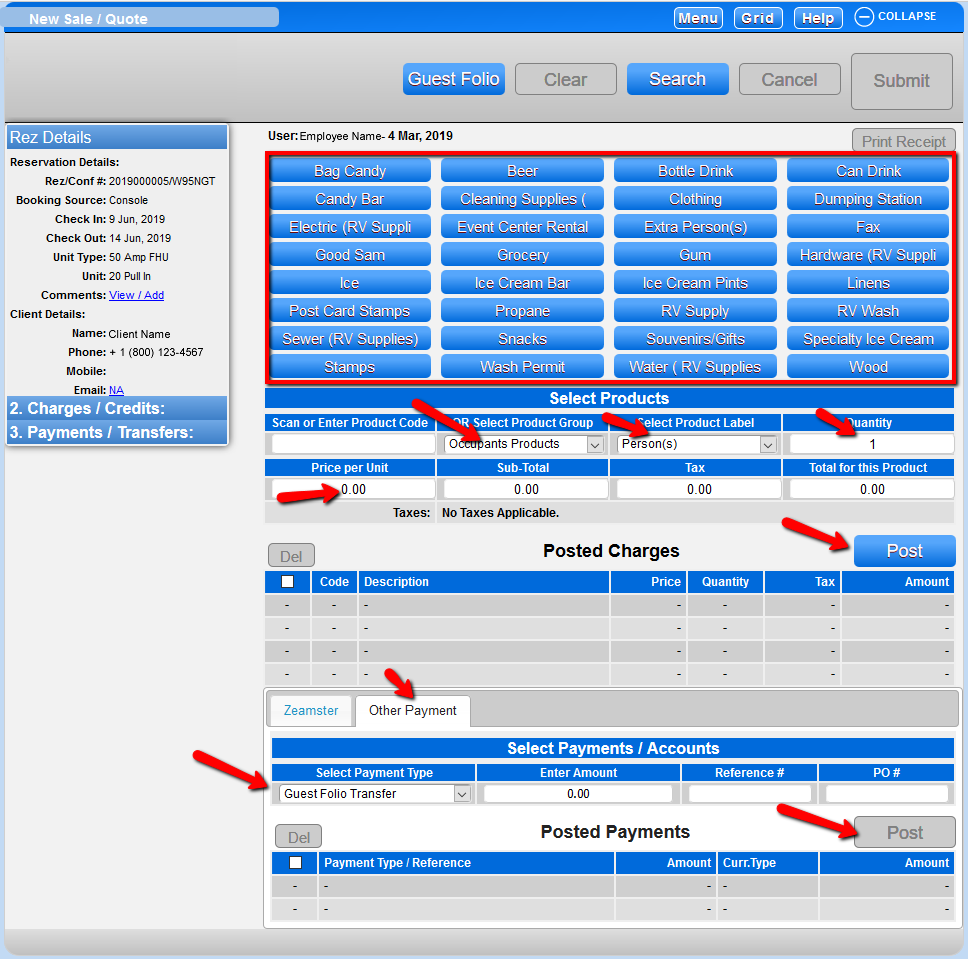
- Add the quantity and price, then post the charges.
- The Guest Folio Transfer will display as the required Payment Type. Click Post and Submit to finalize the sale transaction. The extra occupants will be added to the reservation.
Troubleshooting
For further assistance, please contact support:
- Phone: 888 777-0602 or (Aust/NZ clients +61 7 4925 4400)
- Email: support@digitalrez.com