Cancelling a Reservation Process
Last modified on:
Overview
This document provides instructions for cancelling a future reservation due to No Shows, Correction, Cancellation, or Resort Shut Down.
Prerequisites
- Access to the Availability Grid
- Guest Folio of the reservation
Steps
Select Reservation
- Select the reservation from the Availability Grid.
- Open the Guest Folio of the reservation.
- Alternatively, right-click on the reservation on the Availability Grid and select "Cancel".
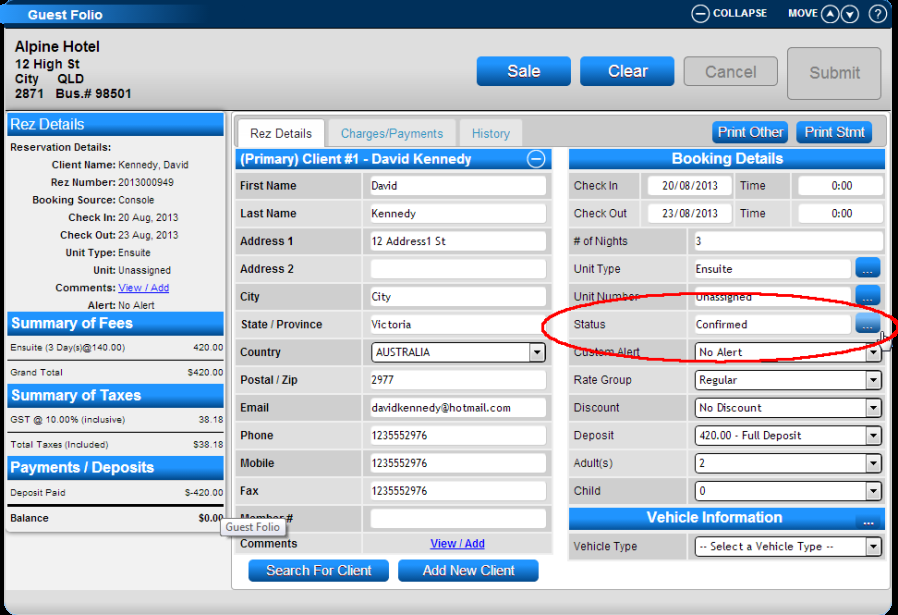
Booking Details
- In the Booking Details panel, select "Status".
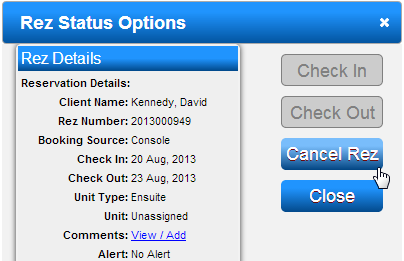
- Within the Rez Status Options box, select "Cancel Rez".
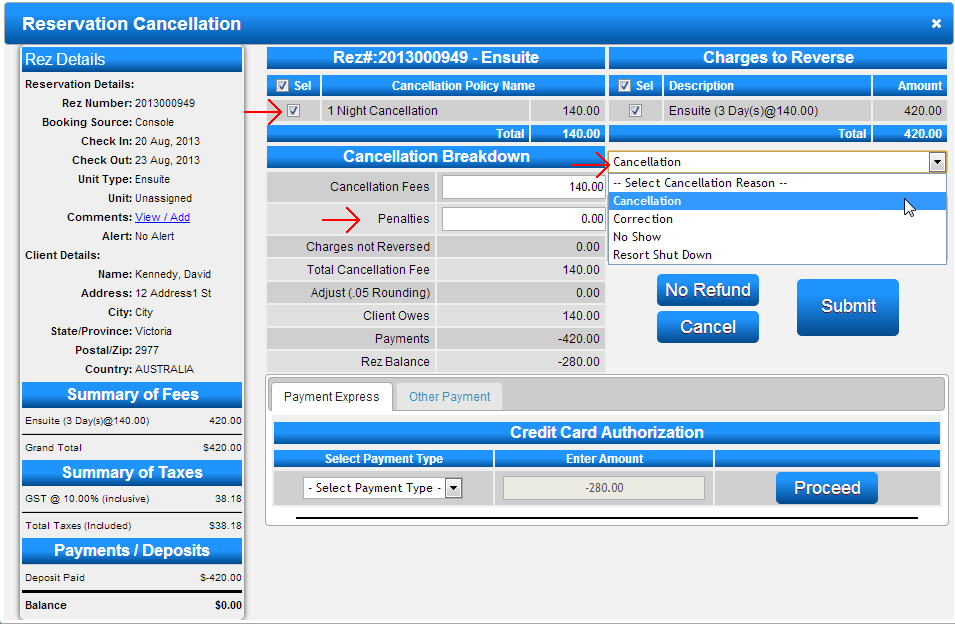
Reservation Cancellation
- Select the cancellation policy, if applicable.
- For no refund, click the "No Refund" button.
- For refunds, enter any applicable cancellation penalties.
- Deselect any charges that are not to be reversed for the refund from "Charges to Reserve".
- Select the Cancellation Reason: No Shows, Correction, Cancellation, or Resort Shut Down.
- Enter any related Cancellation Comments.
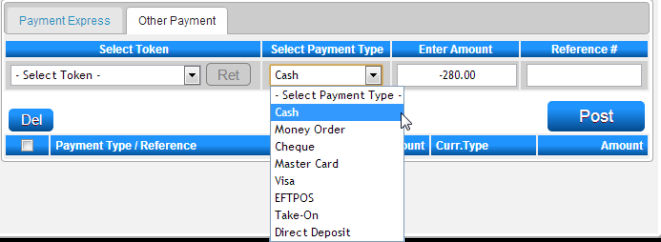
Refunds
- Selecting a cancellation policy and entering any cancellation penalties will adjust the amount to refund.
- Select the refund Payment Type.
- Click "Post" to post the refund amount.
- Press "Submit" to finalize the cancellation.
Troubleshooting
- Ensure that all steps are followed in sequence.
- Verify that the correct reservation is selected before proceeding with cancellation.
- Check for any applicable cancellation penalties or policies that may affect the refund amount.