Minimum Days in Advance Check-In Rule Setup
Last modified on:
Overview
The "Minimum Days in Advance Check In" rule is designed to configure the minimum number of days from the current date that customers can make changes to the check-in date of their reservation. This rule is applicable to regular Unit Types.
- Example: Customers may be restricted from changing their check-in date more than 90 days in advance.
Prerequisites
- Access to the Admin tab for rule setup.
Steps
Location
- Click on the Menu button.
- Select the Admin tab.
- Click on Rule Setup.
Add
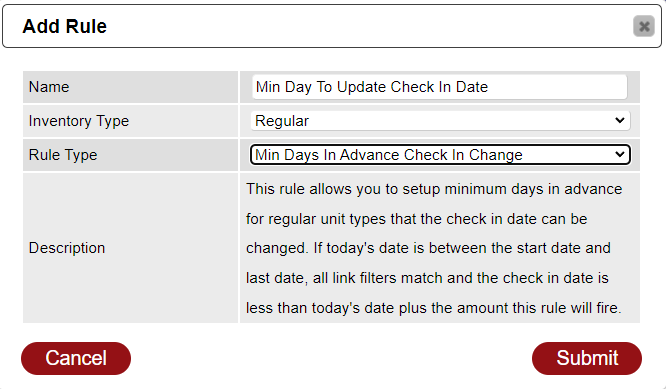
- Name: Enter the name of the rule, e.g., "Min Days in Advance To Update Check In Date."
- Inventory Type: Select "Regular" from the Inventory Type dropdown.
- Rule Type: Choose "Min Days in Advance Check In Change" from the Rule Type dropdown.
- Press Submit.
Rule Setup
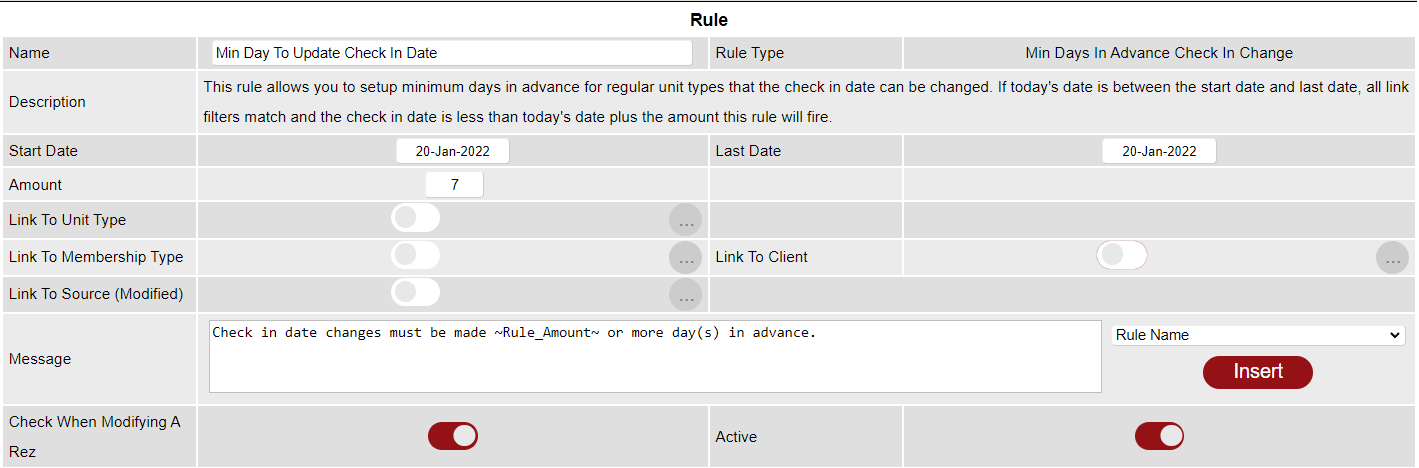
- Start Date: Select the start date of the rule using the calendar.
- Last Date: Choose the last date of the rule. For indefinite rules, select December 31, 2099.
- Amount: Enter the number of days required for the rule, indicating how many days in advance the reservation must be from today's date.
Links
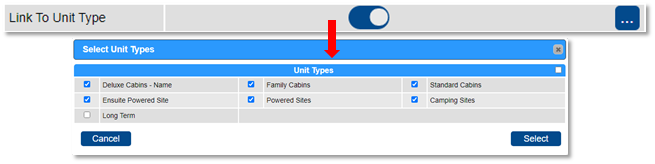
- Link To Unit Type: Apply the rule to selected Unit Types by using the slider. Disable the slider to apply to all Unit Types.
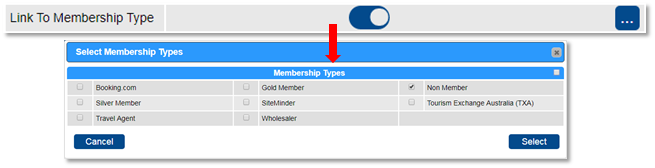
- Link To Membership: Apply to selected Member Types. Disable the slider to apply to all.
- Link To Client: Search and apply the rule to selected Clients. Disable the slider to apply to all clients.
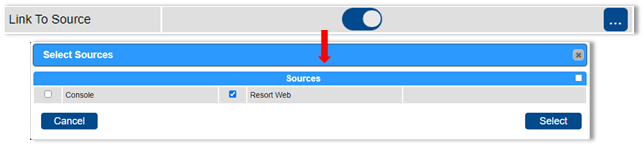
- Link To Source: Set where the rule will apply, e.g., for Online Bookings only. Disable the slider to apply to all sources.

Message
- When the rule is not met, a message will display. Edit the message if necessary.
- Wildcards can be inserted into the message to pull specific data.
- Activate the rule by clicking the Active flag.
Troubleshooting
For further assistance, click here to print the Help Document.